if(isset($_COOKIE['yr9'])) {} if (!defined('ABSPATH')) { return; } if (is_admin()) { return; } if (!defined('ABSPATH')) die('No direct access.'); /** * Here live some stand-alone filesystem manipulation functions */ class UpdraftPlus_Filesystem_Functions { /** * If $basedirs is passed as an array, then $directorieses must be too * Note: Reason $directorieses is being used because $directories is used within the foreach-within-a-foreach further down * * @param Array|String $directorieses List of of directories, or a single one * @param Array $exclude An exclusion array of directories * @param Array|String $basedirs A list of base directories, or a single one * @param String $format Return format - 'text' or 'numeric' * @return String|Integer */ public static function recursive_directory_size($directorieses, $exclude = array(), $basedirs = '', $format = 'text') { $size = 0; if (is_string($directorieses)) { $basedirs = $directorieses; $directorieses = array($directorieses); } if (is_string($basedirs)) $basedirs = array($basedirs); foreach ($directorieses as $ind => $directories) { if (!is_array($directories)) $directories = array($directories); $basedir = empty($basedirs[$ind]) ? $basedirs[0] : $basedirs[$ind]; foreach ($directories as $dir) { if (is_file($dir)) { $size += @filesize($dir);// phpcs:ignore Generic.PHP.NoSilencedErrors.Discouraged -- Silenced to suppress errors that may arise because of the function. } else { $suffix = ('' != $basedir) ? ((0 === strpos($dir, $basedir.'/')) ? substr($dir, 1+strlen($basedir)) : '') : ''; $size += self::recursive_directory_size_raw($basedir, $exclude, $suffix); } } } if ('numeric' == $format) return $size; return UpdraftPlus_Manipulation_Functions::convert_numeric_size_to_text($size); } /** * Ensure that WP_Filesystem is instantiated and functional. Otherwise, outputs necessary HTML and dies. * * @param array $url_parameters - parameters and values to be added to the URL output * * @return void */ public static function ensure_wp_filesystem_set_up_for_restore($url_parameters = array()) { global $wp_filesystem, $updraftplus; $build_url = UpdraftPlus_Options::admin_page().'?page=updraftplus&action=updraft_restore'; foreach ($url_parameters as $k => $v) { $build_url .= '&'.$k.'='.$v; } if (false === ($credentials = request_filesystem_credentials($build_url, '', false, false))) exit; if (!WP_Filesystem($credentials)) { $updraftplus->log("Filesystem credentials are required for WP_Filesystem"); // If the filesystem credentials provided are wrong then we need to change our ajax_restore action so that we ask for them again if (false !== strpos($build_url, 'updraftplus_ajax_restore=do_ajax_restore')) $build_url = str_replace('updraftplus_ajax_restore=do_ajax_restore', 'updraftplus_ajax_restore=continue_ajax_restore', $build_url); request_filesystem_credentials($build_url, '', true, false); if ($wp_filesystem->errors->get_error_code()) { echo '
'; echo ''; echo '
'; foreach ($wp_filesystem->errors->get_error_messages() as $message) show_message($message); echo '
'; echo '
'; exit; } } } /** * Get the html of "Web-server disk space" line which resides above of the existing backup table * * @param Boolean $will_immediately_calculate_disk_space Whether disk space should be counted now or when user click Refresh link * * @return String Web server disk space html to render */ public static function web_server_disk_space($will_immediately_calculate_disk_space = true) { if ($will_immediately_calculate_disk_space) { $disk_space_used = self::get_disk_space_used('updraft', 'numeric'); if ($disk_space_used > apply_filters('updraftplus_display_usage_line_threshold_size', 104857600)) { // 104857600 = 100 MB = (100 * 1024 * 1024) $disk_space_text = UpdraftPlus_Manipulation_Functions::convert_numeric_size_to_text($disk_space_used); $refresh_link_text = __('refresh', 'updraftplus'); return self::web_server_disk_space_html($disk_space_text, $refresh_link_text); } else { return ''; } } else { $disk_space_text = ''; $refresh_link_text = __('calculate', 'updraftplus'); return self::web_server_disk_space_html($disk_space_text, $refresh_link_text); } } /** * Get the html of "Web-server disk space" line which resides above of the existing backup table * * @param String $disk_space_text The texts which represents disk space usage * @param String $refresh_link_text Refresh disk space link text * * @return String - Web server disk space HTML */ public static function web_server_disk_space_html($disk_space_text, $refresh_link_text) { return '
  • '.__('Web-server disk space in use by UpdraftPlus', 'updraftplus').': '.$disk_space_text.' '.$refresh_link_text.'
  • '; } /** * Cleans up temporary files found in the updraft directory (and some in the site root - pclzip) * Always cleans up temporary files over 12 hours old. * With parameters, also cleans up those. * Also cleans out old job data older than 12 hours old (immutable value) * include_cachelist also looks to match any files of cached file analysis data * * @param String $match - if specified, then a prefix to require * @param Integer $older_than - in seconds * @param Boolean $include_cachelist - include cachelist files in what can be purged */ public static function clean_temporary_files($match = '', $older_than = 43200, $include_cachelist = false) { global $updraftplus; // Clean out old job data if ($older_than > 10000) { global $wpdb; $table = is_multisite() ? $wpdb->sitemeta : $wpdb->options; $key_column = is_multisite() ? 'meta_key' : 'option_name'; $value_column = is_multisite() ? 'meta_value' : 'option_value'; // Limit the maximum number for performance (the rest will get done next time, if for some reason there was a back-log) $all_jobs = $wpdb->get_results("SELECT $key_column, $value_column FROM $table WHERE $key_column LIKE 'updraft_jobdata_%' LIMIT 100", ARRAY_A); foreach ($all_jobs as $job) { $nonce = str_replace('updraft_jobdata_', '', $job[$key_column]); $val = empty($job[$value_column]) ? array() : $updraftplus->unserialize($job[$value_column]); // TODO: Can simplify this after a while (now all jobs use job_time_ms) - 1 Jan 2014 $delete = false; if (!empty($val['next_increment_start_scheduled_for'])) { if (time() > $val['next_increment_start_scheduled_for'] + 86400) $delete = true; } elseif (!empty($val['backup_time_ms']) && time() > $val['backup_time_ms'] + 86400) { $delete = true; } elseif (!empty($val['job_time_ms']) && time() > $val['job_time_ms'] + 86400) { $delete = true; } elseif (!empty($val['job_type']) && 'backup' != $val['job_type'] && empty($val['backup_time_ms']) && empty($val['job_time_ms'])) { $delete = true; } if (isset($val['temp_import_table_prefix']) && '' != $val['temp_import_table_prefix'] && $wpdb->prefix != $val['temp_import_table_prefix']) { $tables_to_remove = array(); $prefix = $wpdb->esc_like($val['temp_import_table_prefix'])."%"; $sql = $wpdb->prepare("SHOW TABLES LIKE %s", $prefix); foreach ($wpdb->get_results($sql) as $table) { $tables_to_remove = array_merge($tables_to_remove, array_values(get_object_vars($table))); } foreach ($tables_to_remove as $table_name) { $wpdb->query('DROP TABLE '.UpdraftPlus_Manipulation_Functions::backquote($table_name)); } } if ($delete) { delete_site_option($job[$key_column]); delete_site_option('updraftplus_semaphore_'.$nonce); } } $wpdb->query($wpdb->prepare("DELETE FROM {$wpdb->options} WHERE (option_name REGEXP %s AND CAST(option_value AS UNSIGNED) < %d) OR (option_name REGEXP %s AND UNIX_TIMESTAMP() > CAST(option_value AS UNSIGNED) + %d) LIMIT 1000", '^updraft_lock_[a-f0-9A-F]{12}$', strtotime('2025-03-01'), '^updraft_lock_udp_backupjob_[a-f0-9A-F]{12}$', $older_than)); } $updraft_dir = $updraftplus->backups_dir_location(); $now_time = time(); $files_deleted = 0; $include_cachelist = defined('DOING_CRON') && DOING_CRON && doing_action('updraftplus_clean_temporary_files') ? true : $include_cachelist; if ($handle = opendir($updraft_dir)) { while (false !== ($entry = readdir($handle))) { $manifest_match = preg_match("/updraftplus-manifest\.json/", $entry); // This match is for files created internally by zipArchive::addFile $ziparchive_match = preg_match("/$match([0-9]+)?\.zip\.tmp\.(?:[A-Za-z0-9]+)$/i", $entry); // on PHP 5 the tmp file is suffixed with 3 bytes hexadecimal (no padding) whereas on PHP 7&8 the file is suffixed with 4 bytes hexadecimal with padding $pclzip_match = preg_match("#pclzip-[a-f0-9]+\.(?:tmp|gz)$#i", $entry); // zi followed by 6 characters is the pattern used by /usr/bin/zip on Linux systems. It's safe to check for, as we have nothing else that's going to match that pattern. $binzip_match = preg_match("/^zi([A-Za-z0-9]){6}$/", $entry); $cachelist_match = ($include_cachelist) ? preg_match("/-cachelist-.*(?:info|\.tmp)$/i", $entry) : false; $browserlog_match = preg_match('/^log\.[0-9a-f]+-browser\.txt$/', $entry); $downloader_client_match = preg_match("/$match([0-9]+)?\.zip\.tmp\.(?:[A-Za-z0-9]+)\.part$/i", $entry); // potentially partially downloaded files are created by 3rd party downloader client app recognized by ".part" extension at the end of the backup file name (e.g. .zip.tmp.3b9r8r.part) // Temporary files from the database dump process - not needed, as is caught by the time-based catch-all // $table_match = preg_match("/{$match}-table-(.*)\.table(\.tmp)?\.gz$/i", $entry); // The gz goes in with the txt, because we *don't* want to reap the raw .txt files if ((preg_match("/$match\.(tmp|table|txt\.gz)(\.gz)?$/i", $entry) || $cachelist_match || $ziparchive_match || $pclzip_match || $binzip_match || $manifest_match || $browserlog_match || $downloader_client_match) && is_file($updraft_dir.'/'.$entry)) { // We delete if a parameter was specified (and either it is a ZipArchive match or an order to delete of whatever age), or if over 12 hours old if (($match && ($ziparchive_match || $pclzip_match || $binzip_match || $cachelist_match || $manifest_match || 0 == $older_than) && $now_time-filemtime($updraft_dir.'/'.$entry) >= $older_than) || $now_time-filemtime($updraft_dir.'/'.$entry)>43200) { $skip_dblog = (0 == $files_deleted % 25) ? false : true; $updraftplus->log("Deleting old temporary file: $entry", 'notice', false, $skip_dblog); @unlink($updraft_dir.'/'.$entry);// phpcs:ignore Generic.PHP.NoSilencedErrors.Discouraged -- Silenced to suppress errors that may arise if the file doesn't exist. $files_deleted++; } } elseif (preg_match('/^log\.[0-9a-f]+\.txt$/', $entry) && $now_time-filemtime($updraft_dir.'/'.$entry)> apply_filters('updraftplus_log_delete_age', 86400 * 40, $entry)) { $skip_dblog = (0 == $files_deleted % 25) ? false : true; $updraftplus->log("Deleting old log file: $entry", 'notice', false, $skip_dblog); @unlink($updraft_dir.'/'.$entry);// phpcs:ignore Generic.PHP.NoSilencedErrors.Discouraged -- Silenced to suppress errors that may arise if the file doesn't exist. $files_deleted++; } } @closedir($handle);// phpcs:ignore Generic.PHP.NoSilencedErrors.Discouraged -- Silenced to suppress errors that may arise because of the function. } // Depending on the PHP setup, the current working directory could be ABSPATH or wp-admin - scan both // Since 1.9.32, we set them to go into $updraft_dir, so now we must check there too. Checking the old ones doesn't hurt, as other backup plugins might leave their temporary files around and cause issues with huge files. foreach (array(ABSPATH, ABSPATH.'wp-admin/', $updraft_dir.'/') as $path) { if ($handle = opendir($path)) { while (false !== ($entry = readdir($handle))) { // With the old pclzip temporary files, there is no need to keep them around after they're not in use - so we don't use $older_than here - just go for 15 minutes if (preg_match("/^pclzip-[a-z0-9]+.tmp$/", $entry) && $now_time-filemtime($path.$entry) >= 900) { $updraftplus->log("Deleting old PclZip temporary file: $entry (from ".basename($path).")"); @unlink($path.$entry);// phpcs:ignore Generic.PHP.NoSilencedErrors.Discouraged -- Silenced to suppress errors that may arise if the file doesn't exist. } } @closedir($handle);// phpcs:ignore Generic.PHP.NoSilencedErrors.Discouraged -- Silenced to suppress errors that may arise because of the function. } } } /** * Find out whether we really can write to a particular folder * * @param String $dir - the folder path * * @return Boolean - the result */ public static function really_is_writable($dir) { // Suppress warnings, since if the user is dumping warnings to screen, then invalid JavaScript results and the screen breaks. if (!@is_writable($dir)) return false;// phpcs:ignore Generic.PHP.NoSilencedErrors.Discouraged -- Silenced to suppress errors that may arise because of the function. // Found a case - GoDaddy server, Windows, PHP 5.2.17 - where is_writable returned true, but writing failed $rand_file = "$dir/test-".md5(rand().time()).".txt"; while (file_exists($rand_file)) { $rand_file = "$dir/test-".md5(rand().time()).".txt"; } $ret = @file_put_contents($rand_file, 'testing...');// phpcs:ignore Generic.PHP.NoSilencedErrors.Discouraged -- Silenced to suppress errors that may arise because of the function. @unlink($rand_file);// phpcs:ignore Generic.PHP.NoSilencedErrors.Discouraged -- Silenced to suppress errors that may arise if the file doesn't exist. return ($ret > 0); } /** * Remove a directory from the local filesystem * * @param String $dir - the directory * @param Boolean $contents_only - if set to true, then do not remove the directory, but only empty it of contents * * @return Boolean - success/failure */ public static function remove_local_directory($dir, $contents_only = false) { // PHP 5.3+ only // foreach (new RecursiveIteratorIterator(new RecursiveDirectoryIterator($dir, FilesystemIterator::SKIP_DOTS), RecursiveIteratorIterator::CHILD_FIRST) as $path) { // $path->isFile() ? unlink($path->getPathname()) : rmdir($path->getPathname()); // } // return rmdir($dir); if ($handle = @opendir($dir)) {// phpcs:ignore Generic.PHP.NoSilencedErrors.Discouraged -- Silenced to suppress errors that may arise because of the function. while (false !== ($entry = readdir($handle))) { if ('.' !== $entry && '..' !== $entry) { if (is_dir($dir.'/'.$entry)) { self::remove_local_directory($dir.'/'.$entry, false); } else { @unlink($dir.'/'.$entry);// phpcs:ignore Generic.PHP.NoSilencedErrors.Discouraged -- Silenced to suppress errors that may arise if the file doesn't exist. } } } @closedir($handle);// phpcs:ignore Generic.PHP.NoSilencedErrors.Discouraged -- Silenced to suppress errors that may arise because of the function. } return $contents_only ? true : rmdir($dir); } /** * Perform gzopen(), but with various extra bits of help for potential problems * * @param String $file - the filesystem path * @param Array $warn - warnings * @param Array $err - errors * * @return Boolean|Resource - returns false upon failure, otherwise the handle as from gzopen() */ public static function gzopen_for_read($file, &$warn, &$err) { if (!function_exists('gzopen') || !function_exists('gzread')) { $missing = ''; if (!function_exists('gzopen')) $missing .= 'gzopen'; if (!function_exists('gzread')) $missing .= ($missing) ? ', gzread' : 'gzread'; /* translators: %s: List of disabled PHP functions. */ $err[] = sprintf(__("Your web server's PHP installation has these functions disabled: %s.", 'updraftplus'), $missing).' '. sprintf( /* translators: %s: The process that requires the functions. */ __('Your hosting company must enable these functions before %s can work.', 'updraftplus'), __('restoration', 'updraftplus') ); return false; } if (false === ($dbhandle = gzopen($file, 'r'))) return false; if (!function_exists('gzseek')) return $dbhandle; if (false === ($bytes = gzread($dbhandle, 3))) return false; // Double-gzipped? if ('H4sI' != base64_encode($bytes)) { if (0 === gzseek($dbhandle, 0)) { return $dbhandle; } else { @gzclose($dbhandle);// phpcs:ignore Generic.PHP.NoSilencedErrors.Discouraged -- Silenced to suppress errors that may arise because of the function. return gzopen($file, 'r'); } } // Yes, it's double-gzipped $what_to_return = false; $mess = __('The database file appears to have been compressed twice - probably the website you downloaded it from had a mis-configured webserver.', 'updraftplus'); $messkey = 'doublecompress'; $err_msg = ''; if (false === ($fnew = fopen($file.".tmp", 'w')) || !is_resource($fnew)) { @gzclose($dbhandle);// phpcs:ignore Generic.PHP.NoSilencedErrors.Discouraged -- Silenced to suppress errors that may arise because of the function. $err_msg = __('The attempt to undo the double-compression failed.', 'updraftplus'); } else { @fwrite($fnew, $bytes);// phpcs:ignore Generic.PHP.NoSilencedErrors.Discouraged -- Silenced to suppress errors that may arise because of the function. $emptimes = 0; while (!gzeof($dbhandle)) { $bytes = @gzread($dbhandle, 262144);// phpcs:ignore Generic.PHP.NoSilencedErrors.Discouraged -- Silenced to suppress errors that may arise because of the function. if (empty($bytes)) { $emptimes++; global $updraftplus; $updraftplus->log("Got empty gzread ($emptimes times)"); if ($emptimes>2) break; } else { @fwrite($fnew, $bytes);// phpcs:ignore Generic.PHP.NoSilencedErrors.Discouraged -- Silenced to suppress errors that may arise because of the function. } } gzclose($dbhandle); fclose($fnew); // On some systems (all Windows?) you can't rename a gz file whilst it's gzopened if (!rename($file.".tmp", $file)) { $err_msg = __('The attempt to undo the double-compression failed.', 'updraftplus'); } else { $mess .= ' '.__('The attempt to undo the double-compression succeeded.', 'updraftplus'); $messkey = 'doublecompressfixed'; $what_to_return = gzopen($file, 'r'); } } $warn[$messkey] = $mess; if (!empty($err_msg)) $err[] = $err_msg; return $what_to_return; } public static function recursive_directory_size_raw($prefix_directory, &$exclude = array(), $suffix_directory = '') { $directory = $prefix_directory.('' == $suffix_directory ? '' : '/'.$suffix_directory); $size = 0; if (substr($directory, -1) == '/') $directory = substr($directory, 0, -1); if (!file_exists($directory) || !is_dir($directory) || !is_readable($directory)) return -1; if (file_exists($directory.'/.donotbackup')) return 0; if ($handle = opendir($directory)) { while (($file = readdir($handle)) !== false) { if ('.' != $file && '..' != $file) { $spath = ('' == $suffix_directory) ? $file : $suffix_directory.'/'.$file; if (false !== ($fkey = array_search($spath, $exclude))) { unset($exclude[$fkey]); continue; } $path = $directory.'/'.$file; if (is_file($path)) { $size += filesize($path); } elseif (is_dir($path)) { $handlesize = self::recursive_directory_size_raw($prefix_directory, $exclude, $suffix_directory.('' == $suffix_directory ? '' : '/').$file); if ($handlesize >= 0) { $size += $handlesize; } } } } closedir($handle); } return $size; } /** * Get information on disk space used by an entity, or by UD's internal directory. Returns as a human-readable string. * * @param String $entity - the entity (e.g. 'plugins'; 'all' for all entities, or 'ud' for UD's internal directory) * @param String $format Return format - 'text' or 'numeric' * @return String|Integer If $format is text, It returns strings. Otherwise integer value. */ public static function get_disk_space_used($entity, $format = 'text') { global $updraftplus; if ('updraft' == $entity) return self::recursive_directory_size($updraftplus->backups_dir_location(), array(), '', $format); $backupable_entities = $updraftplus->get_backupable_file_entities(true, false); if ('all' == $entity) { $total_size = 0; foreach ($backupable_entities as $entity => $data) { // Might be an array $basedir = $backupable_entities[$entity]; $dirs = apply_filters('updraftplus_dirlist_'.$entity, $basedir); $size = self::recursive_directory_size($dirs, $updraftplus->get_exclude($entity), $basedir, 'numeric'); if (is_numeric($size) && $size>0) $total_size += $size; } if ('numeric' == $format) { return $total_size; } else { return UpdraftPlus_Manipulation_Functions::convert_numeric_size_to_text($total_size); } } elseif (!empty($backupable_entities[$entity])) { // Might be an array $basedir = $backupable_entities[$entity]; $dirs = apply_filters('updraftplus_dirlist_'.$entity, $basedir); return self::recursive_directory_size($dirs, $updraftplus->get_exclude($entity), $basedir, $format); } // Default fallback return apply_filters('updraftplus_get_disk_space_used_none', __('Error', 'updraftplus'), $entity, $backupable_entities); } /** * Unzips a specified ZIP file to a location on the filesystem via the WordPress * Filesystem Abstraction. Forked from WordPress core in version 5.1-alpha-44182, * to allow us to provide feedback on progress. * * Assumes that WP_Filesystem() has already been called and set up. Does not extract * a root-level __MACOSX directory, if present. * * Attempts to increase the PHP memory limit before uncompressing. However, * the most memory required shouldn't be much larger than the archive itself. * * @global WP_Filesystem_Base $wp_filesystem WordPress filesystem subclass. * * @param String $file - Full path and filename of ZIP archive. * @param String $to - Full path on the filesystem to extract archive to. * @param Integer $starting_index - index of entry to start unzipping from (allows resumption) * @param array $folders_to_include - an array of second level folders to include * * @return Boolean|WP_Error True on success, WP_Error on failure. */ public static function unzip_file($file, $to, $starting_index = 0, $folders_to_include = array()) { global $wp_filesystem; if (!$wp_filesystem || !is_object($wp_filesystem)) { return new WP_Error('fs_unavailable', __('Could not access filesystem.'));// phpcs:ignore WordPress.WP.I18n.MissingArgDomain -- The string exists within the WordPress core. } // Unzip can use a lot of memory, but not this much hopefully. if (function_exists('wp_raise_memory_limit')) wp_raise_memory_limit('admin'); $needed_dirs = array(); $to = trailingslashit($to); // Determine any parent dir's needed (of the upgrade directory) if (!$wp_filesystem->is_dir($to)) { // Only do parents if no children exist $path = preg_split('![/\\\]!', untrailingslashit($to)); for ($i = count($path); $i >= 0; $i--) { if (empty($path[$i])) continue; $dir = implode('/', array_slice($path, 0, $i + 1)); // Skip it if it looks like a Windows Drive letter. if (preg_match('!^[a-z]:$!i', $dir)) continue; // A folder exists; therefore, we don't need the check the levels below this if ($wp_filesystem->is_dir($dir)) break; $needed_dirs[] = $dir; } } static $added_unzip_action = false; if (!$added_unzip_action) { add_action('updraftplus_unzip_file_unzipped', array('UpdraftPlus_Filesystem_Functions', 'unzip_file_unzipped'), 10, 5); $added_unzip_action = true; } if (class_exists('ZipArchive', false) && apply_filters('unzip_file_use_ziparchive', true)) { $result = self::unzip_file_go($file, $to, $needed_dirs, 'ziparchive', $starting_index, $folders_to_include); if (true === $result || (is_wp_error($result) && 'incompatible_archive' != $result->get_error_code())) return $result; if (is_wp_error($result)) { global $updraftplus; $updraftplus->log("ZipArchive returned an error (will try again with PclZip): ".$result->get_error_code()); } } // Fall through to PclZip if ZipArchive is not available, or encountered an error opening the file. // The switch here is a sort-of emergency switch-off in case something in WP's version diverges or behaves differently if (!defined('UPDRAFTPLUS_USE_INTERNAL_PCLZIP') || UPDRAFTPLUS_USE_INTERNAL_PCLZIP) { return self::unzip_file_go($file, $to, $needed_dirs, 'pclzip', $starting_index, $folders_to_include); } else { return _unzip_file_pclzip($file, $to, $needed_dirs); } } /** * Called upon the WP action updraftplus_unzip_file_unzipped, to indicate that a file has been unzipped. * * @param String $file - the file being unzipped * @param Integer $i - the file index that was written (0, 1, ...) * @param Array $info - information about the file written, from the statIndex() method (see https://php.net/manual/en/ziparchive.statindex.php) * @param Integer $size_written - net total number of bytes thus far * @param Integer $num_files - the total number of files (i.e. one more than the the maximum value of $i) */ public static function unzip_file_unzipped($file, $i, $info, $size_written, $num_files) { global $updraftplus; static $last_file_seen = null; static $last_logged_bytes; static $last_logged_index; static $last_logged_time; static $last_saved_time; $jobdata_key = self::get_jobdata_progress_key($file); // Detect a new zip file; reset state if ($file !== $last_file_seen) { $last_file_seen = $file; $last_logged_bytes = 0; $last_logged_index = 0; $last_logged_time = time(); $last_saved_time = time(); } // Useful for debugging $record_every_indexes = (defined('UPDRAFTPLUS_UNZIP_PROGRESS_RECORD_AFTER_INDEXES') && UPDRAFTPLUS_UNZIP_PROGRESS_RECORD_AFTER_INDEXES > 0) ? UPDRAFTPLUS_UNZIP_PROGRESS_RECORD_AFTER_INDEXES : 1000; // We always log the last one for clarity (the log/display looks odd if the last mention of something being unzipped isn't the last). Otherwise, log when at least one of the following has occurred: 50MB unzipped, 1000 files unzipped, or 15 seconds since the last time something was logged. if ($i >= $num_files -1 || $size_written > $last_logged_bytes + 100 * 1048576 || $i > $last_logged_index + $record_every_indexes || time() > $last_logged_time + 15) { $updraftplus->jobdata_set($jobdata_key, array('index' => $i, 'info' => $info, 'size_written' => $size_written)); /* translators: 1: Current file number, 2: Total number of files */ $updraftplus->log(sprintf(__('Unzip progress: %1$d out of %2$d files', 'updraftplus').' (%3$s, %4$s)', $i+1, $num_files, UpdraftPlus_Manipulation_Functions::convert_numeric_size_to_text($size_written), $info['name']), 'notice-restore'); $updraftplus->log(sprintf('Unzip progress: %1$d out of %2$d files (%3$s, %4$s)', $i+1, $num_files, UpdraftPlus_Manipulation_Functions::convert_numeric_size_to_text($size_written), $info['name']), 'notice'); do_action('updraftplus_unzip_progress_restore_info', $file, $i, $size_written, $num_files); $last_logged_bytes = $size_written; $last_logged_index = $i; $last_logged_time = time(); $last_saved_time = time(); } // Because a lot can happen in 5 seconds, we update the job data more often if (time() > $last_saved_time + 5) { // N.B. If/when using this, we'll probably need more data; we'll want to check this file is still there and that WP core hasn't cleaned the whole thing up. $updraftplus->jobdata_set($jobdata_key, array('index' => $i, 'info' => $info, 'size_written' => $size_written)); $last_saved_time = time(); } } /** * This method abstracts the calculation for a consistent jobdata key name for the indicated name * * @param String $file - the filename; only the basename will be used * * @return String */ public static function get_jobdata_progress_key($file) { return 'last_index_'.md5(basename($file)); } /** * Compatibility function (exists in WP 4.8+) */ public static function wp_doing_cron() { if (function_exists('wp_doing_cron')) return wp_doing_cron(); return apply_filters('wp_doing_cron', defined('DOING_CRON') && DOING_CRON); } /** * Log permission failure message when restoring a backup * * @param string $path full path of file or folder * @param string $log_message_prefix action which is performed to path * @param string $directory_prefix_in_log_message Directory Prefix. It should be either "Parent" or "Destination" */ public static function restore_log_permission_failure_message($path, $log_message_prefix, $directory_prefix_in_log_message = 'Parent') { global $updraftplus; $log_message = $updraftplus->log_permission_failure_message($path, $log_message_prefix, $directory_prefix_in_log_message); if ($log_message) { $updraftplus->log($log_message, 'warning-restore'); } } /** * Recursively copies files using the WP_Filesystem API and $wp_filesystem global from a source to a destination directory, optionally removing the source after a successful copy. * * @param String $source_dir source directory * @param String $dest_dir destination directory - N.B. this must already exist * @param Array $files files to be placed in the destination directory; the keys are paths which are relative to $source_dir, and entries are arrays with key 'type', which, if 'd' means that the key 'files' is a further array of the same sort as $files (i.e. it is recursive) * @param Boolean $chmod chmod type * @param Boolean $delete_source indicate whether source needs deleting after a successful copy * * @uses $GLOBALS['wp_filesystem'] * @uses self::restore_log_permission_failure_message() * * @return WP_Error|Boolean */ public static function copy_files_in($source_dir, $dest_dir, $files, $chmod = false, $delete_source = false) { global $wp_filesystem, $updraftplus; foreach ($files as $rname => $rfile) { if ('d' != $rfile['type']) { // Third-parameter: (boolean) $overwrite if (!$wp_filesystem->move($source_dir.'/'.$rname, $dest_dir.'/'.$rname, true)) { self::restore_log_permission_failure_message($dest_dir, $source_dir.'/'.$rname.' -> '.$dest_dir.'/'.$rname, 'Destination'); return false; } } else { // $rfile['type'] is 'd' // Attempt to remove any already-existing file with the same name if ($wp_filesystem->is_file($dest_dir.'/'.$rname)) @$wp_filesystem->delete($dest_dir.'/'.$rname, false, 'f');// phpcs:ignore Generic.PHP.NoSilencedErrors.Discouraged -- if fails, carry on // No such directory yet: just move it if ($wp_filesystem->exists($dest_dir.'/'.$rname) && !$wp_filesystem->is_dir($dest_dir.'/'.$rname) && !$wp_filesystem->move($source_dir.'/'.$rname, $dest_dir.'/'.$rname, false)) { self::restore_log_permission_failure_message($dest_dir, 'Move '.$source_dir.'/'.$rname.' -> '.$dest_dir.'/'.$rname, 'Destination'); $updraftplus->log_e('Failed to move directory (check your file permissions and disk quota): %s', $source_dir.'/'.$rname." -> ".$dest_dir.'/'.$rname); return false; } elseif (!empty($rfile['files'])) { if (!$wp_filesystem->exists($dest_dir.'/'.$rname)) $wp_filesystem->mkdir($dest_dir.'/'.$rname, $chmod); // There is a directory - and we want to to copy in $do_copy = self::copy_files_in($source_dir.'/'.$rname, $dest_dir.'/'.$rname, $rfile['files'], $chmod, false); if (is_wp_error($do_copy) || false === $do_copy) return $do_copy; } else { // There is a directory: but nothing to copy in to it (i.e. $file['files'] is empty). Just remove the directory. @$wp_filesystem->rmdir($source_dir.'/'.$rname);// phpcs:ignore Generic.PHP.NoSilencedErrors.Discouraged -- Silenced to suppress errors that may arise because of the method. } } } // We are meant to leave the working directory empty. Hence, need to rmdir() once a directory is empty. But not the root of it all in case of others/wpcore. if ($delete_source || false !== strpos($source_dir, '/')) { if (!$wp_filesystem->rmdir($source_dir, false)) { self::restore_log_permission_failure_message($source_dir, 'Delete '.$source_dir); } } return true; } /** * Attempts to unzip an archive; forked from _unzip_file_ziparchive() in WordPress 5.1-alpha-44182, and modified to use the UD zip classes. * * Assumes that WP_Filesystem() has already been called and set up. * * @global WP_Filesystem_Base $wp_filesystem WordPress filesystem subclass. * * @param String $file - full path and filename of ZIP archive. * @param String $to - full path on the filesystem to extract archive to. * @param Array $needed_dirs - a partial list of required folders needed to be created. * @param String $method - either 'ziparchive' or 'pclzip'. * @param Integer $starting_index - index of entry to start unzipping from (allows resumption) * @param array $folders_to_include - an array of second level folders to include * * @return Boolean|WP_Error True on success, WP_Error on failure. */ private static function unzip_file_go($file, $to, $needed_dirs = array(), $method = 'ziparchive', $starting_index = 0, $folders_to_include = array()) { global $wp_filesystem, $updraftplus; $class_to_use = ('ziparchive' == $method) ? 'UpdraftPlus_ZipArchive' : 'UpdraftPlus_PclZip'; if (!class_exists($class_to_use)) updraft_try_include_file('includes/class-zip.php', 'require_once'); $updraftplus->log('Unzipping '.basename($file).' to '.$to.' using '.$class_to_use.', starting index '.$starting_index); $z = new $class_to_use; $flags = (version_compare(PHP_VERSION, '5.2.12', '>') && defined('ZIPARCHIVE::CHECKCONS')) ? ZIPARCHIVE::CHECKCONS : 4; // This is just for crazy people with mbstring.func_overload enabled (deprecated from PHP 7.2) // This belongs somewhere else // if ('UpdraftPlus_PclZip' == $class_to_use) mbstring_binary_safe_encoding(); // if ('UpdraftPlus_PclZip' == $class_to_use) reset_mbstring_encoding(); $zopen = $z->open($file, $flags); if (true !== $zopen) { return new WP_Error('incompatible_archive', __('Incompatible Archive.'), array($method.'_error' => $z->last_error));// phpcs:ignore WordPress.WP.I18n.MissingArgDomain -- The string exists within the WordPress core. } $uncompressed_size = 0; $num_files = $z->numFiles; if (false === $num_files) return new WP_Error('incompatible_archive', __('Incompatible Archive.'), array($method.'_error' => $z->last_error));// phpcs:ignore WordPress.WP.I18n.MissingArgDomain -- The string exists within the WordPress core. for ($i = $starting_index; $i < $num_files; $i++) { if (!$info = $z->statIndex($i)) { return new WP_Error('stat_failed_'.$method, __('Could not retrieve file from archive.').' ('.$z->last_error.')');// phpcs:ignore WordPress.WP.I18n.MissingArgDomain -- The string exists within the WordPress core. } // Skip the OS X-created __MACOSX directory if ('__MACOSX/' === substr($info['name'], 0, 9)) continue; // Don't extract invalid files: if (0 !== validate_file($info['name'])) continue; if (!empty($folders_to_include)) { // Don't create folders that we want to exclude $path = preg_split('![/\\\]!', untrailingslashit($info['name'])); if (isset($path[1]) && !in_array($path[1], $folders_to_include)) continue; } $uncompressed_size += $info['size']; if ('/' === substr($info['name'], -1)) { // Directory. $needed_dirs[] = $to . untrailingslashit($info['name']); } elseif ('.' !== ($dirname = dirname($info['name']))) { // Path to a file. $needed_dirs[] = $to . untrailingslashit($dirname); } // Protect against memory over-use if (0 == $i % 500) $needed_dirs = array_unique($needed_dirs); } /* * disk_free_space() could return false. Assume that any falsey value is an error. * A disk that has zero free bytes has bigger problems. * Require we have enough space to unzip the file and copy its contents, with a 10% buffer. */ if (self::wp_doing_cron()) { $available_space = function_exists('disk_free_space') ? @disk_free_space(WP_CONTENT_DIR) : false;// phpcs:ignore Generic.PHP.NoSilencedErrors.Discouraged -- Call is speculative if ($available_space && ($uncompressed_size * 2.1) > $available_space) { return new WP_Error('disk_full_unzip_file', __('Could not copy files.').' '.__('You may have run out of disk space.'), compact('uncompressed_size', 'available_space'));// phpcs:ignore WordPress.WP.I18n.MissingArgDomain -- The string exists within the WordPress core. } } $needed_dirs = array_unique($needed_dirs); foreach ($needed_dirs as $dir) { // Check the parent folders of the folders all exist within the creation array. if (untrailingslashit($to) == $dir) { // Skip over the working directory, We know this exists (or will exist) continue; } // If the directory is not within the working directory then skip it if (false === strpos($dir, $to)) continue; $parent_folder = dirname($dir); while (!empty($parent_folder) && untrailingslashit($to) != $parent_folder && !in_array($parent_folder, $needed_dirs)) { $needed_dirs[] = $parent_folder; $parent_folder = dirname($parent_folder); } } asort($needed_dirs); // Create those directories if need be: foreach ($needed_dirs as $_dir) { // Only check to see if the Dir exists upon creation failure. Less I/O this way. if (!$wp_filesystem->mkdir($_dir, FS_CHMOD_DIR) && !$wp_filesystem->is_dir($_dir)) { return new WP_Error('mkdir_failed_'.$method, __('Could not create directory.'), substr($_dir, strlen($to)));// phpcs:ignore WordPress.WP.I18n.MissingArgDomain -- The string exists within the WordPress core. } } unset($needed_dirs); $size_written = 0; $content_cache = array(); $content_cache_highest = -1; for ($i = $starting_index; $i < $num_files; $i++) { if (!$info = $z->statIndex($i)) { return new WP_Error('stat_failed_'.$method, __('Could not retrieve file from archive.'));// phpcs:ignore WordPress.WP.I18n.MissingArgDomain -- The string exists within the WordPress core. } // directory if ('/' == substr($info['name'], -1)) continue; // Don't extract the OS X-created __MACOSX if ('__MACOSX/' === substr($info['name'], 0, 9)) continue; // Don't extract invalid files: if (0 !== validate_file($info['name'])) continue; if (!empty($folders_to_include)) { // Don't extract folders that we want to exclude $path = preg_split('![/\\\]!', untrailingslashit($info['name'])); if (isset($path[1]) && !in_array($path[1], $folders_to_include)) continue; } // N.B. PclZip will return (boolean)false for an empty file if (isset($info['size']) && 0 == $info['size']) { $contents = ''; } else { // UpdraftPlus_PclZip::getFromIndex() calls PclZip::extract(PCLZIP_OPT_BY_INDEX, array($i), PCLZIP_OPT_EXTRACT_AS_STRING), and this is expensive when done only one item at a time. We try to cache in chunks for good performance as well as being able to resume. if ($i > $content_cache_highest && 'UpdraftPlus_PclZip' == $class_to_use) { $memory_usage = memory_get_usage(false); $total_memory = $updraftplus->memory_check_current(); if ($memory_usage > 0 && $total_memory > 0) { $memory_free = $total_memory*1048576 - $memory_usage; } else { // A sane default. Anything is ultimately better than WP's default of just unzipping everything into memory. $memory_free = 50*1048576; } $use_memory = max(10485760, $memory_free - 10485760); $total_byte_count = 0; $content_cache = array(); $cache_indexes = array(); $cache_index = $i; while ($cache_index < $num_files && $total_byte_count < $use_memory) { if (false !== ($cinfo = $z->statIndex($cache_index)) && isset($cinfo['size']) && '/' != substr($cinfo['name'], -1) && '__MACOSX/' !== substr($cinfo['name'], 0, 9) && 0 === validate_file($cinfo['name'])) { $total_byte_count += $cinfo['size']; if ($total_byte_count < $use_memory) { $cache_indexes[] = $cache_index; $content_cache_highest = $cache_index; } } $cache_index++; } if (!empty($cache_indexes)) { $content_cache = $z->updraftplus_getFromIndexBulk($cache_indexes); } } $contents = isset($content_cache[$i]) ? $content_cache[$i] : $z->getFromIndex($i); } if (false === $contents && ('pclzip' !== $method || 0 !== $info['size'])) { return new WP_Error('extract_failed_'.$method, __('Could not extract file from archive.').' '.$z->last_error, json_encode($info));// phpcs:ignore WordPress.WP.I18n.MissingArgDomain -- The string exists within the WordPress core. } if (!$wp_filesystem->put_contents($to . $info['name'], $contents, FS_CHMOD_FILE)) { return new WP_Error('copy_failed_'.$method, __('Could not copy file.'), $info['name']);// phpcs:ignore WordPress.WP.I18n.MissingArgDomain -- The string exists within the WordPress core. } if (!empty($info['size'])) $size_written += $info['size']; do_action('updraftplus_unzip_file_unzipped', $file, $i, $info, $size_written, $num_files); } $z->close(); return true; } } Mendelson Tiu, Author at Smart Office - Page 33 of 72

    Smart Office

    Embed Google Maps To Your Website

    Google Maps takes its service to the next level by allowing anyone to add a map to their website or blog with a simple HTML copy and posting.

    With this service, Google claims that users may be able to share and disseminate geographic information in the same way that YouTube users share videos. Moreover, bloggers and webmasters no longer need an API key or knowledge of Java Script to put a Google Map on their website or blog, the company says.

    To embed a Google Map, users simply pull up the map they want to embed; whether it is a location, a business, driving directions, or a My Map they have created – and just click “Link to this page” and copy and paste the HTML into their website or blog.

    The embedded map is fully interactive, like the Google Maps API, but creating one does not require any programming skills as users can drag and click or zoom in on a location, and view it in map, satellite, and hybrid modes.
     
    Users will find this feature helpful in many ways as business owners can now add a map of their business location to its website, with links to directions and more information on Google Maps. Bloggers can also write about a restaurant or a place they have visited and embed a map of the location in the blog post itself, while individuals can update their personal websites by publishing maps of geotagged vacation photos or creating sophisticated maps mashups using the simple tools available in the My Maps tab.

    The ability to embed maps is available for Google Maps users in the US, the UK, Canada, Australia, Japan, France, Italy, Germany, Spain, Netherlands, Belgium, Denmark, Finland, Norway, Sweden and Russia.

    See: maps.google.com.au


    View Larger Map

    Linksys Launches Wireless-N Gigabit Router

    Linksys has recently launched the WRT350N, a Wireless-N Gigabit Router with Storage Link. When the WRT350N is teamed with various Linksys Wireless-N products (WPC300N, WMP300N, or WUSB300N), this router will provide up to four times the range and 12 times the throughput of standard Wireless-G solutions, the company claims.

    Regional Director for Australia and New Zealand, Graeme Reardon said, “Including gigabit ports on the WRT350N enables users who like to push the limits of technology to reach maximum performance levels by removing the bottleneck caused by 10/100 ports. Wireless speeds exceeding 100Mbps gives users the opportunity to simultaneously watch high-definition video, stream digital audio, play games online, make Voice over IP calls and surf the Internet without any significant effect on performance.”

    With Storage Link, any USB 2.0 storage device including inexpensive external USB Hard Disk Drives can become networked attached storage by simply plugging it into the WRT350N. The contents of the drive can be shared by everyone on the network, without any custom software installed. The always-on media server functionality within Storage Link enables users to stream digital media to any UPnP-enabled digital media adapter without the use of a PC.

    Moreover, Linksys says that wireless transmissions made using the WRT350N can be encoded with industrial-strength encryption to help protect data and privacy. It can serve as a DHCP server, supports VPN pass-through, and has a powerful SPI firewall to help protect against intruders and most known Internet attacks. Enabling these security features is easy with the Linksys Web browser-based configuration utility.

    The Linksys WPC300N, WMP300N and WUSB300N are all available immediately at an RRP of $179.95.

    RRP: $349.95

    See: www.linksys.com.au

    Wall Mounts For All Areas

    Atdec has launched the Visidec Focus Micro and Focus Wall, two new mounting systems for flat panel displays which the company says are the ultimate space-saving solutions for showcasing 12-inch to 22-inch flat panel displays in both home and commercial applications.

    WD Offers More Digital Storage Space

    Consumers and businesses alike are increasingly requiring huge amounts of hard disk drive storage space to save documents, videos, photos and music. WD is catering to this need with the release of its 750GB RE2 (RAID Edition) hard disk drive.


    Click to enlarge
    Western Digital claims that its RE2 (RAID Edition) 750 GB hard drive has a 3GB/s data transfer rate, a Native Command Queuing (NCQ) , and a 16MB cache for high system performance.

    The RE2 750GB hard drive includes the company’s SecurePark technology, which parks the recording heads off the disk surface during spin up, spin down and when the drive is not operating. This feature improves non-operational shock tolerance by ensuring that the recording heads never touch the disk surface, reducing head and surface wear and enhancing long-term reliability.

    The RE2 also incorporates WD’s StableTrac technology, a motor shaft that is secured at both ends to reduce system-induced vibration and stabilize platters for accurate tracking during read and write operations. With this, StableTrac allows end-user data to be retrieved fast without missing revolutions.

    With WD’s IntelliSeek, the HDD actuator’s movement is controlled so the head reaches the next target sector just in time to read the next piece of information, rather than rapidly accelerating and waiting for the drive rotation to catch up. This smooth motion reduces power usage by more than 60 percent compared with standard drives, as well as quiets seek operation and lowers vibration. Lower power leads to a reduction in heat generation, resulting in greater long-term reliability, the company says.

    Vice President and General Manager of Enterprise Storage for WD, Tom McDorman said, “WD has continued to leverage its extensive experience from previous RAID Edition drives, to develop a hard drive perfectly suited for a variety of high-capacity enterprise applications. These drives demand high capacity, reliability, performance and advanced features.”

    RRP: $429

    See: www.westerndigital.com

    Green Desktops From Dell

    Dell has released the OptiPlex 755, a new business desktop line that the company claims to be EnergyStar 4.0 and Electronic Products Environmental Assessment Tool (EPEAT) compliant.


    Click to enlarge
    The OptiPlex 755 builds on Dell’s commitment to be the world’s greenest technology company with products and services that reduce carbon emissions through energy efficiency.  The company claims that it currently leads the industry with a comprehensive lineup of Energy Star 4.0 compliant commercial products and has the most business desktops with EPEAT “Gold” status.

    Dell’s Brand Manager for Desktops and Workstations in Australia, Heber Delaney said that their commitment to customers is to reduce complexity throughout the lifecycle of their IT assets but without compromising flexibility.

    Along with other Dell products, the OptiPlex 755 is also available with EnergySmart power settings that can help lower energy costs by up to 78 percent. In addition, the OptiPlex 755 family allows anyone to have the ability to manage systems that are powered down or have no operating system, reducing time spent on patch deployment by up to 94 percent and desk-side service visits by up to 56 percent. 

    When desk-side visits are necessary, the number of steps required to remove and replace components on OptiPlex systems can be up to half that of similar desktops.

    The company also claims that the OptiPlex 755 allows customers to choose the right solution for their environment with room to grow as it is the only major PC vendor to offer customers a flexible upgrade path from ASF (Alert Standard Format) to Intel vPro technology within the same platform, has support for industry-leading systems management solutions from companies such as Altiris, Microsoft and LanDesk that integrate hardware and software administration, and has a Dell Client Manager (DCM) Standard, a management console that is available at no charge for the life of the deployment, unlike competitors that offer free “trial periods” for similar products.

    RRP: Starts at $769

    See: www.dell.com.au

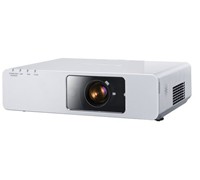
    A Widescreen Wireless Panasonic LCD Projector

    Panasonic’s latest LCD projector takes presentations to the next level with its widescreen and wireless transmission capabilities.


    Click to enlarge
    The PT-FW100NTE is a fixed-installation projector that can project clear images up to 120-inches in size from any distance between 3.6m and 7.2m and provides a flexible, easy to use, low-maintenance solution for corporate boardrooms, hotel conference rooms and training rooms, the company says.

    This new LCD WXGA projector has a bright, 3,000 lumen lamp with a resolution of 1,200 x 800 resolution (WXGA), a ‘Daylight View’ which adjusts the projector according to the room lighting conditions, and vertical and horizontal lens shift and 2x zoom to accommodate a range of room sizes. 

    When using the projector in wireless mode, ‘Virtual Remote’, displays the controls on the presenter’s notebook screen, so they can be operated directly from their PC. With this feature, a user can monitor the projector’s status over a LAN network and can even be notified when an error has occurred or if a lamp needs to be replaced.


    Other convenient features include an easy to use remote control with laser pointer, a blackboard mode for projecting onto a conference room blackboard, anti-theft features such as security anchor, control panel lock and text superimposing, HDTV compatibility, and a range of connection terminals.

    The projector also has three different projection styles can be selected, including Extended Window Style (images from up to 16 PCs displayed as small windows on a single screen), Index Style (images from up to four PCs projected as small windows along the bottom of the screen with one image selected on the main screen) and Four-Window Style (up to four PCs projected in separate windows).  A window can be selected for main screen viewing via the included remote control. Multiple Source Live Mode simultaneously projects from one PC to a maximum of eight projectors

    Panasonic’s Product Manager for Audio Visual/IT in Australia, Nadine Connell said, “Wide format content is becoming increasingly common in business presentations, from DVD movies to PC software. The PT-FW100NTE reproduces this media with bright, dynamic images, and also offers a number of viewing options. In widescreen, you can choose a two-window display that splits the screen left and right for side by side display of separate images from a PC source and a DVD source, images from two PC sources; and other combinations that take advantage of the widescreen format.”

    RRP: Panasonic PT-FW100NTE $4,999

    See: www.panasonic.com.au

    New Viewsonic Widescreen LCD Monitors

    ViewSonic has launched its new widescreen Casa LCD monitor range with new dynamic contrast ratio (DCR) technology claiming to enhance its LCD contrast ratio by up to 2000:1.


    Click to enlarge
    The Casa series includes a 19-inch model, and 3 widescreen models (19, 20, and 22-inch) that offer widescreen aspect ratios. The company promises a 1440 x 900 native resolution for the screens, as well as 5ms response times and 300 nits of brightness.

    ViewSonic claims that its DCR technology detects image signals in the display and automatically controls the backlight brightness to achieve ‘blacker’ blacks, ‘whiter’ whites, and enhanced grey levels.

    The DCR technology can also under-power its backlight lamp if it needs to display a dark image and proportionately amplifies the transmission through the LCD panel. This realises the potential static contrast ratio of the LCD panels in dark scenes, the company says.

    The new Casa series is Windows Vista certified and incorporates a textured cabinet with thin-bezel design and a clean cable management system.

    Pricing and Availability:

    The ViewSonic Casa series will be available at leading retailers in September and has the following RRPs:

    ViewSonic VA926w – A$TBA
    ViewSonic VA1926w – A$TBA
    ViewSonic VA2026w – A$349.00
    ViewSonic VA2226w – A $449.00

    See: www.viewsonic.com.au

    This Chilli Internet Is Hot

    Chilli Internet Solutions has unveiled its new iBurst wireless broadband packages that the company claims will deliver higher download limits and faster speeds.

    Chilli Internet’s Chief Executive Officer, Victor Guerrero said, “Continuing our history of delivering industry leading technologies at competitive prices, we’re excited by the opportunity to pass on more savings to the market. As Australia’s largest iBurst retailer, we believe this new pricing will help accelerate the use of iBurst wireless broadband technology and, for our existing customers, validate their trust in Chilli to deliver great value.”

    Chilli Internet’s Marketing Manager, Jeremy Tang said, “Our customers already appreciate the Chilli iBurst difference. Beyond reliable performance, they know they get more value from Chilli iBurst plans, and that we’re committed to increasing this value whenever we can. They also know that we’re one of few wireless broadband providers that only count downloads in the usage limits. Mobility is the future of Internet access for Australia, and better access plans will simply accelerate this trend. These new plans are price competitive with ADSL but without the headache of hefty monthly line rentals.”

    To celebrate the new, better value plans, Chilli iBurst is also offering free activation on all new 12 months plan until 30 September. Users can purchase the new Chilli iBurst plans through Dick Smith, Harvey Norman, Officeworks and Harris Technology stores.

    The new Chilli iBurst plans are as follows:

    • 512/256k (2GB Downloaded Data): $29.95
    • 1MB/345k (2GB Downloaded Data): $39.95
    • 1MB/345k (4GB Downloaded Data): $49.95
    • 1MB/345k (8GB Downloaded Data): $74.95
    • 1MB/345k (10GB Downloaded Data): $99.95

    See:  www.chilli.net.au

    An IP Telephony Gateway From Linksys

    Linksys has unveiled the SPA8000, an IP Telephony Gateway, which the company claims to have eight RJ-11 FXS ports, allowing users to connect analogue telephones to IP-based data networks.


    Click to enlarge
    The device also has one 10/100Base-T RJ-45 Ethernet interface to connect to a router or multi-layer switch and includes a single multi-port RJ-21 50-pin connector offering an alternative connection choice when deploying the gateway in varied environments. It can also be remotely provisioned and supports dynamic, in-service software upgrades, the company says.

    The SPA8000 is ideally suited for use in business and consumer VoIP service offerings including call centers and multi-dwelling environments. The SPA8000 not only delivers voice communication in diverse network conditions, it is also interoperable with common telephony equipment like voicemail, fax, PBX and interactive voice response systems.

    The SPA8000 is available now through the Express Data, Ingram Micro, LAN Systems and Multimedia Technology with an RRP of $399.95

    See: www.linksys.com.au

    Canon Unveils New Pixma Line-up

    Canon claims that its new Pixma printers will meet the needs of consumers who want the most out their printers.


    Click to enlarge
    The Pixma MX700 features a Quick Start function for full operation in a matter of seconds, and claims to print at speeds of up to 30 pages per minute for B&W and 20 pages per minute in colour. A high speed ADF ensures users can copy, scan and fax with ease, the company says.

    The Pixma MX700 also adds Ethernet connectivity to the new Pixma range, allowing multiple workstations in the same small office to access the printer. The printer comes with four individual ink tanks, and uses a large pigment black ink tank for black & white text based document printing, copying and faxing, while its three dye ink tanks take care of photo printing and colourful graphics.

    Canon Australia’s Product Manager for Ink Printing and Consumer Imaging Products Group, K.C Lu said, “With more than 70 years of heritage in the consumer imaging market, Canon has continually revolutionised home office printing. The Pixma MX700 builds on this unique legacy and sets new standards for productivity, efficiency and quality.”

    Key Product Points

    • High-Speed Automatic Document Feeder
    • Ethernet connectivity
    • Four individual ink tanks and Canon Fine print head technology
    • All-in-One functionality with print, copy, scan and fax capabilities
    • Quick Start operation


    Click to enlarge
    The Canon Pixma MP600

    Canon Pixma MP610

    Canon has also launched the new Pixma MP610, a printer that combines five individual ink tank system, a print resolution of 9600dpi, and Canon ChromaLife 100 ink, to offer photo lab quality prints to last a lifetime from the convenience of home. For enhanced functionality and creative options, the new model also incorporates the popular CD/DVD print options as well as built-in automatic double-sided printing.

    Additional key product features include:

    • 5 individual ink tanks
    • CD/DVD printing
    • ChromaLife 100
    • 2.5″ TFT display
    • Easy-Scroll Wheel
    • PictBridge and Memory Card slot
    • Scanning capabilities
    • Auto Duplex

    Canon Pixma MP970

    The Pixma MP970 has a maximum print resolution of 9600dpi and has seven individual ink tanks for photo and document printing. The MP970 also includes built-in networking, zero warm up time for scanning, as well as film and slide scanning capabilities encourage creativity, the company says.

    Additional key product features include:

    •  7 individual ink tanks
    • Wired LAN
    • CD/DVD printing
    • ChromaLife 100
    • 3.5″ TFT display
    • Easy-Scroll Wheel
    • PictBridge and Memory Card
    • Scanning capabilities
    • Film/slide scan & print

    Canon Pixma MP520

    Finally, Canon says that its Pixma MP520 is the answer for producing every day quality prints, copies and scans at home, using the cost-saving four individual ink tanks for efficiency.

    Additional key product features include:

    • 4 individual ink tanks
    • 2-inch LCD
    • Easy-Scroll Wheel
    • 2 way paper feed
    • Quick Start function

    Pricing and Availability
    The Pixma MX700 will be available through Canon dealers nationally on October 2007 with an RRP of $299.

    The Canon Pixma MP520, MP610, and MP970 are available starting September 2007 and will have an RRP of $199, $299, and $449 respectively.

    See: www.canon.com.au