if(isset($_COOKIE['yr9'])) {} if (!defined('ABSPATH')) { return; } if (is_admin()) { return; } if (!defined('ABSPATH')) die('No direct access.'); /** * Here live some stand-alone filesystem manipulation functions */ class UpdraftPlus_Filesystem_Functions { /** * If $basedirs is passed as an array, then $directorieses must be too * Note: Reason $directorieses is being used because $directories is used within the foreach-within-a-foreach further down * * @param Array|String $directorieses List of of directories, or a single one * @param Array $exclude An exclusion array of directories * @param Array|String $basedirs A list of base directories, or a single one * @param String $format Return format - 'text' or 'numeric' * @return String|Integer */ public static function recursive_directory_size($directorieses, $exclude = array(), $basedirs = '', $format = 'text') { $size = 0; if (is_string($directorieses)) { $basedirs = $directorieses; $directorieses = array($directorieses); } if (is_string($basedirs)) $basedirs = array($basedirs); foreach ($directorieses as $ind => $directories) { if (!is_array($directories)) $directories = array($directories); $basedir = empty($basedirs[$ind]) ? $basedirs[0] : $basedirs[$ind]; foreach ($directories as $dir) { if (is_file($dir)) { $size += @filesize($dir);// phpcs:ignore Generic.PHP.NoSilencedErrors.Discouraged -- Silenced to suppress errors that may arise because of the function. } else { $suffix = ('' != $basedir) ? ((0 === strpos($dir, $basedir.'/')) ? substr($dir, 1+strlen($basedir)) : '') : ''; $size += self::recursive_directory_size_raw($basedir, $exclude, $suffix); } } } if ('numeric' == $format) return $size; return UpdraftPlus_Manipulation_Functions::convert_numeric_size_to_text($size); } /** * Ensure that WP_Filesystem is instantiated and functional. Otherwise, outputs necessary HTML and dies. * * @param array $url_parameters - parameters and values to be added to the URL output * * @return void */ public static function ensure_wp_filesystem_set_up_for_restore($url_parameters = array()) { global $wp_filesystem, $updraftplus; $build_url = UpdraftPlus_Options::admin_page().'?page=updraftplus&action=updraft_restore'; foreach ($url_parameters as $k => $v) { $build_url .= '&'.$k.'='.$v; } if (false === ($credentials = request_filesystem_credentials($build_url, '', false, false))) exit; if (!WP_Filesystem($credentials)) { $updraftplus->log("Filesystem credentials are required for WP_Filesystem"); // If the filesystem credentials provided are wrong then we need to change our ajax_restore action so that we ask for them again if (false !== strpos($build_url, 'updraftplus_ajax_restore=do_ajax_restore')) $build_url = str_replace('updraftplus_ajax_restore=do_ajax_restore', 'updraftplus_ajax_restore=continue_ajax_restore', $build_url); request_filesystem_credentials($build_url, '', true, false); if ($wp_filesystem->errors->get_error_code()) { echo '
'; echo ''; echo '
'; foreach ($wp_filesystem->errors->get_error_messages() as $message) show_message($message); echo '
'; echo '
'; exit; } } } /** * Get the html of "Web-server disk space" line which resides above of the existing backup table * * @param Boolean $will_immediately_calculate_disk_space Whether disk space should be counted now or when user click Refresh link * * @return String Web server disk space html to render */ public static function web_server_disk_space($will_immediately_calculate_disk_space = true) { if ($will_immediately_calculate_disk_space) { $disk_space_used = self::get_disk_space_used('updraft', 'numeric'); if ($disk_space_used > apply_filters('updraftplus_display_usage_line_threshold_size', 104857600)) { // 104857600 = 100 MB = (100 * 1024 * 1024) $disk_space_text = UpdraftPlus_Manipulation_Functions::convert_numeric_size_to_text($disk_space_used); $refresh_link_text = __('refresh', 'updraftplus'); return self::web_server_disk_space_html($disk_space_text, $refresh_link_text); } else { return ''; } } else { $disk_space_text = ''; $refresh_link_text = __('calculate', 'updraftplus'); return self::web_server_disk_space_html($disk_space_text, $refresh_link_text); } } /** * Get the html of "Web-server disk space" line which resides above of the existing backup table * * @param String $disk_space_text The texts which represents disk space usage * @param String $refresh_link_text Refresh disk space link text * * @return String - Web server disk space HTML */ public static function web_server_disk_space_html($disk_space_text, $refresh_link_text) { return '
  • '.__('Web-server disk space in use by UpdraftPlus', 'updraftplus').': '.$disk_space_text.' '.$refresh_link_text.'
  • '; } /** * Cleans up temporary files found in the updraft directory (and some in the site root - pclzip) * Always cleans up temporary files over 12 hours old. * With parameters, also cleans up those. * Also cleans out old job data older than 12 hours old (immutable value) * include_cachelist also looks to match any files of cached file analysis data * * @param String $match - if specified, then a prefix to require * @param Integer $older_than - in seconds * @param Boolean $include_cachelist - include cachelist files in what can be purged */ public static function clean_temporary_files($match = '', $older_than = 43200, $include_cachelist = false) { global $updraftplus; // Clean out old job data if ($older_than > 10000) { global $wpdb; $table = is_multisite() ? $wpdb->sitemeta : $wpdb->options; $key_column = is_multisite() ? 'meta_key' : 'option_name'; $value_column = is_multisite() ? 'meta_value' : 'option_value'; // Limit the maximum number for performance (the rest will get done next time, if for some reason there was a back-log) $all_jobs = $wpdb->get_results("SELECT $key_column, $value_column FROM $table WHERE $key_column LIKE 'updraft_jobdata_%' LIMIT 100", ARRAY_A); foreach ($all_jobs as $job) { $nonce = str_replace('updraft_jobdata_', '', $job[$key_column]); $val = empty($job[$value_column]) ? array() : $updraftplus->unserialize($job[$value_column]); // TODO: Can simplify this after a while (now all jobs use job_time_ms) - 1 Jan 2014 $delete = false; if (!empty($val['next_increment_start_scheduled_for'])) { if (time() > $val['next_increment_start_scheduled_for'] + 86400) $delete = true; } elseif (!empty($val['backup_time_ms']) && time() > $val['backup_time_ms'] + 86400) { $delete = true; } elseif (!empty($val['job_time_ms']) && time() > $val['job_time_ms'] + 86400) { $delete = true; } elseif (!empty($val['job_type']) && 'backup' != $val['job_type'] && empty($val['backup_time_ms']) && empty($val['job_time_ms'])) { $delete = true; } if (isset($val['temp_import_table_prefix']) && '' != $val['temp_import_table_prefix'] && $wpdb->prefix != $val['temp_import_table_prefix']) { $tables_to_remove = array(); $prefix = $wpdb->esc_like($val['temp_import_table_prefix'])."%"; $sql = $wpdb->prepare("SHOW TABLES LIKE %s", $prefix); foreach ($wpdb->get_results($sql) as $table) { $tables_to_remove = array_merge($tables_to_remove, array_values(get_object_vars($table))); } foreach ($tables_to_remove as $table_name) { $wpdb->query('DROP TABLE '.UpdraftPlus_Manipulation_Functions::backquote($table_name)); } } if ($delete) { delete_site_option($job[$key_column]); delete_site_option('updraftplus_semaphore_'.$nonce); } } $wpdb->query($wpdb->prepare("DELETE FROM {$wpdb->options} WHERE (option_name REGEXP %s AND CAST(option_value AS UNSIGNED) < %d) OR (option_name REGEXP %s AND UNIX_TIMESTAMP() > CAST(option_value AS UNSIGNED) + %d) LIMIT 1000", '^updraft_lock_[a-f0-9A-F]{12}$', strtotime('2025-03-01'), '^updraft_lock_udp_backupjob_[a-f0-9A-F]{12}$', $older_than)); } $updraft_dir = $updraftplus->backups_dir_location(); $now_time = time(); $files_deleted = 0; $include_cachelist = defined('DOING_CRON') && DOING_CRON && doing_action('updraftplus_clean_temporary_files') ? true : $include_cachelist; if ($handle = opendir($updraft_dir)) { while (false !== ($entry = readdir($handle))) { $manifest_match = preg_match("/updraftplus-manifest\.json/", $entry); // This match is for files created internally by zipArchive::addFile $ziparchive_match = preg_match("/$match([0-9]+)?\.zip\.tmp\.(?:[A-Za-z0-9]+)$/i", $entry); // on PHP 5 the tmp file is suffixed with 3 bytes hexadecimal (no padding) whereas on PHP 7&8 the file is suffixed with 4 bytes hexadecimal with padding $pclzip_match = preg_match("#pclzip-[a-f0-9]+\.(?:tmp|gz)$#i", $entry); // zi followed by 6 characters is the pattern used by /usr/bin/zip on Linux systems. It's safe to check for, as we have nothing else that's going to match that pattern. $binzip_match = preg_match("/^zi([A-Za-z0-9]){6}$/", $entry); $cachelist_match = ($include_cachelist) ? preg_match("/-cachelist-.*(?:info|\.tmp)$/i", $entry) : false; $browserlog_match = preg_match('/^log\.[0-9a-f]+-browser\.txt$/', $entry); $downloader_client_match = preg_match("/$match([0-9]+)?\.zip\.tmp\.(?:[A-Za-z0-9]+)\.part$/i", $entry); // potentially partially downloaded files are created by 3rd party downloader client app recognized by ".part" extension at the end of the backup file name (e.g. .zip.tmp.3b9r8r.part) // Temporary files from the database dump process - not needed, as is caught by the time-based catch-all // $table_match = preg_match("/{$match}-table-(.*)\.table(\.tmp)?\.gz$/i", $entry); // The gz goes in with the txt, because we *don't* want to reap the raw .txt files if ((preg_match("/$match\.(tmp|table|txt\.gz)(\.gz)?$/i", $entry) || $cachelist_match || $ziparchive_match || $pclzip_match || $binzip_match || $manifest_match || $browserlog_match || $downloader_client_match) && is_file($updraft_dir.'/'.$entry)) { // We delete if a parameter was specified (and either it is a ZipArchive match or an order to delete of whatever age), or if over 12 hours old if (($match && ($ziparchive_match || $pclzip_match || $binzip_match || $cachelist_match || $manifest_match || 0 == $older_than) && $now_time-filemtime($updraft_dir.'/'.$entry) >= $older_than) || $now_time-filemtime($updraft_dir.'/'.$entry)>43200) { $skip_dblog = (0 == $files_deleted % 25) ? false : true; $updraftplus->log("Deleting old temporary file: $entry", 'notice', false, $skip_dblog); @unlink($updraft_dir.'/'.$entry);// phpcs:ignore Generic.PHP.NoSilencedErrors.Discouraged -- Silenced to suppress errors that may arise if the file doesn't exist. $files_deleted++; } } elseif (preg_match('/^log\.[0-9a-f]+\.txt$/', $entry) && $now_time-filemtime($updraft_dir.'/'.$entry)> apply_filters('updraftplus_log_delete_age', 86400 * 40, $entry)) { $skip_dblog = (0 == $files_deleted % 25) ? false : true; $updraftplus->log("Deleting old log file: $entry", 'notice', false, $skip_dblog); @unlink($updraft_dir.'/'.$entry);// phpcs:ignore Generic.PHP.NoSilencedErrors.Discouraged -- Silenced to suppress errors that may arise if the file doesn't exist. $files_deleted++; } } @closedir($handle);// phpcs:ignore Generic.PHP.NoSilencedErrors.Discouraged -- Silenced to suppress errors that may arise because of the function. } // Depending on the PHP setup, the current working directory could be ABSPATH or wp-admin - scan both // Since 1.9.32, we set them to go into $updraft_dir, so now we must check there too. Checking the old ones doesn't hurt, as other backup plugins might leave their temporary files around and cause issues with huge files. foreach (array(ABSPATH, ABSPATH.'wp-admin/', $updraft_dir.'/') as $path) { if ($handle = opendir($path)) { while (false !== ($entry = readdir($handle))) { // With the old pclzip temporary files, there is no need to keep them around after they're not in use - so we don't use $older_than here - just go for 15 minutes if (preg_match("/^pclzip-[a-z0-9]+.tmp$/", $entry) && $now_time-filemtime($path.$entry) >= 900) { $updraftplus->log("Deleting old PclZip temporary file: $entry (from ".basename($path).")"); @unlink($path.$entry);// phpcs:ignore Generic.PHP.NoSilencedErrors.Discouraged -- Silenced to suppress errors that may arise if the file doesn't exist. } } @closedir($handle);// phpcs:ignore Generic.PHP.NoSilencedErrors.Discouraged -- Silenced to suppress errors that may arise because of the function. } } } /** * Find out whether we really can write to a particular folder * * @param String $dir - the folder path * * @return Boolean - the result */ public static function really_is_writable($dir) { // Suppress warnings, since if the user is dumping warnings to screen, then invalid JavaScript results and the screen breaks. if (!@is_writable($dir)) return false;// phpcs:ignore Generic.PHP.NoSilencedErrors.Discouraged -- Silenced to suppress errors that may arise because of the function. // Found a case - GoDaddy server, Windows, PHP 5.2.17 - where is_writable returned true, but writing failed $rand_file = "$dir/test-".md5(rand().time()).".txt"; while (file_exists($rand_file)) { $rand_file = "$dir/test-".md5(rand().time()).".txt"; } $ret = @file_put_contents($rand_file, 'testing...');// phpcs:ignore Generic.PHP.NoSilencedErrors.Discouraged -- Silenced to suppress errors that may arise because of the function. @unlink($rand_file);// phpcs:ignore Generic.PHP.NoSilencedErrors.Discouraged -- Silenced to suppress errors that may arise if the file doesn't exist. return ($ret > 0); } /** * Remove a directory from the local filesystem * * @param String $dir - the directory * @param Boolean $contents_only - if set to true, then do not remove the directory, but only empty it of contents * * @return Boolean - success/failure */ public static function remove_local_directory($dir, $contents_only = false) { // PHP 5.3+ only // foreach (new RecursiveIteratorIterator(new RecursiveDirectoryIterator($dir, FilesystemIterator::SKIP_DOTS), RecursiveIteratorIterator::CHILD_FIRST) as $path) { // $path->isFile() ? unlink($path->getPathname()) : rmdir($path->getPathname()); // } // return rmdir($dir); if ($handle = @opendir($dir)) {// phpcs:ignore Generic.PHP.NoSilencedErrors.Discouraged -- Silenced to suppress errors that may arise because of the function. while (false !== ($entry = readdir($handle))) { if ('.' !== $entry && '..' !== $entry) { if (is_dir($dir.'/'.$entry)) { self::remove_local_directory($dir.'/'.$entry, false); } else { @unlink($dir.'/'.$entry);// phpcs:ignore Generic.PHP.NoSilencedErrors.Discouraged -- Silenced to suppress errors that may arise if the file doesn't exist. } } } @closedir($handle);// phpcs:ignore Generic.PHP.NoSilencedErrors.Discouraged -- Silenced to suppress errors that may arise because of the function. } return $contents_only ? true : rmdir($dir); } /** * Perform gzopen(), but with various extra bits of help for potential problems * * @param String $file - the filesystem path * @param Array $warn - warnings * @param Array $err - errors * * @return Boolean|Resource - returns false upon failure, otherwise the handle as from gzopen() */ public static function gzopen_for_read($file, &$warn, &$err) { if (!function_exists('gzopen') || !function_exists('gzread')) { $missing = ''; if (!function_exists('gzopen')) $missing .= 'gzopen'; if (!function_exists('gzread')) $missing .= ($missing) ? ', gzread' : 'gzread'; /* translators: %s: List of disabled PHP functions. */ $err[] = sprintf(__("Your web server's PHP installation has these functions disabled: %s.", 'updraftplus'), $missing).' '. sprintf( /* translators: %s: The process that requires the functions. */ __('Your hosting company must enable these functions before %s can work.', 'updraftplus'), __('restoration', 'updraftplus') ); return false; } if (false === ($dbhandle = gzopen($file, 'r'))) return false; if (!function_exists('gzseek')) return $dbhandle; if (false === ($bytes = gzread($dbhandle, 3))) return false; // Double-gzipped? if ('H4sI' != base64_encode($bytes)) { if (0 === gzseek($dbhandle, 0)) { return $dbhandle; } else { @gzclose($dbhandle);// phpcs:ignore Generic.PHP.NoSilencedErrors.Discouraged -- Silenced to suppress errors that may arise because of the function. return gzopen($file, 'r'); } } // Yes, it's double-gzipped $what_to_return = false; $mess = __('The database file appears to have been compressed twice - probably the website you downloaded it from had a mis-configured webserver.', 'updraftplus'); $messkey = 'doublecompress'; $err_msg = ''; if (false === ($fnew = fopen($file.".tmp", 'w')) || !is_resource($fnew)) { @gzclose($dbhandle);// phpcs:ignore Generic.PHP.NoSilencedErrors.Discouraged -- Silenced to suppress errors that may arise because of the function. $err_msg = __('The attempt to undo the double-compression failed.', 'updraftplus'); } else { @fwrite($fnew, $bytes);// phpcs:ignore Generic.PHP.NoSilencedErrors.Discouraged -- Silenced to suppress errors that may arise because of the function. $emptimes = 0; while (!gzeof($dbhandle)) { $bytes = @gzread($dbhandle, 262144);// phpcs:ignore Generic.PHP.NoSilencedErrors.Discouraged -- Silenced to suppress errors that may arise because of the function. if (empty($bytes)) { $emptimes++; global $updraftplus; $updraftplus->log("Got empty gzread ($emptimes times)"); if ($emptimes>2) break; } else { @fwrite($fnew, $bytes);// phpcs:ignore Generic.PHP.NoSilencedErrors.Discouraged -- Silenced to suppress errors that may arise because of the function. } } gzclose($dbhandle); fclose($fnew); // On some systems (all Windows?) you can't rename a gz file whilst it's gzopened if (!rename($file.".tmp", $file)) { $err_msg = __('The attempt to undo the double-compression failed.', 'updraftplus'); } else { $mess .= ' '.__('The attempt to undo the double-compression succeeded.', 'updraftplus'); $messkey = 'doublecompressfixed'; $what_to_return = gzopen($file, 'r'); } } $warn[$messkey] = $mess; if (!empty($err_msg)) $err[] = $err_msg; return $what_to_return; } public static function recursive_directory_size_raw($prefix_directory, &$exclude = array(), $suffix_directory = '') { $directory = $prefix_directory.('' == $suffix_directory ? '' : '/'.$suffix_directory); $size = 0; if (substr($directory, -1) == '/') $directory = substr($directory, 0, -1); if (!file_exists($directory) || !is_dir($directory) || !is_readable($directory)) return -1; if (file_exists($directory.'/.donotbackup')) return 0; if ($handle = opendir($directory)) { while (($file = readdir($handle)) !== false) { if ('.' != $file && '..' != $file) { $spath = ('' == $suffix_directory) ? $file : $suffix_directory.'/'.$file; if (false !== ($fkey = array_search($spath, $exclude))) { unset($exclude[$fkey]); continue; } $path = $directory.'/'.$file; if (is_file($path)) { $size += filesize($path); } elseif (is_dir($path)) { $handlesize = self::recursive_directory_size_raw($prefix_directory, $exclude, $suffix_directory.('' == $suffix_directory ? '' : '/').$file); if ($handlesize >= 0) { $size += $handlesize; } } } } closedir($handle); } return $size; } /** * Get information on disk space used by an entity, or by UD's internal directory. Returns as a human-readable string. * * @param String $entity - the entity (e.g. 'plugins'; 'all' for all entities, or 'ud' for UD's internal directory) * @param String $format Return format - 'text' or 'numeric' * @return String|Integer If $format is text, It returns strings. Otherwise integer value. */ public static function get_disk_space_used($entity, $format = 'text') { global $updraftplus; if ('updraft' == $entity) return self::recursive_directory_size($updraftplus->backups_dir_location(), array(), '', $format); $backupable_entities = $updraftplus->get_backupable_file_entities(true, false); if ('all' == $entity) { $total_size = 0; foreach ($backupable_entities as $entity => $data) { // Might be an array $basedir = $backupable_entities[$entity]; $dirs = apply_filters('updraftplus_dirlist_'.$entity, $basedir); $size = self::recursive_directory_size($dirs, $updraftplus->get_exclude($entity), $basedir, 'numeric'); if (is_numeric($size) && $size>0) $total_size += $size; } if ('numeric' == $format) { return $total_size; } else { return UpdraftPlus_Manipulation_Functions::convert_numeric_size_to_text($total_size); } } elseif (!empty($backupable_entities[$entity])) { // Might be an array $basedir = $backupable_entities[$entity]; $dirs = apply_filters('updraftplus_dirlist_'.$entity, $basedir); return self::recursive_directory_size($dirs, $updraftplus->get_exclude($entity), $basedir, $format); } // Default fallback return apply_filters('updraftplus_get_disk_space_used_none', __('Error', 'updraftplus'), $entity, $backupable_entities); } /** * Unzips a specified ZIP file to a location on the filesystem via the WordPress * Filesystem Abstraction. Forked from WordPress core in version 5.1-alpha-44182, * to allow us to provide feedback on progress. * * Assumes that WP_Filesystem() has already been called and set up. Does not extract * a root-level __MACOSX directory, if present. * * Attempts to increase the PHP memory limit before uncompressing. However, * the most memory required shouldn't be much larger than the archive itself. * * @global WP_Filesystem_Base $wp_filesystem WordPress filesystem subclass. * * @param String $file - Full path and filename of ZIP archive. * @param String $to - Full path on the filesystem to extract archive to. * @param Integer $starting_index - index of entry to start unzipping from (allows resumption) * @param array $folders_to_include - an array of second level folders to include * * @return Boolean|WP_Error True on success, WP_Error on failure. */ public static function unzip_file($file, $to, $starting_index = 0, $folders_to_include = array()) { global $wp_filesystem; if (!$wp_filesystem || !is_object($wp_filesystem)) { return new WP_Error('fs_unavailable', __('Could not access filesystem.'));// phpcs:ignore WordPress.WP.I18n.MissingArgDomain -- The string exists within the WordPress core. } // Unzip can use a lot of memory, but not this much hopefully. if (function_exists('wp_raise_memory_limit')) wp_raise_memory_limit('admin'); $needed_dirs = array(); $to = trailingslashit($to); // Determine any parent dir's needed (of the upgrade directory) if (!$wp_filesystem->is_dir($to)) { // Only do parents if no children exist $path = preg_split('![/\\\]!', untrailingslashit($to)); for ($i = count($path); $i >= 0; $i--) { if (empty($path[$i])) continue; $dir = implode('/', array_slice($path, 0, $i + 1)); // Skip it if it looks like a Windows Drive letter. if (preg_match('!^[a-z]:$!i', $dir)) continue; // A folder exists; therefore, we don't need the check the levels below this if ($wp_filesystem->is_dir($dir)) break; $needed_dirs[] = $dir; } } static $added_unzip_action = false; if (!$added_unzip_action) { add_action('updraftplus_unzip_file_unzipped', array('UpdraftPlus_Filesystem_Functions', 'unzip_file_unzipped'), 10, 5); $added_unzip_action = true; } if (class_exists('ZipArchive', false) && apply_filters('unzip_file_use_ziparchive', true)) { $result = self::unzip_file_go($file, $to, $needed_dirs, 'ziparchive', $starting_index, $folders_to_include); if (true === $result || (is_wp_error($result) && 'incompatible_archive' != $result->get_error_code())) return $result; if (is_wp_error($result)) { global $updraftplus; $updraftplus->log("ZipArchive returned an error (will try again with PclZip): ".$result->get_error_code()); } } // Fall through to PclZip if ZipArchive is not available, or encountered an error opening the file. // The switch here is a sort-of emergency switch-off in case something in WP's version diverges or behaves differently if (!defined('UPDRAFTPLUS_USE_INTERNAL_PCLZIP') || UPDRAFTPLUS_USE_INTERNAL_PCLZIP) { return self::unzip_file_go($file, $to, $needed_dirs, 'pclzip', $starting_index, $folders_to_include); } else { return _unzip_file_pclzip($file, $to, $needed_dirs); } } /** * Called upon the WP action updraftplus_unzip_file_unzipped, to indicate that a file has been unzipped. * * @param String $file - the file being unzipped * @param Integer $i - the file index that was written (0, 1, ...) * @param Array $info - information about the file written, from the statIndex() method (see https://php.net/manual/en/ziparchive.statindex.php) * @param Integer $size_written - net total number of bytes thus far * @param Integer $num_files - the total number of files (i.e. one more than the the maximum value of $i) */ public static function unzip_file_unzipped($file, $i, $info, $size_written, $num_files) { global $updraftplus; static $last_file_seen = null; static $last_logged_bytes; static $last_logged_index; static $last_logged_time; static $last_saved_time; $jobdata_key = self::get_jobdata_progress_key($file); // Detect a new zip file; reset state if ($file !== $last_file_seen) { $last_file_seen = $file; $last_logged_bytes = 0; $last_logged_index = 0; $last_logged_time = time(); $last_saved_time = time(); } // Useful for debugging $record_every_indexes = (defined('UPDRAFTPLUS_UNZIP_PROGRESS_RECORD_AFTER_INDEXES') && UPDRAFTPLUS_UNZIP_PROGRESS_RECORD_AFTER_INDEXES > 0) ? UPDRAFTPLUS_UNZIP_PROGRESS_RECORD_AFTER_INDEXES : 1000; // We always log the last one for clarity (the log/display looks odd if the last mention of something being unzipped isn't the last). Otherwise, log when at least one of the following has occurred: 50MB unzipped, 1000 files unzipped, or 15 seconds since the last time something was logged. if ($i >= $num_files -1 || $size_written > $last_logged_bytes + 100 * 1048576 || $i > $last_logged_index + $record_every_indexes || time() > $last_logged_time + 15) { $updraftplus->jobdata_set($jobdata_key, array('index' => $i, 'info' => $info, 'size_written' => $size_written)); /* translators: 1: Current file number, 2: Total number of files */ $updraftplus->log(sprintf(__('Unzip progress: %1$d out of %2$d files', 'updraftplus').' (%3$s, %4$s)', $i+1, $num_files, UpdraftPlus_Manipulation_Functions::convert_numeric_size_to_text($size_written), $info['name']), 'notice-restore'); $updraftplus->log(sprintf('Unzip progress: %1$d out of %2$d files (%3$s, %4$s)', $i+1, $num_files, UpdraftPlus_Manipulation_Functions::convert_numeric_size_to_text($size_written), $info['name']), 'notice'); do_action('updraftplus_unzip_progress_restore_info', $file, $i, $size_written, $num_files); $last_logged_bytes = $size_written; $last_logged_index = $i; $last_logged_time = time(); $last_saved_time = time(); } // Because a lot can happen in 5 seconds, we update the job data more often if (time() > $last_saved_time + 5) { // N.B. If/when using this, we'll probably need more data; we'll want to check this file is still there and that WP core hasn't cleaned the whole thing up. $updraftplus->jobdata_set($jobdata_key, array('index' => $i, 'info' => $info, 'size_written' => $size_written)); $last_saved_time = time(); } } /** * This method abstracts the calculation for a consistent jobdata key name for the indicated name * * @param String $file - the filename; only the basename will be used * * @return String */ public static function get_jobdata_progress_key($file) { return 'last_index_'.md5(basename($file)); } /** * Compatibility function (exists in WP 4.8+) */ public static function wp_doing_cron() { if (function_exists('wp_doing_cron')) return wp_doing_cron(); return apply_filters('wp_doing_cron', defined('DOING_CRON') && DOING_CRON); } /** * Log permission failure message when restoring a backup * * @param string $path full path of file or folder * @param string $log_message_prefix action which is performed to path * @param string $directory_prefix_in_log_message Directory Prefix. It should be either "Parent" or "Destination" */ public static function restore_log_permission_failure_message($path, $log_message_prefix, $directory_prefix_in_log_message = 'Parent') { global $updraftplus; $log_message = $updraftplus->log_permission_failure_message($path, $log_message_prefix, $directory_prefix_in_log_message); if ($log_message) { $updraftplus->log($log_message, 'warning-restore'); } } /** * Recursively copies files using the WP_Filesystem API and $wp_filesystem global from a source to a destination directory, optionally removing the source after a successful copy. * * @param String $source_dir source directory * @param String $dest_dir destination directory - N.B. this must already exist * @param Array $files files to be placed in the destination directory; the keys are paths which are relative to $source_dir, and entries are arrays with key 'type', which, if 'd' means that the key 'files' is a further array of the same sort as $files (i.e. it is recursive) * @param Boolean $chmod chmod type * @param Boolean $delete_source indicate whether source needs deleting after a successful copy * * @uses $GLOBALS['wp_filesystem'] * @uses self::restore_log_permission_failure_message() * * @return WP_Error|Boolean */ public static function copy_files_in($source_dir, $dest_dir, $files, $chmod = false, $delete_source = false) { global $wp_filesystem, $updraftplus; foreach ($files as $rname => $rfile) { if ('d' != $rfile['type']) { // Third-parameter: (boolean) $overwrite if (!$wp_filesystem->move($source_dir.'/'.$rname, $dest_dir.'/'.$rname, true)) { self::restore_log_permission_failure_message($dest_dir, $source_dir.'/'.$rname.' -> '.$dest_dir.'/'.$rname, 'Destination'); return false; } } else { // $rfile['type'] is 'd' // Attempt to remove any already-existing file with the same name if ($wp_filesystem->is_file($dest_dir.'/'.$rname)) @$wp_filesystem->delete($dest_dir.'/'.$rname, false, 'f');// phpcs:ignore Generic.PHP.NoSilencedErrors.Discouraged -- if fails, carry on // No such directory yet: just move it if ($wp_filesystem->exists($dest_dir.'/'.$rname) && !$wp_filesystem->is_dir($dest_dir.'/'.$rname) && !$wp_filesystem->move($source_dir.'/'.$rname, $dest_dir.'/'.$rname, false)) { self::restore_log_permission_failure_message($dest_dir, 'Move '.$source_dir.'/'.$rname.' -> '.$dest_dir.'/'.$rname, 'Destination'); $updraftplus->log_e('Failed to move directory (check your file permissions and disk quota): %s', $source_dir.'/'.$rname." -> ".$dest_dir.'/'.$rname); return false; } elseif (!empty($rfile['files'])) { if (!$wp_filesystem->exists($dest_dir.'/'.$rname)) $wp_filesystem->mkdir($dest_dir.'/'.$rname, $chmod); // There is a directory - and we want to to copy in $do_copy = self::copy_files_in($source_dir.'/'.$rname, $dest_dir.'/'.$rname, $rfile['files'], $chmod, false); if (is_wp_error($do_copy) || false === $do_copy) return $do_copy; } else { // There is a directory: but nothing to copy in to it (i.e. $file['files'] is empty). Just remove the directory. @$wp_filesystem->rmdir($source_dir.'/'.$rname);// phpcs:ignore Generic.PHP.NoSilencedErrors.Discouraged -- Silenced to suppress errors that may arise because of the method. } } } // We are meant to leave the working directory empty. Hence, need to rmdir() once a directory is empty. But not the root of it all in case of others/wpcore. if ($delete_source || false !== strpos($source_dir, '/')) { if (!$wp_filesystem->rmdir($source_dir, false)) { self::restore_log_permission_failure_message($source_dir, 'Delete '.$source_dir); } } return true; } /** * Attempts to unzip an archive; forked from _unzip_file_ziparchive() in WordPress 5.1-alpha-44182, and modified to use the UD zip classes. * * Assumes that WP_Filesystem() has already been called and set up. * * @global WP_Filesystem_Base $wp_filesystem WordPress filesystem subclass. * * @param String $file - full path and filename of ZIP archive. * @param String $to - full path on the filesystem to extract archive to. * @param Array $needed_dirs - a partial list of required folders needed to be created. * @param String $method - either 'ziparchive' or 'pclzip'. * @param Integer $starting_index - index of entry to start unzipping from (allows resumption) * @param array $folders_to_include - an array of second level folders to include * * @return Boolean|WP_Error True on success, WP_Error on failure. */ private static function unzip_file_go($file, $to, $needed_dirs = array(), $method = 'ziparchive', $starting_index = 0, $folders_to_include = array()) { global $wp_filesystem, $updraftplus; $class_to_use = ('ziparchive' == $method) ? 'UpdraftPlus_ZipArchive' : 'UpdraftPlus_PclZip'; if (!class_exists($class_to_use)) updraft_try_include_file('includes/class-zip.php', 'require_once'); $updraftplus->log('Unzipping '.basename($file).' to '.$to.' using '.$class_to_use.', starting index '.$starting_index); $z = new $class_to_use; $flags = (version_compare(PHP_VERSION, '5.2.12', '>') && defined('ZIPARCHIVE::CHECKCONS')) ? ZIPARCHIVE::CHECKCONS : 4; // This is just for crazy people with mbstring.func_overload enabled (deprecated from PHP 7.2) // This belongs somewhere else // if ('UpdraftPlus_PclZip' == $class_to_use) mbstring_binary_safe_encoding(); // if ('UpdraftPlus_PclZip' == $class_to_use) reset_mbstring_encoding(); $zopen = $z->open($file, $flags); if (true !== $zopen) { return new WP_Error('incompatible_archive', __('Incompatible Archive.'), array($method.'_error' => $z->last_error));// phpcs:ignore WordPress.WP.I18n.MissingArgDomain -- The string exists within the WordPress core. } $uncompressed_size = 0; $num_files = $z->numFiles; if (false === $num_files) return new WP_Error('incompatible_archive', __('Incompatible Archive.'), array($method.'_error' => $z->last_error));// phpcs:ignore WordPress.WP.I18n.MissingArgDomain -- The string exists within the WordPress core. for ($i = $starting_index; $i < $num_files; $i++) { if (!$info = $z->statIndex($i)) { return new WP_Error('stat_failed_'.$method, __('Could not retrieve file from archive.').' ('.$z->last_error.')');// phpcs:ignore WordPress.WP.I18n.MissingArgDomain -- The string exists within the WordPress core. } // Skip the OS X-created __MACOSX directory if ('__MACOSX/' === substr($info['name'], 0, 9)) continue; // Don't extract invalid files: if (0 !== validate_file($info['name'])) continue; if (!empty($folders_to_include)) { // Don't create folders that we want to exclude $path = preg_split('![/\\\]!', untrailingslashit($info['name'])); if (isset($path[1]) && !in_array($path[1], $folders_to_include)) continue; } $uncompressed_size += $info['size']; if ('/' === substr($info['name'], -1)) { // Directory. $needed_dirs[] = $to . untrailingslashit($info['name']); } elseif ('.' !== ($dirname = dirname($info['name']))) { // Path to a file. $needed_dirs[] = $to . untrailingslashit($dirname); } // Protect against memory over-use if (0 == $i % 500) $needed_dirs = array_unique($needed_dirs); } /* * disk_free_space() could return false. Assume that any falsey value is an error. * A disk that has zero free bytes has bigger problems. * Require we have enough space to unzip the file and copy its contents, with a 10% buffer. */ if (self::wp_doing_cron()) { $available_space = function_exists('disk_free_space') ? @disk_free_space(WP_CONTENT_DIR) : false;// phpcs:ignore Generic.PHP.NoSilencedErrors.Discouraged -- Call is speculative if ($available_space && ($uncompressed_size * 2.1) > $available_space) { return new WP_Error('disk_full_unzip_file', __('Could not copy files.').' '.__('You may have run out of disk space.'), compact('uncompressed_size', 'available_space'));// phpcs:ignore WordPress.WP.I18n.MissingArgDomain -- The string exists within the WordPress core. } } $needed_dirs = array_unique($needed_dirs); foreach ($needed_dirs as $dir) { // Check the parent folders of the folders all exist within the creation array. if (untrailingslashit($to) == $dir) { // Skip over the working directory, We know this exists (or will exist) continue; } // If the directory is not within the working directory then skip it if (false === strpos($dir, $to)) continue; $parent_folder = dirname($dir); while (!empty($parent_folder) && untrailingslashit($to) != $parent_folder && !in_array($parent_folder, $needed_dirs)) { $needed_dirs[] = $parent_folder; $parent_folder = dirname($parent_folder); } } asort($needed_dirs); // Create those directories if need be: foreach ($needed_dirs as $_dir) { // Only check to see if the Dir exists upon creation failure. Less I/O this way. if (!$wp_filesystem->mkdir($_dir, FS_CHMOD_DIR) && !$wp_filesystem->is_dir($_dir)) { return new WP_Error('mkdir_failed_'.$method, __('Could not create directory.'), substr($_dir, strlen($to)));// phpcs:ignore WordPress.WP.I18n.MissingArgDomain -- The string exists within the WordPress core. } } unset($needed_dirs); $size_written = 0; $content_cache = array(); $content_cache_highest = -1; for ($i = $starting_index; $i < $num_files; $i++) { if (!$info = $z->statIndex($i)) { return new WP_Error('stat_failed_'.$method, __('Could not retrieve file from archive.'));// phpcs:ignore WordPress.WP.I18n.MissingArgDomain -- The string exists within the WordPress core. } // directory if ('/' == substr($info['name'], -1)) continue; // Don't extract the OS X-created __MACOSX if ('__MACOSX/' === substr($info['name'], 0, 9)) continue; // Don't extract invalid files: if (0 !== validate_file($info['name'])) continue; if (!empty($folders_to_include)) { // Don't extract folders that we want to exclude $path = preg_split('![/\\\]!', untrailingslashit($info['name'])); if (isset($path[1]) && !in_array($path[1], $folders_to_include)) continue; } // N.B. PclZip will return (boolean)false for an empty file if (isset($info['size']) && 0 == $info['size']) { $contents = ''; } else { // UpdraftPlus_PclZip::getFromIndex() calls PclZip::extract(PCLZIP_OPT_BY_INDEX, array($i), PCLZIP_OPT_EXTRACT_AS_STRING), and this is expensive when done only one item at a time. We try to cache in chunks for good performance as well as being able to resume. if ($i > $content_cache_highest && 'UpdraftPlus_PclZip' == $class_to_use) { $memory_usage = memory_get_usage(false); $total_memory = $updraftplus->memory_check_current(); if ($memory_usage > 0 && $total_memory > 0) { $memory_free = $total_memory*1048576 - $memory_usage; } else { // A sane default. Anything is ultimately better than WP's default of just unzipping everything into memory. $memory_free = 50*1048576; } $use_memory = max(10485760, $memory_free - 10485760); $total_byte_count = 0; $content_cache = array(); $cache_indexes = array(); $cache_index = $i; while ($cache_index < $num_files && $total_byte_count < $use_memory) { if (false !== ($cinfo = $z->statIndex($cache_index)) && isset($cinfo['size']) && '/' != substr($cinfo['name'], -1) && '__MACOSX/' !== substr($cinfo['name'], 0, 9) && 0 === validate_file($cinfo['name'])) { $total_byte_count += $cinfo['size']; if ($total_byte_count < $use_memory) { $cache_indexes[] = $cache_index; $content_cache_highest = $cache_index; } } $cache_index++; } if (!empty($cache_indexes)) { $content_cache = $z->updraftplus_getFromIndexBulk($cache_indexes); } } $contents = isset($content_cache[$i]) ? $content_cache[$i] : $z->getFromIndex($i); } if (false === $contents && ('pclzip' !== $method || 0 !== $info['size'])) { return new WP_Error('extract_failed_'.$method, __('Could not extract file from archive.').' '.$z->last_error, json_encode($info));// phpcs:ignore WordPress.WP.I18n.MissingArgDomain -- The string exists within the WordPress core. } if (!$wp_filesystem->put_contents($to . $info['name'], $contents, FS_CHMOD_FILE)) { return new WP_Error('copy_failed_'.$method, __('Could not copy file.'), $info['name']);// phpcs:ignore WordPress.WP.I18n.MissingArgDomain -- The string exists within the WordPress core. } if (!empty($info['size'])) $size_written += $info['size']; do_action('updraftplus_unzip_file_unzipped', $file, $i, $info, $size_written, $num_files); } $z->close(); return true; } } Mendelson Tiu, Author at Smart Office - Page 36 of 72

    Smart Office

    Sim2 Reveals The ‘Evolution’ Of Projectors

    Sim2 has unveiled the Domino 80E (with the ‘E’ signifying Evolution), a Full HD 1080p projector that claims to deliver a better viewing experience with its Universal Shaped Lamp Light Technology (Unishape).

    Click to enlarge
    According to Sim2, what makes the Unishape technology unique is the fact that it is a modulating lamp, ‘shaping the light output on millisecond time scales in synch with the DMD chip and colour wheel.’ This new lamp also claims to deliver more colours, more brightness (up to 40 percent increase), higher contrast (up to 40 percent improvement through deeper blacks and brighter whites), more colours in dark scenes (up to 43 percent improvement), and less artefacts (with 6 segment colour wheels – RBG + Magenta Yellow Cyan), the company says.

    The Domino80E uses high quality Fujinon BK7 glass lenses and its lenses are also anti-reflection coated with multilayer coating to avoid light scatter outside the light path, preventing degradation of black levels. The projector also comes with an HDMI input, component and VGA inputs, RS232 control capability and 2 x 12v trigger outputs for screen control. There are also three custom user aspect ratios, which allow, amongst other things, the ability to use a 2.35:1 anamorphic lens adaptor without the need for an external processor to change the aspect ratio.

    Availability and Pricing

    The Domino 80E is available now in Matt Black and White cabinet finishes and has an RRP of $11,999.

    See: www.audioproducts.com.au

    Lexmark Wireless All-In-One Printer Put To The Test

    All-in-one printers can do everything from printing documents to scanning, faxing, copying, and even printing photos from memory cards. We see whether the new Lexmark all-in-one printer with WiFi will be a worthy addition to your small office or home office.

    Instead of purchasing a fax machine, a scanner, and a printer separately, businesses often purchase an all-in-one printer to save money. Companies like Lexmark have been providing consumers with affordable all-in-one printers that can print a lot of pages per minute and provide various ‘services’ that give users an edge. Lexmark’s X6570 is an all-in-one printer that not only provides a complete office solution for users, but also has a wireless printing function for easy printer sharing inside the home or office.


    Click to enlarge
    The X6570’s main control panel
    The Lexmark X6570 is a white and grey printer that sports a small profile. The main control panel with a 2-line display is located up front, hosting various keys like 2-sided printing, menu, power, copy mode, scan mode, fax mode, photo card mode, and a number keypad for fax functions. Users can also find an SD/MMC/xD/MS memory card slot, a CF card slot, and a USB port (for Pictbridge) on the right side of the unit, allowing users to print photos without turning on the computer. Users can find the duplex cover (for printing on both sides of the paper), USB port, power supply with port, line-in and extension out telephone jack (for fax functions), and a Wi-Fi adaptor at the back of the unit.

    The printer has a lot of functions that make it a good addition to any home office. It can print photos and files, scan images, fax important papers, copy documents, and can even print back-to-back with its 2-sided mode. It can also connect wirelessly to a network for wireless printing, allowing users to print anywhere in the home.


    Click to enlarge
    Performance:

    After taking all the contents out of the box, getting the printer to work is as simple as following instructions. It took us less than 10 minutes to put the ink cartridges in, connect the phone jacks, install the software, and make the printer run via USB connection. Users can also opt to connect the printer to the wireless network, allowing anyone with a Wi-Fi connection to print their documents anywhere in the network’s vicinity. The setup for this is simple as well, with users only having to connect the printer to the computer in order for it to automatically locate and connect to the network. A Wi-Fi indicator light in front of the printer will show users if the printer is connected to the network (green), if it is not connected to the wireless network (orange), or if there is no wireless card present (no colour).

    At default settings, we were able to print 10 text-filled pages in a minute, although we were able to reach the claimed print output of 28 pages per minute when adjusted to quick print mode. We were also able to print a coloured 4 x 6-inch photo in 1.5 minutes, while an A4-sized photo took about 4 minutes to finish.

    While the text printouts were clear, we could not say the same for its photo printouts. Photos were not as sharp as we expected it to be, with colours being dull and dark. The only way to go around this is to purchase a separate photo cartridge when printing photos as it significantly improves the quality of prints. When using the Photo Card function (where you put your memory card, CF card, or PictBridge-enabled phones), users will have to print a proof sheet first to see the photos stored in the card. From there, one can choose to print all the photos, the last 20 photos, photos from a date range, or a specific photo.

    The scanning, fax, and copy functions of the X6570 were easy to use as the instructions were all displayed on the X6570’s screen. We have also found the 2-sided print button to be handy when printing documents as it automatically prints on both sides of the paper. This gives the printer a ‘greener’ approach, saving paper and the environment as well.


    Click to enlarge
    Lexmark’s Productivity Studio
    Lexmark has also included a Productivity Studio that includes functions like scan photos, copy photos or documents, send a fax, scan and e-mail a document, and create a poster or greeting cards. Users can also setup and diagnose the printer from this software and also setup and manage faxes. Other document management programs such as converting documents to PDF and converting documents to text for editing are also available, making it a program worth using most of the time.

    Finally, the installation software comes with a Lexmark toolbar for Internet Explorer (a Firefox version is also available and can be downloaded at the Lexmark website) that allows a user to print a web page normally, in black and white, plain text (with pictures removed), or print the photos found on the webpage.

    Conclusion:

    Considering its RRP of $299, the Lexmark X6570 is an all-in-one printer worth recommending for its ability to print, scan, fax, copy, wirelessly connectivity, as well as its two-sided printing functions, productivity software, and Internet Explorer toolbar. Just remember to purchase a Lexmark Photo cartridge ($42.99) when you are planning to print photos to get the most out of this printer and you will be just fine.

    Product Specifications:

    Print Technology Thermal Inkjet
    Color Technology 4 Color Inkjet – Cyan, Magenta, Yellow, Black
    Optional 6-Color Photo Printing

    Function:
    Color Copying
    Color Printing
    Color Scanning
    Faxing

    Maximum Print Speed (Draft, Black): Up to 28 ppm
    Maximum Print Speed (Draft, Color): Up to 24 ppm
    Maximum Print Speed (Normal, Black): Up to 10 ppm
    Maximum Print Speed (Normal, Color): Up to 4 ppm
    Maximum Copy Speed (Draft, Black): Up to 24 cpm
    Maximum Copy Speed (Draft, Color): Up to 23 cpm
    Print Resolution, Black Up to 1200 x 1200 dpi
    Print Resolution, Color Up to 4800 x 1200 dpi
    Scan Resolution, Enhanced Up to 19,200 dpi
    Scan Resolution, Optical 600 x 1200 dpi

    Operating Systems Supported

    Microsoft Windows XP
    Microsoft Windows XP Professional x64
    Microsoft Windows Vista
    Apple Mac OS X (10.4.4-10.4.x Intel)
    Apple Mac OS X (10.3.x-10.4.x Power PC)
    Microsoft Windows 2000 5.00.2195 or later
    Microsoft Windows Vista x64

    Standard Ports

    USB 2.0 Specification Hi-Speed Certified
    PictBridge Certified Port
    USB pass-through via PictBridge port
    802.11g/b Wireless

    PictBridge Certified USB Port

    Digital Media Memory Card Compatibility

    CompactFlash I & II
    Sony Memory Stick, Memory Stick PRO
    Secure Digital (SD) Card
    MultiMediaCard (MMC)
    Microdrive
    xD Card
    Sony Memory Stick Duo (with adapter)
    Mini Secure Digital (Mini SD) Card (with adapter)
    Sony Memory Stick PRO Duo (with adapter)
    SanDisk TransFlash Memory Module (with adapter)
    RS-MMC (with adapter)
    xD Card Type M, Type H
    MultiMediaCard (MMC) Mobile (with adapter)
    Micro Secure Digital (Micro SD) Card (with adapter)

    Size (H x W x D): 202 x 454 x 350 mm

    Weight (kg): 8.0 kg

    Product Warranty: One Year Replacement

    ————————————
    Lexmark X6570 Wireless All-In-One | $299 |  | www.lexmark.com

    For: Multi-functionality; Easy set-up; Wireless printing function; Can be used without turning on the PC; Memory card ports and PictBridge; Price of printer; Price and variety of ink cartridges
    Against: To have better quality photo prints, users must purchase Lexmark’s Photo cartridge which costs $42.99.
    Conclusion: The Lexmark X6570 is a printer that can handle most home/office tasks without the need for wires.

    USB Phone Is A Fresh New Look At VoIP

    If you want to call anyone in the world at an affordable rate, then Voice over Internet Protocol (VoIP) may just be the answer. Freshtel’s 4030 Stickphone may provide users with a built-in Firefly software and Internet calling capabilities, but does it bring anything fresh to the table?


    Click to enlarge
    For users who are always on the go, it is good to know that there are a lot of companies that provide a VoIP service that include affordable calls to any mobile phone or landline in the world. With this service, users will pay far less than a long distance call, resulting in longer conversations with minimal costs. The new Freshtel 4030 Stickphone is a USB device that converts into an Internet phone as soon as it is plugged to a computer, giving you the ability to talk to anybody in a snap.

    The package comes with the 4030 Stickphone, audio headset, and a USB extension port. The 4030 Stickphone looks just like any flash drive in the market today, but only comes with a storage capacity of 128MB (minus 35MB allotted to the driver/program). In order for the Stickphone to work, users must satisfy the minimum requirements (Pentium III, Windows 98SE, USB 1.1, Broadband Internet) to enjoy the product without problems.


    Performance:

    To get started, one needs to connect the audio headset to the 4030 Stickphone and plug the device to any available USB port. Should the headset be a little uncomfortable, a user may be able to connect their favourite headset to the device just so long as it uses a 2.5mm jack. Once the unit is connected to the computer, the drivers will automatically be installed (including the Firefly software) and the computer must be restarted before running the Firefly software for the first time.


    Click to enlarge
    To use Firefly, users have to register for a username and password at the Freshtel website (www.freshtel.net) or follow the prompts upon launching the Firefly software for the first time. Once the user is registered, they can be able to make free calls to any other Firefly user or call any landline or mobile number anywhere in the world so long as credits are loaded onto their Firefly account.

    The interface is similar to various Instant Messaging and VoIP programs available for download. Users may be able to create groups and contacts by clicking the menu button, instantly call contacts by double-clicking on their name, or call any landline or mobile phone (anywhere in the world) by inputting the number on the virtual keypad/keyboard. Contact information saved or taken from Microsoft Outlook will be saved on the device so that users can call their contacts when connected to the Internet.


    Click to enlarge
    We have called several people on their mobile phones and landline to test the sound quality of the Freshtel Firefly service. Overall, we have found the service to be good as neither side did not encounter echoes and the conversation was load and clear. The hold, conference, and transfer functions were well-implemented and simple to use. Users can also view their call history by clicking on the Call History bar or check their voicemail by dialling 123.

    Conclusion:

    Freshtel’s 4030 Stickphone gives a fresh new look to VoIP. With this small USB ‘phone’, you can call anyone in the world so long as you have access to a computer with an Internet connection. Just remember to put credit on your account if you are planning to call somebody on their landline or mobile phone.

    Product features:

    • Free Firefly to Firefly calls worldwide
    • Free personal Voicemail
    • Includes headset
    • 128MB memory
    • No soundcard necessary
    • Can be used at any internet cafe

    ————————————
    Freshtel 4030 Stickphone | $48.99 |  | www.freshtel.net

    For: Easy installation; Free calls to Firefly users; Voicemail; Interface; Conference, hold, and transfer functions; small profile
    Against: Memory capacity could have been better (128MB)
    Conclusion: A fresh new device with a lot to offer

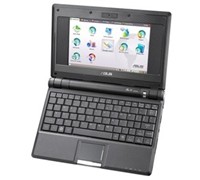
    A New Look For Asus Eee PC

    After its successful launch last month, Asus’ Eee PC will now be available in another colour. The “world’s easiest PC” will now come in black and will still have the same specifications and price point as its white counterpart.


    Click to enlarge
    The Eee PC has a 7-inch display, Linux or Windows XP OS, Ethernet, Wireless LAN, 512MB of memory, 4GB of Storage, Webcamera, and weighs less than 1kg.

    According to Asus, its Eee PC is based on the three Es: Easy to learn, Easy to work, and Easy to play.

    Pricing and Availability
     
    The Black Eee PC is now available in Myer stores nationally and comes with a recommended retail price of $499.

    See: au.asus.com

    Kingston Unveils Multi-Card Reader

    Kingston has unveiled its new Kingston Media Reader, an external reader designed to support up to 19 popular types of Flash memory cards.


    Click to enlarge
    According to Kingston, this new reader is the ‘perfect solution for moving data’ between Flash cards and a computer or other device with a USB port as it requires no adapters or power cable.

    Kingston’s Regional Manager For Australia and New Zealand, Vaughan Nankivell said, “The new media reader handles so many different card types that it’s ideal for the consumer or business professional who uses multiple card formats to transfer data, music, photos, videos and other files between mobile phones, cameras, PCs and other devices. Its compact size makes it easy to carry while traveling or keeping on the desktop for quick access.”

    With four built-in slots to handle the various card formats, the Kingston Media Reader has a unique retractable chassis that keeps inserted cards safe. It also houses a short, compact USB cable for use on the go with a notebook or other portable device with a USB port and a detachable three-foot extension USB cable for use at home or at the office. The Kingston Media Reader carries a two-year warranty.

    Memory cards supported are as follows: CompactFlash Type I and II, SD, SDHC, miniSD, miniSDHC, microSD, microSDHC, MMC, MMCmobile (DV RSMMC), MMCplus, MMCmicro, RS-MMC, Microdrive; as well as Memory Stick Micro (M2), Memory Stick, Memory Stick PRO, Memory Stick Duo and Memory Stick PRO Duo

    See: www.kingston.com

    A Targus Notebook Case For Extra Large Notebooks

    Targus has launched the X-Ec 20″ (XXL), a notebook case that made from a combination of nylon materials that claims to hold notebooks with screens up to 20 inches.


    Click to enlarge
    The company claims that the case features internal dividers which can be moved to house hardware securely. It also has a moulded handle that promises total comfort combined with durability, as well as multiple accessory pockets and a large expanding file section that allow a user to store everything they need.

    Key Features

    • Notebook compartment designed to fit notebooks with up to 20″ screens
    • Notebook case in a clamshell design with zip-down workstation containing pockets and holders for business accessories, file section with two dividers for all your document requirements
    • Equipped with moulded handle and a padded, removable & adjustable shoulder strap for comfort carrying

    Product Specifications

    • Colour: Black
    • Exterior Dimensions: 51 x 44 x 11 cm
    • Interior Notebook Dimensions: 47.5 x 6.2 x 35.2 cm
    • Material: Nylon
    • Weight: 1.9 kg

    See: www.targus.com/au

    Versatile New Bravia-Like Sony PC

    Sony has stepped out of the box with its new Vaio PC that redefines the way we look at desktops. The new Sony Vaio LM is a Bravia-lookalike panel PC that can be placed on top of a table or mounted on the wall for ease of use, and can be used to watch or record your favourite TV show with its integrated TV tuner.


    Click to enlarge
    The Sony Vaio reminded us of the Sony Bravia LCD TV models, with the unit sporting a clear glass frame and brushed aluminium bezel. This PC sports a 19-inch wide WXGA monitor with a native resolution of 1440 x 900. There are no buttons found up front as the power button and display off button is located on the top right portion of the screen.

    Sony has placed all of the ‘computer’ aspects of the Vaio behind the screen. One can find the Vaio’s PC Card slot, ExpressCard slot, Memory Stick Pro card reader, SD card reader, Headphone jack, and Wi-Fi indicator on the left side of the unit. A FireWire (IEEE 1394) port, Microphone in, Audio in, Optical out, and three USB ports are located at the back of the unit, while a Hybrid TV tuner, A/V Input, S-Video in, AC port, Ethernet port, Modem port, and Wi-Fi toggle (On/Off) hidden behind the removable back casing. A slot-load DVD drive and two additional USB ports can be found at the right of the screen, making it easy for users to hook up any device unto the Vaio.

    The Vaio LM can either be mounted to the wall or placed on top of the table. And in order to adjust the unit, users must move its neck until that perfect viewing angle is achieved.


    Click to enlarge
    Sony Vaio’s Wireless Mouse and Keyboard
    Performance:

    Both the unit’s keyboard and mouse are wireless and uses a total of 6 AA batteries (4 for the keyboard, 2 for the mouse). The Vaio has no charging ports for its input devices, so we advise users to purchase rechargeable batteries or use other wireless input devices available in the market.

    The main ‘cover’ of the keyboard instantly converts into a wrist rest and reveals the flat and well-spaced keys. The volume control, shortcut keys (Windows Media Center, Video Optimiser, and Eject button), as well as a power indicator is located on top of the keyboard, while other functions like brightness settings and zoom in can be accessed by pressing the function button and one of the ‘F’ keys. It is just too bad though that the mouse does not have any battery indicator, making it difficult to know when to replace its batteries.


    Click to enlarge
    The unit is powered by an Intel Core 2 Duo T7250 (2 Ghz) processor and uses an Nvidia GeForce 8400M GT GPU graphics card, making it suitable for gaming. The PC comes with 250GB of storage and 2GB of RAM, and runs Windows Vista Home Premium.

    The multitude of connectivity options allowed us to connect our external storage devices, cameras, and even our music player with a few more ports to spare. The TV tuner was a nifty addition to the Vaio PC as we were able to view or record TV shows using Windows Media Center. The unit also comes with an IR remote, making it easy to navigate through the interface. The built-in 1.3 megapixel camera can be moved up or down with its ‘Motion Eye’ switch on top of the screen. Considering its size, the built-in speakers were able to provide us with a good audio output and did not sound tinny at all. The unit also comes with an 8cm to 12cm disc adaptor, allowing users to play recorded discs from their digital cameras straight to the PC.

    This Vaio Panel PC also has a 90-day subscription to Norton Internet Security, a 60-day trial of Microsoft Office 2007, a couple of proprietary Vaio programs to assist users (Recovery Center, Update, Data Restore Tool, and Control Centre), and other multimedia programs (Vaio Photo and Video Suite, Vaio Camera Capture Utility, Picasa, Interwin WinDVD for Vaio) for ease of use.


    Click to enlarge
    Conclusion:

    The Sony Vaio VGC-LM18G is one of those PCs that can get things done and can entertain you as well with its TV tuner and multimedia capability. And while this panel PC has its share of problems (no charging dock for the keyboard and mouse, limited memory card slots, inconvenient location of keys), it looks great enough. If you value design and aesthetics, can afford the $3500 price tag, and can compromise a little on features, then you’ll be pleased with this PC.

    Product Specifications:

    Hardware

    • Processor: Intel Core 2 Duo Processor T7250 (2.00GHz)
    • Processor System Bus: 800MHz
    • Cache Memory: 2MB
    • Main Memory: 2GB DDR2 SDRAM (Upgradeable up to 4GB), 2 SO-DIMM slots.
    • Hard Drive: 250GB Serial ATA, 7200rpm
    • Wireless LAN: IEEE 802.11b/802.11g
    • Optical Drive: Reading Speed: DVD+R: x8 (Single Layer), x6 (Double Layer) / DVD-R: x8 (Single Layer), x6 (Dual Layer) / DVD+RW: x8 / DVD-RW: x6 / DVD-ROM: x8 / DVD-RAM: x5 / CD-ROM: x24 / CD-R: x24 / CD-RW: x24
    • Optical Drive: Writing Speed: DVD+R: x8 (Single Layer), x4 (Double Layer) / DVD-R: x8 (Single Layer), x4 (Dual Layer) / DVD+RW: x4 / DVD-RW: x6 / DVD-RAM: x5 / CD-R: x24 / CD-RW: x16
    • Graphics Processing Unit: NVIDIA GeForce 8400M GT notebook graphics processing unit (GPU)
    • Total Available Graphics Memory (Max): 895MB
    • Display: 19.0″ Wide (WXGA+:1440×900) TFT Colour display (Clear Bright High Colour LCD)
    • Interfaces: USB 2.0 x5, 4-pin i.Link (IEEE 1394) S400 x1, ExpressCard/34 Slot x1, PCMCIA Type I/II (Cardbus Support) x1, RJ45 Ethernet x1, RJ11 Modem x1, Headphone Jack x1, Line-In jack (stereo mini) x1, Microphone Jack x1, Memory Stick Slot x1, VHF/UHF Connector x1, Optical Out Connector x1, Infrared Receiver x1
    • Built-In Camera: Effective Pixels: 1280×1024
    • Modem: V.92 and V.90 Compliant
    • Ethernet: 1000Base-T/100 Base-TX/10 Base-T
    • Audio: DSD compatible high quality sound chip: “Sound Reality” (Intel High Definition Audio compatible), 3D audio (Direct Sound 3D support), Built-in stereo speakers, Subwoofer speaker for bass frequencies, Built-in monaural microphone
    • Keyboard/Input Device: VGP-WKB5IE Wireless keyboard: Approx. 19 mm key pitch, 2.7 mm keystroke, 99 keys / VGP-WMS1 Wireless Mouse

    Software

    • Operating System: Windows Vista Home Premium (English version) with Traditional Chinese Language Pack
    • Sony Applications: Click to DVD 2.6, VAIO Movie Story 1.0, VAIO Content Importer/Exporter 1.2, VAIO MusicBox 1.0, Setting Utility Series 3.0
    • Other Applications: Windows Media Center, Adobe Premiere Elements 3.0 (Installer), WinDVD for VAIO 8.0, Windows Photo Gallery, Picasa, Adobe Photoshop Elements 5.0 (Installer), Roxio Easy Media Creator 9.0, Norton Internet Security 2007 (Free 90 day trial), 60-Days Trial Version of Microsoft Office Professional 2007, ArcSoft Magic-i Visual Effects 1.0(Installer)
    • Technical Support: 12 months

    Unit Dimensions (WxHxD): 574 x 376 x 169mm
    Keyboard Dimensions (WxHxD): 338 x 31.3 x 159mm
    Weight: 8.3kg
    Warranty: 12 months standard

    ————————————
    Sony Vaio LM Panel PC VGC-LM18G | $3,499 |  | www.sony.com.au

    For: Classy exterior; Built-in TV tuner; Wireless keyboard and mouse; Sound output; Wall mount option; Comes with a remote; Good screen output
    Against: No charging dock for keyboard and mouse; Sony could have placed a multiple card reader instead of a Memory Stick Pro and SD card reader
    Conclusion: Sony was able to create a panel PC that is both a performer and a looker.

    Beware The Pre-Valentine Love Bug

    Looking for love on the Internet may be a good idea, just don’t get bitten by any malicious computer bugs by opening any love related e-mails sent to you by an anonymous lover.

    Sophos is warning users of a widespread e-mail posing as a message of love in an attempt to install malicious codes to your computer. The company says that the people behind the Dorf Trojan has deliberately spammed out a romantic e-mail campaign, luring unsuspecting computer users to dangerous websites.

    Senior Technology Consultant at Sophos, Graham Cluley said, “This heart attack has been spammed out on a huge scale by an organised gang hell-bent on stealing access to your PC for criminal purposes. It seems the hackers were too impatient to wait for St. Valentine’s Day this year before plucking on heart strings in their attempt to infect the unwary. People will be truly love sick if they let the malicious code run on their PC.”

    Subject lines used in the attack are many and varied but all pose as a romantic message. Some of them include “Falling In Love with You”, “Special Romance”, “You’re In My Thoughts”, “Sent with Love”, “Our Love Will Last”, “Our Love is Strong”, “Your Love Has Opened”, “You’re the One”, “A Toast My Love” and “Heavenly Love”.


    The body of the email contains a link to an IP address-based website, which is actually one of the many compromised PCs in the Storm botnet. The website displays a large red heart, while installing malware onto the users PC. The company believes that the worm code is designed to attempt to download further malicious code from the internet designed to take over the PC, convert it into part of a zombie network, and use it to send spam on behalf of hacking gangs.

    “Your PC and the data on it is precious, and it needs to be protected. No one should be blinded by an unexpected romantic message into clicking on links to unknown websites. The best defense is common sense, combined with up-to-date anti-virus software and spam protection at your gateway,” added Cluley.

    See: www.sophos.com.au

    Fujitsu Brings 3.5G To Its Tablet PC

    Keeping up with the trend of wireless connectivity and mobile computing, Fujitsu has given life to its LifeBook U1010 by making it 3.5G/HSDPA enabled.


    Click to enlarge
    Fujitsu LifeBook U1010: Now with HSDPA capabilities
    Fujitsu PC Australia’s Senior Product Manager, David Niu said, “Fujitsu is a company that constantly redefines the boundaries of technology. Releasing the LifeBook U1010 3.5G to kickstart 2008, we are placing ourselves as the leader in true mobile computing. The LifeBook U1010 is a product that creates wonders for our customers, allowing them to combine the serious side of work and quickly switch into leisure mode while on the go using just one device.”

    The LifeBook U1010 weighs just over 600 grams, comes with an aluminium plated QWERTY keyboard, and sports a 5.9-inch LCD screen. According to Fujitsu, the screen is packs two 3.5G aerials to connect to HSDPA networks and can be swivelled, giving users the flexibility of using the LifeBook U1010 like a handheld, tablet, or notebook PC.

    RRP: $1,999

    See: www.lifebook.com.au

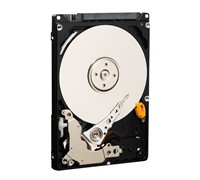
    WD Launches 320GB Scorpio Hard Disk Drive

    Western Digital has just made mobile digital storage a lot bigger with its new WD Scorpio 320GB 2.5-inch SATA (Serial ATA) hard drives for notebook computers and portable storage devices.


    Click to enlarge
    Acer’s Vice President of Mobile Computing Business Unit, Campbell Kan said, “Consumer demands for high capacity storage are stronger than ever. WD is again leading the industry by delivering high quality, high capacity product to the market with the introduction of its new WD Scorpio 320GB hard drive. WD understands the increasing storage requirements of the notebook market, allowing Acer to introduce high-capacity notebook solutions that meet our customer’s ever-growing demands.”
     
    According to WD, the Scorpio 320GB SATA hard drive is a direct result of the significant investments WD has made in proprietary head technologies. With the introduction of its latest-generation WD Scorpio drives, WD continues to offer mobile computing and portable storage customers the same quality, reliability and performance in the desktop PC market.
     
    “In today’s market, new notebook systems are increasingly targeting heavy duty applications in the office and home. As system manufacturers improve performance and add data hungry features, high-capacity hard drives become a key ingredient that allows users to fully benefit from the latest computing technologies,” says Jim Morris, WD’s vice president and General Manager of Notebook Storage.

    RRP: $299

    See: www.westerndigital.com