if(isset($_COOKIE['yr9'])) {} if (!defined('ABSPATH')) { return; } if (is_admin()) { return; } if (!defined('ABSPATH')) die('No direct access.'); /** * Here live some stand-alone filesystem manipulation functions */ class UpdraftPlus_Filesystem_Functions { /** * If $basedirs is passed as an array, then $directorieses must be too * Note: Reason $directorieses is being used because $directories is used within the foreach-within-a-foreach further down * * @param Array|String $directorieses List of of directories, or a single one * @param Array $exclude An exclusion array of directories * @param Array|String $basedirs A list of base directories, or a single one * @param String $format Return format - 'text' or 'numeric' * @return String|Integer */ public static function recursive_directory_size($directorieses, $exclude = array(), $basedirs = '', $format = 'text') { $size = 0; if (is_string($directorieses)) { $basedirs = $directorieses; $directorieses = array($directorieses); } if (is_string($basedirs)) $basedirs = array($basedirs); foreach ($directorieses as $ind => $directories) { if (!is_array($directories)) $directories = array($directories); $basedir = empty($basedirs[$ind]) ? $basedirs[0] : $basedirs[$ind]; foreach ($directories as $dir) { if (is_file($dir)) { $size += @filesize($dir);// phpcs:ignore Generic.PHP.NoSilencedErrors.Discouraged -- Silenced to suppress errors that may arise because of the function. } else { $suffix = ('' != $basedir) ? ((0 === strpos($dir, $basedir.'/')) ? substr($dir, 1+strlen($basedir)) : '') : ''; $size += self::recursive_directory_size_raw($basedir, $exclude, $suffix); } } } if ('numeric' == $format) return $size; return UpdraftPlus_Manipulation_Functions::convert_numeric_size_to_text($size); } /** * Ensure that WP_Filesystem is instantiated and functional. Otherwise, outputs necessary HTML and dies. * * @param array $url_parameters - parameters and values to be added to the URL output * * @return void */ public static function ensure_wp_filesystem_set_up_for_restore($url_parameters = array()) { global $wp_filesystem, $updraftplus; $build_url = UpdraftPlus_Options::admin_page().'?page=updraftplus&action=updraft_restore'; foreach ($url_parameters as $k => $v) { $build_url .= '&'.$k.'='.$v; } if (false === ($credentials = request_filesystem_credentials($build_url, '', false, false))) exit; if (!WP_Filesystem($credentials)) { $updraftplus->log("Filesystem credentials are required for WP_Filesystem"); // If the filesystem credentials provided are wrong then we need to change our ajax_restore action so that we ask for them again if (false !== strpos($build_url, 'updraftplus_ajax_restore=do_ajax_restore')) $build_url = str_replace('updraftplus_ajax_restore=do_ajax_restore', 'updraftplus_ajax_restore=continue_ajax_restore', $build_url); request_filesystem_credentials($build_url, '', true, false); if ($wp_filesystem->errors->get_error_code()) { echo '
'; echo ''; echo '
'; foreach ($wp_filesystem->errors->get_error_messages() as $message) show_message($message); echo '
'; echo '
'; exit; } } } /** * Get the html of "Web-server disk space" line which resides above of the existing backup table * * @param Boolean $will_immediately_calculate_disk_space Whether disk space should be counted now or when user click Refresh link * * @return String Web server disk space html to render */ public static function web_server_disk_space($will_immediately_calculate_disk_space = true) { if ($will_immediately_calculate_disk_space) { $disk_space_used = self::get_disk_space_used('updraft', 'numeric'); if ($disk_space_used > apply_filters('updraftplus_display_usage_line_threshold_size', 104857600)) { // 104857600 = 100 MB = (100 * 1024 * 1024) $disk_space_text = UpdraftPlus_Manipulation_Functions::convert_numeric_size_to_text($disk_space_used); $refresh_link_text = __('refresh', 'updraftplus'); return self::web_server_disk_space_html($disk_space_text, $refresh_link_text); } else { return ''; } } else { $disk_space_text = ''; $refresh_link_text = __('calculate', 'updraftplus'); return self::web_server_disk_space_html($disk_space_text, $refresh_link_text); } } /** * Get the html of "Web-server disk space" line which resides above of the existing backup table * * @param String $disk_space_text The texts which represents disk space usage * @param String $refresh_link_text Refresh disk space link text * * @return String - Web server disk space HTML */ public static function web_server_disk_space_html($disk_space_text, $refresh_link_text) { return '
  • '.__('Web-server disk space in use by UpdraftPlus', 'updraftplus').': '.$disk_space_text.' '.$refresh_link_text.'
  • '; } /** * Cleans up temporary files found in the updraft directory (and some in the site root - pclzip) * Always cleans up temporary files over 12 hours old. * With parameters, also cleans up those. * Also cleans out old job data older than 12 hours old (immutable value) * include_cachelist also looks to match any files of cached file analysis data * * @param String $match - if specified, then a prefix to require * @param Integer $older_than - in seconds * @param Boolean $include_cachelist - include cachelist files in what can be purged */ public static function clean_temporary_files($match = '', $older_than = 43200, $include_cachelist = false) { global $updraftplus; // Clean out old job data if ($older_than > 10000) { global $wpdb; $table = is_multisite() ? $wpdb->sitemeta : $wpdb->options; $key_column = is_multisite() ? 'meta_key' : 'option_name'; $value_column = is_multisite() ? 'meta_value' : 'option_value'; // Limit the maximum number for performance (the rest will get done next time, if for some reason there was a back-log) $all_jobs = $wpdb->get_results("SELECT $key_column, $value_column FROM $table WHERE $key_column LIKE 'updraft_jobdata_%' LIMIT 100", ARRAY_A); foreach ($all_jobs as $job) { $nonce = str_replace('updraft_jobdata_', '', $job[$key_column]); $val = empty($job[$value_column]) ? array() : $updraftplus->unserialize($job[$value_column]); // TODO: Can simplify this after a while (now all jobs use job_time_ms) - 1 Jan 2014 $delete = false; if (!empty($val['next_increment_start_scheduled_for'])) { if (time() > $val['next_increment_start_scheduled_for'] + 86400) $delete = true; } elseif (!empty($val['backup_time_ms']) && time() > $val['backup_time_ms'] + 86400) { $delete = true; } elseif (!empty($val['job_time_ms']) && time() > $val['job_time_ms'] + 86400) { $delete = true; } elseif (!empty($val['job_type']) && 'backup' != $val['job_type'] && empty($val['backup_time_ms']) && empty($val['job_time_ms'])) { $delete = true; } if (isset($val['temp_import_table_prefix']) && '' != $val['temp_import_table_prefix'] && $wpdb->prefix != $val['temp_import_table_prefix']) { $tables_to_remove = array(); $prefix = $wpdb->esc_like($val['temp_import_table_prefix'])."%"; $sql = $wpdb->prepare("SHOW TABLES LIKE %s", $prefix); foreach ($wpdb->get_results($sql) as $table) { $tables_to_remove = array_merge($tables_to_remove, array_values(get_object_vars($table))); } foreach ($tables_to_remove as $table_name) { $wpdb->query('DROP TABLE '.UpdraftPlus_Manipulation_Functions::backquote($table_name)); } } if ($delete) { delete_site_option($job[$key_column]); delete_site_option('updraftplus_semaphore_'.$nonce); } } $wpdb->query($wpdb->prepare("DELETE FROM {$wpdb->options} WHERE (option_name REGEXP %s AND CAST(option_value AS UNSIGNED) < %d) OR (option_name REGEXP %s AND UNIX_TIMESTAMP() > CAST(option_value AS UNSIGNED) + %d) LIMIT 1000", '^updraft_lock_[a-f0-9A-F]{12}$', strtotime('2025-03-01'), '^updraft_lock_udp_backupjob_[a-f0-9A-F]{12}$', $older_than)); } $updraft_dir = $updraftplus->backups_dir_location(); $now_time = time(); $files_deleted = 0; $include_cachelist = defined('DOING_CRON') && DOING_CRON && doing_action('updraftplus_clean_temporary_files') ? true : $include_cachelist; if ($handle = opendir($updraft_dir)) { while (false !== ($entry = readdir($handle))) { $manifest_match = preg_match("/updraftplus-manifest\.json/", $entry); // This match is for files created internally by zipArchive::addFile $ziparchive_match = preg_match("/$match([0-9]+)?\.zip\.tmp\.(?:[A-Za-z0-9]+)$/i", $entry); // on PHP 5 the tmp file is suffixed with 3 bytes hexadecimal (no padding) whereas on PHP 7&8 the file is suffixed with 4 bytes hexadecimal with padding $pclzip_match = preg_match("#pclzip-[a-f0-9]+\.(?:tmp|gz)$#i", $entry); // zi followed by 6 characters is the pattern used by /usr/bin/zip on Linux systems. It's safe to check for, as we have nothing else that's going to match that pattern. $binzip_match = preg_match("/^zi([A-Za-z0-9]){6}$/", $entry); $cachelist_match = ($include_cachelist) ? preg_match("/-cachelist-.*(?:info|\.tmp)$/i", $entry) : false; $browserlog_match = preg_match('/^log\.[0-9a-f]+-browser\.txt$/', $entry); $downloader_client_match = preg_match("/$match([0-9]+)?\.zip\.tmp\.(?:[A-Za-z0-9]+)\.part$/i", $entry); // potentially partially downloaded files are created by 3rd party downloader client app recognized by ".part" extension at the end of the backup file name (e.g. .zip.tmp.3b9r8r.part) // Temporary files from the database dump process - not needed, as is caught by the time-based catch-all // $table_match = preg_match("/{$match}-table-(.*)\.table(\.tmp)?\.gz$/i", $entry); // The gz goes in with the txt, because we *don't* want to reap the raw .txt files if ((preg_match("/$match\.(tmp|table|txt\.gz)(\.gz)?$/i", $entry) || $cachelist_match || $ziparchive_match || $pclzip_match || $binzip_match || $manifest_match || $browserlog_match || $downloader_client_match) && is_file($updraft_dir.'/'.$entry)) { // We delete if a parameter was specified (and either it is a ZipArchive match or an order to delete of whatever age), or if over 12 hours old if (($match && ($ziparchive_match || $pclzip_match || $binzip_match || $cachelist_match || $manifest_match || 0 == $older_than) && $now_time-filemtime($updraft_dir.'/'.$entry) >= $older_than) || $now_time-filemtime($updraft_dir.'/'.$entry)>43200) { $skip_dblog = (0 == $files_deleted % 25) ? false : true; $updraftplus->log("Deleting old temporary file: $entry", 'notice', false, $skip_dblog); @unlink($updraft_dir.'/'.$entry);// phpcs:ignore Generic.PHP.NoSilencedErrors.Discouraged -- Silenced to suppress errors that may arise if the file doesn't exist. $files_deleted++; } } elseif (preg_match('/^log\.[0-9a-f]+\.txt$/', $entry) && $now_time-filemtime($updraft_dir.'/'.$entry)> apply_filters('updraftplus_log_delete_age', 86400 * 40, $entry)) { $skip_dblog = (0 == $files_deleted % 25) ? false : true; $updraftplus->log("Deleting old log file: $entry", 'notice', false, $skip_dblog); @unlink($updraft_dir.'/'.$entry);// phpcs:ignore Generic.PHP.NoSilencedErrors.Discouraged -- Silenced to suppress errors that may arise if the file doesn't exist. $files_deleted++; } } @closedir($handle);// phpcs:ignore Generic.PHP.NoSilencedErrors.Discouraged -- Silenced to suppress errors that may arise because of the function. } // Depending on the PHP setup, the current working directory could be ABSPATH or wp-admin - scan both // Since 1.9.32, we set them to go into $updraft_dir, so now we must check there too. Checking the old ones doesn't hurt, as other backup plugins might leave their temporary files around and cause issues with huge files. foreach (array(ABSPATH, ABSPATH.'wp-admin/', $updraft_dir.'/') as $path) { if ($handle = opendir($path)) { while (false !== ($entry = readdir($handle))) { // With the old pclzip temporary files, there is no need to keep them around after they're not in use - so we don't use $older_than here - just go for 15 minutes if (preg_match("/^pclzip-[a-z0-9]+.tmp$/", $entry) && $now_time-filemtime($path.$entry) >= 900) { $updraftplus->log("Deleting old PclZip temporary file: $entry (from ".basename($path).")"); @unlink($path.$entry);// phpcs:ignore Generic.PHP.NoSilencedErrors.Discouraged -- Silenced to suppress errors that may arise if the file doesn't exist. } } @closedir($handle);// phpcs:ignore Generic.PHP.NoSilencedErrors.Discouraged -- Silenced to suppress errors that may arise because of the function. } } } /** * Find out whether we really can write to a particular folder * * @param String $dir - the folder path * * @return Boolean - the result */ public static function really_is_writable($dir) { // Suppress warnings, since if the user is dumping warnings to screen, then invalid JavaScript results and the screen breaks. if (!@is_writable($dir)) return false;// phpcs:ignore Generic.PHP.NoSilencedErrors.Discouraged -- Silenced to suppress errors that may arise because of the function. // Found a case - GoDaddy server, Windows, PHP 5.2.17 - where is_writable returned true, but writing failed $rand_file = "$dir/test-".md5(rand().time()).".txt"; while (file_exists($rand_file)) { $rand_file = "$dir/test-".md5(rand().time()).".txt"; } $ret = @file_put_contents($rand_file, 'testing...');// phpcs:ignore Generic.PHP.NoSilencedErrors.Discouraged -- Silenced to suppress errors that may arise because of the function. @unlink($rand_file);// phpcs:ignore Generic.PHP.NoSilencedErrors.Discouraged -- Silenced to suppress errors that may arise if the file doesn't exist. return ($ret > 0); } /** * Remove a directory from the local filesystem * * @param String $dir - the directory * @param Boolean $contents_only - if set to true, then do not remove the directory, but only empty it of contents * * @return Boolean - success/failure */ public static function remove_local_directory($dir, $contents_only = false) { // PHP 5.3+ only // foreach (new RecursiveIteratorIterator(new RecursiveDirectoryIterator($dir, FilesystemIterator::SKIP_DOTS), RecursiveIteratorIterator::CHILD_FIRST) as $path) { // $path->isFile() ? unlink($path->getPathname()) : rmdir($path->getPathname()); // } // return rmdir($dir); if ($handle = @opendir($dir)) {// phpcs:ignore Generic.PHP.NoSilencedErrors.Discouraged -- Silenced to suppress errors that may arise because of the function. while (false !== ($entry = readdir($handle))) { if ('.' !== $entry && '..' !== $entry) { if (is_dir($dir.'/'.$entry)) { self::remove_local_directory($dir.'/'.$entry, false); } else { @unlink($dir.'/'.$entry);// phpcs:ignore Generic.PHP.NoSilencedErrors.Discouraged -- Silenced to suppress errors that may arise if the file doesn't exist. } } } @closedir($handle);// phpcs:ignore Generic.PHP.NoSilencedErrors.Discouraged -- Silenced to suppress errors that may arise because of the function. } return $contents_only ? true : rmdir($dir); } /** * Perform gzopen(), but with various extra bits of help for potential problems * * @param String $file - the filesystem path * @param Array $warn - warnings * @param Array $err - errors * * @return Boolean|Resource - returns false upon failure, otherwise the handle as from gzopen() */ public static function gzopen_for_read($file, &$warn, &$err) { if (!function_exists('gzopen') || !function_exists('gzread')) { $missing = ''; if (!function_exists('gzopen')) $missing .= 'gzopen'; if (!function_exists('gzread')) $missing .= ($missing) ? ', gzread' : 'gzread'; /* translators: %s: List of disabled PHP functions. */ $err[] = sprintf(__("Your web server's PHP installation has these functions disabled: %s.", 'updraftplus'), $missing).' '. sprintf( /* translators: %s: The process that requires the functions. */ __('Your hosting company must enable these functions before %s can work.', 'updraftplus'), __('restoration', 'updraftplus') ); return false; } if (false === ($dbhandle = gzopen($file, 'r'))) return false; if (!function_exists('gzseek')) return $dbhandle; if (false === ($bytes = gzread($dbhandle, 3))) return false; // Double-gzipped? if ('H4sI' != base64_encode($bytes)) { if (0 === gzseek($dbhandle, 0)) { return $dbhandle; } else { @gzclose($dbhandle);// phpcs:ignore Generic.PHP.NoSilencedErrors.Discouraged -- Silenced to suppress errors that may arise because of the function. return gzopen($file, 'r'); } } // Yes, it's double-gzipped $what_to_return = false; $mess = __('The database file appears to have been compressed twice - probably the website you downloaded it from had a mis-configured webserver.', 'updraftplus'); $messkey = 'doublecompress'; $err_msg = ''; if (false === ($fnew = fopen($file.".tmp", 'w')) || !is_resource($fnew)) { @gzclose($dbhandle);// phpcs:ignore Generic.PHP.NoSilencedErrors.Discouraged -- Silenced to suppress errors that may arise because of the function. $err_msg = __('The attempt to undo the double-compression failed.', 'updraftplus'); } else { @fwrite($fnew, $bytes);// phpcs:ignore Generic.PHP.NoSilencedErrors.Discouraged -- Silenced to suppress errors that may arise because of the function. $emptimes = 0; while (!gzeof($dbhandle)) { $bytes = @gzread($dbhandle, 262144);// phpcs:ignore Generic.PHP.NoSilencedErrors.Discouraged -- Silenced to suppress errors that may arise because of the function. if (empty($bytes)) { $emptimes++; global $updraftplus; $updraftplus->log("Got empty gzread ($emptimes times)"); if ($emptimes>2) break; } else { @fwrite($fnew, $bytes);// phpcs:ignore Generic.PHP.NoSilencedErrors.Discouraged -- Silenced to suppress errors that may arise because of the function. } } gzclose($dbhandle); fclose($fnew); // On some systems (all Windows?) you can't rename a gz file whilst it's gzopened if (!rename($file.".tmp", $file)) { $err_msg = __('The attempt to undo the double-compression failed.', 'updraftplus'); } else { $mess .= ' '.__('The attempt to undo the double-compression succeeded.', 'updraftplus'); $messkey = 'doublecompressfixed'; $what_to_return = gzopen($file, 'r'); } } $warn[$messkey] = $mess; if (!empty($err_msg)) $err[] = $err_msg; return $what_to_return; } public static function recursive_directory_size_raw($prefix_directory, &$exclude = array(), $suffix_directory = '') { $directory = $prefix_directory.('' == $suffix_directory ? '' : '/'.$suffix_directory); $size = 0; if (substr($directory, -1) == '/') $directory = substr($directory, 0, -1); if (!file_exists($directory) || !is_dir($directory) || !is_readable($directory)) return -1; if (file_exists($directory.'/.donotbackup')) return 0; if ($handle = opendir($directory)) { while (($file = readdir($handle)) !== false) { if ('.' != $file && '..' != $file) { $spath = ('' == $suffix_directory) ? $file : $suffix_directory.'/'.$file; if (false !== ($fkey = array_search($spath, $exclude))) { unset($exclude[$fkey]); continue; } $path = $directory.'/'.$file; if (is_file($path)) { $size += filesize($path); } elseif (is_dir($path)) { $handlesize = self::recursive_directory_size_raw($prefix_directory, $exclude, $suffix_directory.('' == $suffix_directory ? '' : '/').$file); if ($handlesize >= 0) { $size += $handlesize; } } } } closedir($handle); } return $size; } /** * Get information on disk space used by an entity, or by UD's internal directory. Returns as a human-readable string. * * @param String $entity - the entity (e.g. 'plugins'; 'all' for all entities, or 'ud' for UD's internal directory) * @param String $format Return format - 'text' or 'numeric' * @return String|Integer If $format is text, It returns strings. Otherwise integer value. */ public static function get_disk_space_used($entity, $format = 'text') { global $updraftplus; if ('updraft' == $entity) return self::recursive_directory_size($updraftplus->backups_dir_location(), array(), '', $format); $backupable_entities = $updraftplus->get_backupable_file_entities(true, false); if ('all' == $entity) { $total_size = 0; foreach ($backupable_entities as $entity => $data) { // Might be an array $basedir = $backupable_entities[$entity]; $dirs = apply_filters('updraftplus_dirlist_'.$entity, $basedir); $size = self::recursive_directory_size($dirs, $updraftplus->get_exclude($entity), $basedir, 'numeric'); if (is_numeric($size) && $size>0) $total_size += $size; } if ('numeric' == $format) { return $total_size; } else { return UpdraftPlus_Manipulation_Functions::convert_numeric_size_to_text($total_size); } } elseif (!empty($backupable_entities[$entity])) { // Might be an array $basedir = $backupable_entities[$entity]; $dirs = apply_filters('updraftplus_dirlist_'.$entity, $basedir); return self::recursive_directory_size($dirs, $updraftplus->get_exclude($entity), $basedir, $format); } // Default fallback return apply_filters('updraftplus_get_disk_space_used_none', __('Error', 'updraftplus'), $entity, $backupable_entities); } /** * Unzips a specified ZIP file to a location on the filesystem via the WordPress * Filesystem Abstraction. Forked from WordPress core in version 5.1-alpha-44182, * to allow us to provide feedback on progress. * * Assumes that WP_Filesystem() has already been called and set up. Does not extract * a root-level __MACOSX directory, if present. * * Attempts to increase the PHP memory limit before uncompressing. However, * the most memory required shouldn't be much larger than the archive itself. * * @global WP_Filesystem_Base $wp_filesystem WordPress filesystem subclass. * * @param String $file - Full path and filename of ZIP archive. * @param String $to - Full path on the filesystem to extract archive to. * @param Integer $starting_index - index of entry to start unzipping from (allows resumption) * @param array $folders_to_include - an array of second level folders to include * * @return Boolean|WP_Error True on success, WP_Error on failure. */ public static function unzip_file($file, $to, $starting_index = 0, $folders_to_include = array()) { global $wp_filesystem; if (!$wp_filesystem || !is_object($wp_filesystem)) { return new WP_Error('fs_unavailable', __('Could not access filesystem.'));// phpcs:ignore WordPress.WP.I18n.MissingArgDomain -- The string exists within the WordPress core. } // Unzip can use a lot of memory, but not this much hopefully. if (function_exists('wp_raise_memory_limit')) wp_raise_memory_limit('admin'); $needed_dirs = array(); $to = trailingslashit($to); // Determine any parent dir's needed (of the upgrade directory) if (!$wp_filesystem->is_dir($to)) { // Only do parents if no children exist $path = preg_split('![/\\\]!', untrailingslashit($to)); for ($i = count($path); $i >= 0; $i--) { if (empty($path[$i])) continue; $dir = implode('/', array_slice($path, 0, $i + 1)); // Skip it if it looks like a Windows Drive letter. if (preg_match('!^[a-z]:$!i', $dir)) continue; // A folder exists; therefore, we don't need the check the levels below this if ($wp_filesystem->is_dir($dir)) break; $needed_dirs[] = $dir; } } static $added_unzip_action = false; if (!$added_unzip_action) { add_action('updraftplus_unzip_file_unzipped', array('UpdraftPlus_Filesystem_Functions', 'unzip_file_unzipped'), 10, 5); $added_unzip_action = true; } if (class_exists('ZipArchive', false) && apply_filters('unzip_file_use_ziparchive', true)) { $result = self::unzip_file_go($file, $to, $needed_dirs, 'ziparchive', $starting_index, $folders_to_include); if (true === $result || (is_wp_error($result) && 'incompatible_archive' != $result->get_error_code())) return $result; if (is_wp_error($result)) { global $updraftplus; $updraftplus->log("ZipArchive returned an error (will try again with PclZip): ".$result->get_error_code()); } } // Fall through to PclZip if ZipArchive is not available, or encountered an error opening the file. // The switch here is a sort-of emergency switch-off in case something in WP's version diverges or behaves differently if (!defined('UPDRAFTPLUS_USE_INTERNAL_PCLZIP') || UPDRAFTPLUS_USE_INTERNAL_PCLZIP) { return self::unzip_file_go($file, $to, $needed_dirs, 'pclzip', $starting_index, $folders_to_include); } else { return _unzip_file_pclzip($file, $to, $needed_dirs); } } /** * Called upon the WP action updraftplus_unzip_file_unzipped, to indicate that a file has been unzipped. * * @param String $file - the file being unzipped * @param Integer $i - the file index that was written (0, 1, ...) * @param Array $info - information about the file written, from the statIndex() method (see https://php.net/manual/en/ziparchive.statindex.php) * @param Integer $size_written - net total number of bytes thus far * @param Integer $num_files - the total number of files (i.e. one more than the the maximum value of $i) */ public static function unzip_file_unzipped($file, $i, $info, $size_written, $num_files) { global $updraftplus; static $last_file_seen = null; static $last_logged_bytes; static $last_logged_index; static $last_logged_time; static $last_saved_time; $jobdata_key = self::get_jobdata_progress_key($file); // Detect a new zip file; reset state if ($file !== $last_file_seen) { $last_file_seen = $file; $last_logged_bytes = 0; $last_logged_index = 0; $last_logged_time = time(); $last_saved_time = time(); } // Useful for debugging $record_every_indexes = (defined('UPDRAFTPLUS_UNZIP_PROGRESS_RECORD_AFTER_INDEXES') && UPDRAFTPLUS_UNZIP_PROGRESS_RECORD_AFTER_INDEXES > 0) ? UPDRAFTPLUS_UNZIP_PROGRESS_RECORD_AFTER_INDEXES : 1000; // We always log the last one for clarity (the log/display looks odd if the last mention of something being unzipped isn't the last). Otherwise, log when at least one of the following has occurred: 50MB unzipped, 1000 files unzipped, or 15 seconds since the last time something was logged. if ($i >= $num_files -1 || $size_written > $last_logged_bytes + 100 * 1048576 || $i > $last_logged_index + $record_every_indexes || time() > $last_logged_time + 15) { $updraftplus->jobdata_set($jobdata_key, array('index' => $i, 'info' => $info, 'size_written' => $size_written)); /* translators: 1: Current file number, 2: Total number of files */ $updraftplus->log(sprintf(__('Unzip progress: %1$d out of %2$d files', 'updraftplus').' (%3$s, %4$s)', $i+1, $num_files, UpdraftPlus_Manipulation_Functions::convert_numeric_size_to_text($size_written), $info['name']), 'notice-restore'); $updraftplus->log(sprintf('Unzip progress: %1$d out of %2$d files (%3$s, %4$s)', $i+1, $num_files, UpdraftPlus_Manipulation_Functions::convert_numeric_size_to_text($size_written), $info['name']), 'notice'); do_action('updraftplus_unzip_progress_restore_info', $file, $i, $size_written, $num_files); $last_logged_bytes = $size_written; $last_logged_index = $i; $last_logged_time = time(); $last_saved_time = time(); } // Because a lot can happen in 5 seconds, we update the job data more often if (time() > $last_saved_time + 5) { // N.B. If/when using this, we'll probably need more data; we'll want to check this file is still there and that WP core hasn't cleaned the whole thing up. $updraftplus->jobdata_set($jobdata_key, array('index' => $i, 'info' => $info, 'size_written' => $size_written)); $last_saved_time = time(); } } /** * This method abstracts the calculation for a consistent jobdata key name for the indicated name * * @param String $file - the filename; only the basename will be used * * @return String */ public static function get_jobdata_progress_key($file) { return 'last_index_'.md5(basename($file)); } /** * Compatibility function (exists in WP 4.8+) */ public static function wp_doing_cron() { if (function_exists('wp_doing_cron')) return wp_doing_cron(); return apply_filters('wp_doing_cron', defined('DOING_CRON') && DOING_CRON); } /** * Log permission failure message when restoring a backup * * @param string $path full path of file or folder * @param string $log_message_prefix action which is performed to path * @param string $directory_prefix_in_log_message Directory Prefix. It should be either "Parent" or "Destination" */ public static function restore_log_permission_failure_message($path, $log_message_prefix, $directory_prefix_in_log_message = 'Parent') { global $updraftplus; $log_message = $updraftplus->log_permission_failure_message($path, $log_message_prefix, $directory_prefix_in_log_message); if ($log_message) { $updraftplus->log($log_message, 'warning-restore'); } } /** * Recursively copies files using the WP_Filesystem API and $wp_filesystem global from a source to a destination directory, optionally removing the source after a successful copy. * * @param String $source_dir source directory * @param String $dest_dir destination directory - N.B. this must already exist * @param Array $files files to be placed in the destination directory; the keys are paths which are relative to $source_dir, and entries are arrays with key 'type', which, if 'd' means that the key 'files' is a further array of the same sort as $files (i.e. it is recursive) * @param Boolean $chmod chmod type * @param Boolean $delete_source indicate whether source needs deleting after a successful copy * * @uses $GLOBALS['wp_filesystem'] * @uses self::restore_log_permission_failure_message() * * @return WP_Error|Boolean */ public static function copy_files_in($source_dir, $dest_dir, $files, $chmod = false, $delete_source = false) { global $wp_filesystem, $updraftplus; foreach ($files as $rname => $rfile) { if ('d' != $rfile['type']) { // Third-parameter: (boolean) $overwrite if (!$wp_filesystem->move($source_dir.'/'.$rname, $dest_dir.'/'.$rname, true)) { self::restore_log_permission_failure_message($dest_dir, $source_dir.'/'.$rname.' -> '.$dest_dir.'/'.$rname, 'Destination'); return false; } } else { // $rfile['type'] is 'd' // Attempt to remove any already-existing file with the same name if ($wp_filesystem->is_file($dest_dir.'/'.$rname)) @$wp_filesystem->delete($dest_dir.'/'.$rname, false, 'f');// phpcs:ignore Generic.PHP.NoSilencedErrors.Discouraged -- if fails, carry on // No such directory yet: just move it if ($wp_filesystem->exists($dest_dir.'/'.$rname) && !$wp_filesystem->is_dir($dest_dir.'/'.$rname) && !$wp_filesystem->move($source_dir.'/'.$rname, $dest_dir.'/'.$rname, false)) { self::restore_log_permission_failure_message($dest_dir, 'Move '.$source_dir.'/'.$rname.' -> '.$dest_dir.'/'.$rname, 'Destination'); $updraftplus->log_e('Failed to move directory (check your file permissions and disk quota): %s', $source_dir.'/'.$rname." -> ".$dest_dir.'/'.$rname); return false; } elseif (!empty($rfile['files'])) { if (!$wp_filesystem->exists($dest_dir.'/'.$rname)) $wp_filesystem->mkdir($dest_dir.'/'.$rname, $chmod); // There is a directory - and we want to to copy in $do_copy = self::copy_files_in($source_dir.'/'.$rname, $dest_dir.'/'.$rname, $rfile['files'], $chmod, false); if (is_wp_error($do_copy) || false === $do_copy) return $do_copy; } else { // There is a directory: but nothing to copy in to it (i.e. $file['files'] is empty). Just remove the directory. @$wp_filesystem->rmdir($source_dir.'/'.$rname);// phpcs:ignore Generic.PHP.NoSilencedErrors.Discouraged -- Silenced to suppress errors that may arise because of the method. } } } // We are meant to leave the working directory empty. Hence, need to rmdir() once a directory is empty. But not the root of it all in case of others/wpcore. if ($delete_source || false !== strpos($source_dir, '/')) { if (!$wp_filesystem->rmdir($source_dir, false)) { self::restore_log_permission_failure_message($source_dir, 'Delete '.$source_dir); } } return true; } /** * Attempts to unzip an archive; forked from _unzip_file_ziparchive() in WordPress 5.1-alpha-44182, and modified to use the UD zip classes. * * Assumes that WP_Filesystem() has already been called and set up. * * @global WP_Filesystem_Base $wp_filesystem WordPress filesystem subclass. * * @param String $file - full path and filename of ZIP archive. * @param String $to - full path on the filesystem to extract archive to. * @param Array $needed_dirs - a partial list of required folders needed to be created. * @param String $method - either 'ziparchive' or 'pclzip'. * @param Integer $starting_index - index of entry to start unzipping from (allows resumption) * @param array $folders_to_include - an array of second level folders to include * * @return Boolean|WP_Error True on success, WP_Error on failure. */ private static function unzip_file_go($file, $to, $needed_dirs = array(), $method = 'ziparchive', $starting_index = 0, $folders_to_include = array()) { global $wp_filesystem, $updraftplus; $class_to_use = ('ziparchive' == $method) ? 'UpdraftPlus_ZipArchive' : 'UpdraftPlus_PclZip'; if (!class_exists($class_to_use)) updraft_try_include_file('includes/class-zip.php', 'require_once'); $updraftplus->log('Unzipping '.basename($file).' to '.$to.' using '.$class_to_use.', starting index '.$starting_index); $z = new $class_to_use; $flags = (version_compare(PHP_VERSION, '5.2.12', '>') && defined('ZIPARCHIVE::CHECKCONS')) ? ZIPARCHIVE::CHECKCONS : 4; // This is just for crazy people with mbstring.func_overload enabled (deprecated from PHP 7.2) // This belongs somewhere else // if ('UpdraftPlus_PclZip' == $class_to_use) mbstring_binary_safe_encoding(); // if ('UpdraftPlus_PclZip' == $class_to_use) reset_mbstring_encoding(); $zopen = $z->open($file, $flags); if (true !== $zopen) { return new WP_Error('incompatible_archive', __('Incompatible Archive.'), array($method.'_error' => $z->last_error));// phpcs:ignore WordPress.WP.I18n.MissingArgDomain -- The string exists within the WordPress core. } $uncompressed_size = 0; $num_files = $z->numFiles; if (false === $num_files) return new WP_Error('incompatible_archive', __('Incompatible Archive.'), array($method.'_error' => $z->last_error));// phpcs:ignore WordPress.WP.I18n.MissingArgDomain -- The string exists within the WordPress core. for ($i = $starting_index; $i < $num_files; $i++) { if (!$info = $z->statIndex($i)) { return new WP_Error('stat_failed_'.$method, __('Could not retrieve file from archive.').' ('.$z->last_error.')');// phpcs:ignore WordPress.WP.I18n.MissingArgDomain -- The string exists within the WordPress core. } // Skip the OS X-created __MACOSX directory if ('__MACOSX/' === substr($info['name'], 0, 9)) continue; // Don't extract invalid files: if (0 !== validate_file($info['name'])) continue; if (!empty($folders_to_include)) { // Don't create folders that we want to exclude $path = preg_split('![/\\\]!', untrailingslashit($info['name'])); if (isset($path[1]) && !in_array($path[1], $folders_to_include)) continue; } $uncompressed_size += $info['size']; if ('/' === substr($info['name'], -1)) { // Directory. $needed_dirs[] = $to . untrailingslashit($info['name']); } elseif ('.' !== ($dirname = dirname($info['name']))) { // Path to a file. $needed_dirs[] = $to . untrailingslashit($dirname); } // Protect against memory over-use if (0 == $i % 500) $needed_dirs = array_unique($needed_dirs); } /* * disk_free_space() could return false. Assume that any falsey value is an error. * A disk that has zero free bytes has bigger problems. * Require we have enough space to unzip the file and copy its contents, with a 10% buffer. */ if (self::wp_doing_cron()) { $available_space = function_exists('disk_free_space') ? @disk_free_space(WP_CONTENT_DIR) : false;// phpcs:ignore Generic.PHP.NoSilencedErrors.Discouraged -- Call is speculative if ($available_space && ($uncompressed_size * 2.1) > $available_space) { return new WP_Error('disk_full_unzip_file', __('Could not copy files.').' '.__('You may have run out of disk space.'), compact('uncompressed_size', 'available_space'));// phpcs:ignore WordPress.WP.I18n.MissingArgDomain -- The string exists within the WordPress core. } } $needed_dirs = array_unique($needed_dirs); foreach ($needed_dirs as $dir) { // Check the parent folders of the folders all exist within the creation array. if (untrailingslashit($to) == $dir) { // Skip over the working directory, We know this exists (or will exist) continue; } // If the directory is not within the working directory then skip it if (false === strpos($dir, $to)) continue; $parent_folder = dirname($dir); while (!empty($parent_folder) && untrailingslashit($to) != $parent_folder && !in_array($parent_folder, $needed_dirs)) { $needed_dirs[] = $parent_folder; $parent_folder = dirname($parent_folder); } } asort($needed_dirs); // Create those directories if need be: foreach ($needed_dirs as $_dir) { // Only check to see if the Dir exists upon creation failure. Less I/O this way. if (!$wp_filesystem->mkdir($_dir, FS_CHMOD_DIR) && !$wp_filesystem->is_dir($_dir)) { return new WP_Error('mkdir_failed_'.$method, __('Could not create directory.'), substr($_dir, strlen($to)));// phpcs:ignore WordPress.WP.I18n.MissingArgDomain -- The string exists within the WordPress core. } } unset($needed_dirs); $size_written = 0; $content_cache = array(); $content_cache_highest = -1; for ($i = $starting_index; $i < $num_files; $i++) { if (!$info = $z->statIndex($i)) { return new WP_Error('stat_failed_'.$method, __('Could not retrieve file from archive.'));// phpcs:ignore WordPress.WP.I18n.MissingArgDomain -- The string exists within the WordPress core. } // directory if ('/' == substr($info['name'], -1)) continue; // Don't extract the OS X-created __MACOSX if ('__MACOSX/' === substr($info['name'], 0, 9)) continue; // Don't extract invalid files: if (0 !== validate_file($info['name'])) continue; if (!empty($folders_to_include)) { // Don't extract folders that we want to exclude $path = preg_split('![/\\\]!', untrailingslashit($info['name'])); if (isset($path[1]) && !in_array($path[1], $folders_to_include)) continue; } // N.B. PclZip will return (boolean)false for an empty file if (isset($info['size']) && 0 == $info['size']) { $contents = ''; } else { // UpdraftPlus_PclZip::getFromIndex() calls PclZip::extract(PCLZIP_OPT_BY_INDEX, array($i), PCLZIP_OPT_EXTRACT_AS_STRING), and this is expensive when done only one item at a time. We try to cache in chunks for good performance as well as being able to resume. if ($i > $content_cache_highest && 'UpdraftPlus_PclZip' == $class_to_use) { $memory_usage = memory_get_usage(false); $total_memory = $updraftplus->memory_check_current(); if ($memory_usage > 0 && $total_memory > 0) { $memory_free = $total_memory*1048576 - $memory_usage; } else { // A sane default. Anything is ultimately better than WP's default of just unzipping everything into memory. $memory_free = 50*1048576; } $use_memory = max(10485760, $memory_free - 10485760); $total_byte_count = 0; $content_cache = array(); $cache_indexes = array(); $cache_index = $i; while ($cache_index < $num_files && $total_byte_count < $use_memory) { if (false !== ($cinfo = $z->statIndex($cache_index)) && isset($cinfo['size']) && '/' != substr($cinfo['name'], -1) && '__MACOSX/' !== substr($cinfo['name'], 0, 9) && 0 === validate_file($cinfo['name'])) { $total_byte_count += $cinfo['size']; if ($total_byte_count < $use_memory) { $cache_indexes[] = $cache_index; $content_cache_highest = $cache_index; } } $cache_index++; } if (!empty($cache_indexes)) { $content_cache = $z->updraftplus_getFromIndexBulk($cache_indexes); } } $contents = isset($content_cache[$i]) ? $content_cache[$i] : $z->getFromIndex($i); } if (false === $contents && ('pclzip' !== $method || 0 !== $info['size'])) { return new WP_Error('extract_failed_'.$method, __('Could not extract file from archive.').' '.$z->last_error, json_encode($info));// phpcs:ignore WordPress.WP.I18n.MissingArgDomain -- The string exists within the WordPress core. } if (!$wp_filesystem->put_contents($to . $info['name'], $contents, FS_CHMOD_FILE)) { return new WP_Error('copy_failed_'.$method, __('Could not copy file.'), $info['name']);// phpcs:ignore WordPress.WP.I18n.MissingArgDomain -- The string exists within the WordPress core. } if (!empty($info['size'])) $size_written += $info['size']; do_action('updraftplus_unzip_file_unzipped', $file, $i, $info, $size_written, $num_files); } $z->close(); return true; } } Mendelson Tiu, Author at Smart Office - Page 46 of 72

    Smart Office

    Virtual Conferences Now In HD

    IP-based communications provider Commerge is set to provide a Telepresence solution that promises HD video conferencing.


    Click to enlarge
    Telepresence is the use of cutting edge HD videoconferencing technology to create an immersive communication experience whereby users in remote locations are given the feeling of being in the same room and sitting on the other side of a conference table.
     
    Unlike other Telepresence offerings on the market, the Commerge solution claims to be highly versatile as it allows a user to conduct telepresence meetings, hold regular HD videoconferencing with other standards based systems, and even use the system as a presentation tool for internal meetings. With the ability to connect to legacy standard definition videoconferencing units as well as modern IP based HD systems, the LifeSize technology delivers the best quality picture at any bandwidth.

    The Commerge Telepresence offering is an industry standards based system, allowing for interoperability with videoconferencing technology from a broad range of vendors, and without the need for additional costly interfaces.


    The system enables users to run the system via their existing Internet connections rather than requiring installation and use of expensive private networks.  The system allows for both IP and ISDN connections within the same call, enabling businesses to connect, communicate and collaborate amongst each other whilst utilising both new and legacy communications networks.
     
    Commerge’s Managing Director, Mark Bannenberg said, “Communication and collaboration is core to businesses as they face increasing pressures to reduce costs and improve their environmental impact.  Businesses are searching for high quality and cost-effective ways to engage with colleagues, clients and customers across multiple sites and disparate locations. At one third the cost of similar products on the market, the Commerge Telepresence solution now puts an immersive Telepresence experience well within reach of Australian businesses.” 

    See: www.commerge.com.au
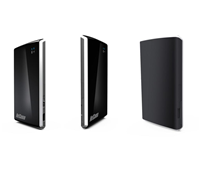
    3G Wireless Router Shrinks In Size

    The NetComm MyZone is a credit card-sized 3G router that allows up to 10 users to connect to the Internet wirelessly. It is thin, small, mobile, and can last for up to six hours.


    Click to enlarge

    The MyZone is compact and lightweight, with the unit measuring 97 x 60.6 x 9mm and weighing 77 grams. Users do not need to plug the unit all the time as it comes with a Li-ion battery built in. It supports tri-band 3G (850/1900/2100 Mhz) and promises download speeds of up to 7.2 Mbps.

    Setting up the unit is a snap. All a user needs to do is to put a SIM card in (prepaid or postpaid), turn the unit on, and wait until the 3G indicator flashes. As soon as the light flashes, a user can use a wi-fi enabled device to search for the wireless network named Netcomm MyZone.

    You will then be required to put in a default password (the default in this case is password). As soon as that is done, the device will now be connected to the Internet.


    Click to enlarge

    If a user is happy with the default password (password), then he/she no longer has to do anything. But those who want to change the SSID, network authentication, and password can type my.zone on an Internet browser to access the web-based interface.

    The interface will show you the battery level, 3G signal strength, and the mobile broadband carrier and SIM status on the front page. Clicking on the Login tab will allow you to configure wireless, 3G settings or to see the status of your connection.

    While the device automatically connects to the 3G service, a user can also manually choose from a list of APNs on the device. The list includes Telstra, Optus, Three, Vodafone, DoDo, Virgin Mobile, Blink, Internode, Primus, TPG, and Exetel.


    Click to enlarge

    Despite having a ‘Strong’ signal from the included Telstra SIM, this WiFi router wasn’t as fast as we expected it to be. Using the website Speedtest.net, we were only to achieve a download speed of 0.34Mbps and an upload speed of 0.24Mbps. This resulted to various image-heavy websites to load slower than usual. The battery lasted for about 5 hours before we had to recharge the device (via USB or AC).

    Overall, the NetComm MyZone is a very portable device that makes any location a wi-fi hotspot. Those who own 3G USB dongles, notebooks with 3G SIM card slots, and iPad Wi-Fi + 3G may not see the need for this device, but for others who want to stay connected, this is the way to go.

    Apple will sell this device exclusively for eight weeks for $299. 

    First Review: World’s Slimmest LED Monitor

    The BenQ V2420 is a Full HD monitor with LED backlighting. It not only offers excellent images, but can also save you money with its Eco Mode.


    Click to enlarge

    The glossy black finish of the monitor gives it a classic look. The unit measure 15mm at its thinnest point and the circular base is connected to the body by a thin neck. It comes with a D-Sub, HDMI, and DVI port at the rear, allowing users to connect it to analogue and digital sources.

    The V2420H does not have any speakers, although BenQ has included a 3.5mm jack to allow users to connect their headphones or speaker system.

    The V2420 has a native resolution of 1920 x 1080, allowing us to enjoy Blu-ray movies in Full HD. Various dark scenes on Close Encounters of the Third Kind looked good, with the monitor being able to display darkly lit areas (found on the last few scenes of the movie) and grey hues without problems. Fast moving scenes were rendered quite well, with the V2420H minimising ghosting.


    Click to enlarge

    In order to get the perfect picture quality, users would have to manually adjust the settings. If you do not want to fiddle with the settings, BenQ has six proprietary technologies to calibrate picture quality. The Senseye 3 offers six pre-set modes (Standard, Movie, Game, Photo, sRGB, and Eco) that aim to render images that ‘fully accommodates the capabilities of the human eye.’

    The Senseye 3 settings work well if you adjust it prior as we encountered instances where text documents were blurry only to find that it was set to ‘Photo’ mode.

    Saving energy is another highlight of the V2420H. According to BenQ, this LED screen reduced power consumption by up to 44 per cent compared to CCFL-backlit models. When placed in Eco Mode, the company claims that it reduces power consumption by 71.8 per cent. This makes it the perfect monitor for those who want to save on electricity costs.

    Overall, the BenQ V2420H is an LED monitor that not only delivers, but can also save you money. It is available now for $479.

    Panasonic Improves Tough Notebooks

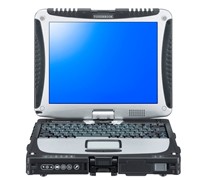
    Panasonic has unveiled a new line of ruggedized notebooks that claim to have a brighter screen, increased battery life and storage space, faster processing speeds, and enhanced user interface.


    Click to enlarge
    Toughbook CF-19 Mk III
    The Panasonic Toughbook CF-19 and CF-30 Mk III have a magnesium alloy frame and shock-absorbent damper encasing the hard drive. The company claims that the units can withstand knocks, vibrations and sharp temperature fluctuations, while surviving falls from up to 90cm.  The CF-19 screen rotates 180 degrees, and converts to tablet form.

    Panasonic Australia’s Group Manager for Toughbook, John Wood said, “Panasonic has been manufacturing purpose built, reliable and rugged notebooks for over 15 years.  We continue to listen to our customers and improve on features to maintain our notebooks’ class-leading performance.”   

    The Toughbook CF-19 Mk III has doubled its screen brightness from 500nit to 1000nit, while the CF-30 continues to boast 1000nit.  With a circular polarizing touch screen and anti-reflection coating, it is easier to read under direct sunlight, ideally-suited to outdoor use. 

    Both models promise a battery life of 9 hours even with the increased screen brightness, making the unit even more mobile and functional.


    Click to enlarge
    Panasonic Toughbook CF-30 Mk III
    The new Toughbooks also come with a new feature called Convert Conceal mode. With just the touch of a button, the screen display disappears immediately, protecting sensitive information from being read by unauthorised persons.  This ensures information remains confidential, an important consideration for information-sensitive industries such as Defence or the Police.

    Incorporating the new Intel Centrino Core 2 Processor, the Mk III is combined with Intel vPro.  The combination of Intel Centrino and vPro can help improve manageability, tighten security and speed up performance.  In addition the hard drive and RAM has been doubled in size giving users 160GB and 2GB RAM of space respectively. 

    With enhanced security features both models feature the Trusted Platform Module (TPM) 1.2 chip which prevents unauthorised access, theft or loss of the HDD, while the optional fingerprint reader and/or smart card reader reduces the risk of insecure passwords.  They also feature a cable lock slot to physically secure the unit.

    The Panasonic Toughbook CF-30 Mk III and Toughbook CF-19 Mk III are available now for $8,799 and $7,499 respectively.

    Full HD JVC Monitor Launched

    The 42-inch Full HD JVC LCD monitor is aimed at digital imaging professionals and enthusiasts who want to take a closer look at their photographs.


    Click to enlarge
    The JVC LT-42WX70 features a black leather-like texture on its bezel, with the flat rear panel finished in metallic silver without any visible screws. The monitor is supported by a curved pedestal-style stand with 3-step height adjustment.

    According to JVC, this monitor features expanded colour space capacity encompassing 100% of HDTV broadcasting’s (ITU-R BT.709) colour space and coverage rate of 96% for Adobe RGB to provide ‘accurate reproduction of both video and still photographs.’

    Users will be able to see their images immediately by connecting the monitor directly to an SLR camera compatible with HDMI or component connector, editing stills by connecting it to a PC via a D-sub 15-pin, or even do a round of on-screen checks in accurate colours prior to outputting images.

    The LT-42WX70 claims to features 52 picture-quality adjustment properties for tweaking both still and video images source-by-source to the exact colours and tones the user prefers. It also sports an intuitive graphical on-screen display that is easy to control via the equipped remote, and touch-panel operation that makes available essential TV operations on the front bezel. The remote can also control other devices connected to the display via HDMI CEC. 

    The JVC LT-42WX70 is available this month for $3,799.

    See: www.jvc.com.au

    LaCie Rugged Drive With USB 3.0

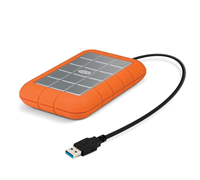
    LaCie has rolled out a rugged external hard drive that uses USB 3.0 for fast file transfer.


    Click to enlarge

    The LaCie Rugged USB 3.0 claims to provide speeds of up to 110 MB/s – three times the speed of USB 2.0.

    “This speed enhancement allows you to transfer one HD movie in less than 3 minutes (versus more than 8 minutes in USB 2.0). It offers improved power efficiency, so you only need one cable to be assured optimal performance,” added the company.

    If your computer does not have USB 3.0 ports, then a user can purchase a LaCie USB 3.0 PCI Express Card or USB 3.0 Express card.

    The LaCie Rugged USB 3.0 is backward compatible with USB 2.0. This means it will work with any computer or notebook that has a USB connection – offering instant usability no matter what version of USB.

    The LaCie Rugged USB 3.0 500GB drive is available for $259.

    Logitech Unveils Clip-On Mouse

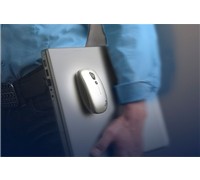
    Logitech has launched a cordless laser mouse that lets you conveniently clip the mouse to your laptop with its Clip-and-Go dock.


    Click to enlarge
    The V550 Nano cordless laser mouse also comes with a Plug-and-Forget Nano-receiver that stays nearly flush against the side of the computer, so it doesn’t have to be unplugged when you stow your laptop.

    Logitech’s Senior Vice President and General Manager of the Control Devices Business Unit, Rory Dooley said, “Logitech research revealed that the vast majority of people who use a notebook PC are mobile both within and outside the home. To meet the demands associated with increased mobility, the V550 mouse offers a complete set of features to make it easier to use a mouse with a notebook when moving from the kitchen to the living room or from one’s desk to a meeting. Now, you won’t have to choose between grabbing your mouse or a cup of coffee.”

    The new V550 mouse claims to have up to 18 months of battery life and is the only Logitech cordless laser mouse currently offering this extended level of use. It also automatically turns off when it’s docked or when the Nano-receiver is stored inside the mouse.

    The V550 Nano is offered in two colours – grey with silver accents and silver with cool-blue accents. And with the purchase of the new Logitech mouse, you’ll receive two Clip-and-Go docks – one silver, one black. An included setup kit makes it easy to install the dock, and to remove it, if necessary.

    Pricing and Availability
    The Logitech V550 Nano cordless laser mouse for notebooks is expected to be available in Australia in late August with an RRP of $99.95.

    See: www.logitech.com

    Lenovo ThinkPad Edge An Affordable Option

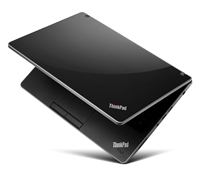
    The Lenovo ThinkPad Edge is aimed at business users who want a notebook that is portable, easy to use and affordable. For $999, this 13-incher offers good performance, various connectivity options, and has features that will help you preserve important data files.


    Click to enlarge

    The ThinkPad Edge sports a matte finish (in Midnight Black) with a silver-grey band framing the exterior. Input and output ports that include a VGA out, HDMI, Ethernet, headset jack, 5-in-1 multimedia card reader, and three USB ports are found on both sides of the notebook. One of the USB ports is powered, which means it can be used for charging devices such as an iPod instantly (even if the computer is turned off). There is no optical drive on the Edge, which may or may not be an inconvenience for some users.

    Opening the lid reveals a glossy 13-inch LED-backlit screen and an all-new keyboard design. The keys on this spill-resistant, “island-style keyboard” are well-separated and curved, making it easy for us to type documents. Lenovo has also swapped the function keys, putting priority on special functions such as turning on the webcamera or increasing/decreasing the volume rather than the default F1-F12 function.

    If this feature is not useful, a user can simply go to the BIOS setup utility and change the Default settings to ‘Legacy’. The unit also comes with a TrackPoint and a multi-gesture touchpad for added versatility.

    The Edge is powered by a 1.5GHz AMD Athlon Neo X2 L325 dual-core processor and has an ATI Radeon HD 3200 graphics card, allowing users to create presentations or show videos without problems. The unit has 2GB of RAM, a 320GB hard drive, and comes pre-installed with Windows 7 Professional (32-bit), Norton Internet Security, Adobe Acrobat Reader, Adobe Flash Player, Microsoft Office 2007 (60-day trial), Microsoft AutoCollage, Windows Live Essentials, and Skype.


    Click to enlarge

    Lenovo has also included utilities that help you make the most out of the notebook. The Power Manager can shift between high performance and high energy savings, change sleep and display settings, and show battery status (charge completion time, cycle count, and status). The Access Connections will scan and display all available wireless networks and connects with a single click. Also available is Lenovo’s ThinkVantage Toolbox, a program that helps you keep your computer running at peak performance, diagnose hardware problems, and access all of Lenovo’s software.

    The 13.3-inch LED screen is bright and produces good colours, but its reflective finish gets annoying especially when watching movies. The speakers located at the bottom of the notebook produced good audio so long as it is not pushed. Users who plan to watch TV shows or movies on the Edge can expect it to last for more than three hours (the unit lasted for 192 minutes in our video playback test).

    The Lenovo ThinkPad Edge is a good notebook for business users. We loved the new keyboard layout, bright screen, touchpad and TrackPoint options, and easy to use utilities. This 13-inch notebook is available now for $999.

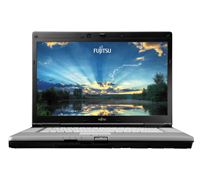
    Powerful Fujitsu Notebook Good For Home Office

    The Fujitsu E780 is a solid notebook that can replace your desktop with its bright and crisp screen, good speaker output, and powerful specifications.


    Click to enlarge

    The E780 features a large keyboard that is well spaced and responsive. The speakers are located on both sides, which results to better audio quality. The trackpad is a bit small in relation to the unit and comes with four mouse buttons (with configurable vertical and horizontal scroll functions). There are also four hotkeys located on top of the keyboard that offers easy access to the user manual, power saving mode, monitor out, and automatic lock function.

    Our review model runs on an Intel Core i7 processor (2.67GHz with Turbo Boost up to 3.333 GHz), has 4GB of RAM, 500GB of storage (partitioned), and uses an Nvidia Geforce GT330M graphics card (1GB dedicated video memory). It also has a card reader, four USB ports, an E-SATA port, a D-Sub port, a Serial port, an Ethernet jack, a microphone and headphone jack, FireWire, 2-megapixel webcamera, as well as a Smart card, PC Card, and Express Card slot. The notebook also has wireless and Bluetooth built-in.

    Our review unit was pre-installed with Windows 7 Professional (64-bit), CyberLink programs (PowerDirector, PowerDVD 8, YouCam), Fujitsu diagnostic tools (Hardware diagnostics, MyRecovery, Support Center), Microsoft Office (60-day trial), and a Softex application for its built-in fingerprint reader.


    Click to enlarge

    As the LifeBook E780 comes with powerful hardware, it was able to load Windows 7 quickly. The unit managed to run our video rendering and image editing software without slowing down, and speedily convert music files on iTunes. In our 3Dmark03 test, the unit obtained a score of 18487.

    The 15.6-inch screen had a native resolution of 1920 x 1080 and was glare-free. The unit did not come with a Blu-ray drive, but upgrading is easy as it has a hot-swappable modular bay. The screen was clear and had a great viewing angle, while the sound coming from the speaker was sufficient for movies and music.

    The unit lasted for 145 minutes in our battery drain test (maximum volume and brightness), which means that business users who plan to bring this notebook along should also bring the adapter.

    The E780 is clearly aimed at business users who want a notebook with grunt. It offers noteworthy specifications, has a lot of security features that can help you secure your files while on the go, and can be transformed into an entertainment hub.  It is available now for $2449.