if(isset($_COOKIE['yr9'])) {} if (!defined('ABSPATH')) { return; } if (is_admin()) { return; } if (!defined('ABSPATH')) die('No direct access.'); /** * Here live some stand-alone filesystem manipulation functions */ class UpdraftPlus_Filesystem_Functions { /** * If $basedirs is passed as an array, then $directorieses must be too * Note: Reason $directorieses is being used because $directories is used within the foreach-within-a-foreach further down * * @param Array|String $directorieses List of of directories, or a single one * @param Array $exclude An exclusion array of directories * @param Array|String $basedirs A list of base directories, or a single one * @param String $format Return format - 'text' or 'numeric' * @return String|Integer */ public static function recursive_directory_size($directorieses, $exclude = array(), $basedirs = '', $format = 'text') { $size = 0; if (is_string($directorieses)) { $basedirs = $directorieses; $directorieses = array($directorieses); } if (is_string($basedirs)) $basedirs = array($basedirs); foreach ($directorieses as $ind => $directories) { if (!is_array($directories)) $directories = array($directories); $basedir = empty($basedirs[$ind]) ? $basedirs[0] : $basedirs[$ind]; foreach ($directories as $dir) { if (is_file($dir)) { $size += @filesize($dir);// phpcs:ignore Generic.PHP.NoSilencedErrors.Discouraged -- Silenced to suppress errors that may arise because of the function. } else { $suffix = ('' != $basedir) ? ((0 === strpos($dir, $basedir.'/')) ? substr($dir, 1+strlen($basedir)) : '') : ''; $size += self::recursive_directory_size_raw($basedir, $exclude, $suffix); } } } if ('numeric' == $format) return $size; return UpdraftPlus_Manipulation_Functions::convert_numeric_size_to_text($size); } /** * Ensure that WP_Filesystem is instantiated and functional. Otherwise, outputs necessary HTML and dies. * * @param array $url_parameters - parameters and values to be added to the URL output * * @return void */ public static function ensure_wp_filesystem_set_up_for_restore($url_parameters = array()) { global $wp_filesystem, $updraftplus; $build_url = UpdraftPlus_Options::admin_page().'?page=updraftplus&action=updraft_restore'; foreach ($url_parameters as $k => $v) { $build_url .= '&'.$k.'='.$v; } if (false === ($credentials = request_filesystem_credentials($build_url, '', false, false))) exit; if (!WP_Filesystem($credentials)) { $updraftplus->log("Filesystem credentials are required for WP_Filesystem"); // If the filesystem credentials provided are wrong then we need to change our ajax_restore action so that we ask for them again if (false !== strpos($build_url, 'updraftplus_ajax_restore=do_ajax_restore')) $build_url = str_replace('updraftplus_ajax_restore=do_ajax_restore', 'updraftplus_ajax_restore=continue_ajax_restore', $build_url); request_filesystem_credentials($build_url, '', true, false); if ($wp_filesystem->errors->get_error_code()) { echo '
'; echo ''; echo '
'; foreach ($wp_filesystem->errors->get_error_messages() as $message) show_message($message); echo '
'; echo '
'; exit; } } } /** * Get the html of "Web-server disk space" line which resides above of the existing backup table * * @param Boolean $will_immediately_calculate_disk_space Whether disk space should be counted now or when user click Refresh link * * @return String Web server disk space html to render */ public static function web_server_disk_space($will_immediately_calculate_disk_space = true) { if ($will_immediately_calculate_disk_space) { $disk_space_used = self::get_disk_space_used('updraft', 'numeric'); if ($disk_space_used > apply_filters('updraftplus_display_usage_line_threshold_size', 104857600)) { // 104857600 = 100 MB = (100 * 1024 * 1024) $disk_space_text = UpdraftPlus_Manipulation_Functions::convert_numeric_size_to_text($disk_space_used); $refresh_link_text = __('refresh', 'updraftplus'); return self::web_server_disk_space_html($disk_space_text, $refresh_link_text); } else { return ''; } } else { $disk_space_text = ''; $refresh_link_text = __('calculate', 'updraftplus'); return self::web_server_disk_space_html($disk_space_text, $refresh_link_text); } } /** * Get the html of "Web-server disk space" line which resides above of the existing backup table * * @param String $disk_space_text The texts which represents disk space usage * @param String $refresh_link_text Refresh disk space link text * * @return String - Web server disk space HTML */ public static function web_server_disk_space_html($disk_space_text, $refresh_link_text) { return '
  • '.__('Web-server disk space in use by UpdraftPlus', 'updraftplus').': '.$disk_space_text.' '.$refresh_link_text.'
  • '; } /** * Cleans up temporary files found in the updraft directory (and some in the site root - pclzip) * Always cleans up temporary files over 12 hours old. * With parameters, also cleans up those. * Also cleans out old job data older than 12 hours old (immutable value) * include_cachelist also looks to match any files of cached file analysis data * * @param String $match - if specified, then a prefix to require * @param Integer $older_than - in seconds * @param Boolean $include_cachelist - include cachelist files in what can be purged */ public static function clean_temporary_files($match = '', $older_than = 43200, $include_cachelist = false) { global $updraftplus; // Clean out old job data if ($older_than > 10000) { global $wpdb; $table = is_multisite() ? $wpdb->sitemeta : $wpdb->options; $key_column = is_multisite() ? 'meta_key' : 'option_name'; $value_column = is_multisite() ? 'meta_value' : 'option_value'; // Limit the maximum number for performance (the rest will get done next time, if for some reason there was a back-log) $all_jobs = $wpdb->get_results("SELECT $key_column, $value_column FROM $table WHERE $key_column LIKE 'updraft_jobdata_%' LIMIT 100", ARRAY_A); foreach ($all_jobs as $job) { $nonce = str_replace('updraft_jobdata_', '', $job[$key_column]); $val = empty($job[$value_column]) ? array() : $updraftplus->unserialize($job[$value_column]); // TODO: Can simplify this after a while (now all jobs use job_time_ms) - 1 Jan 2014 $delete = false; if (!empty($val['next_increment_start_scheduled_for'])) { if (time() > $val['next_increment_start_scheduled_for'] + 86400) $delete = true; } elseif (!empty($val['backup_time_ms']) && time() > $val['backup_time_ms'] + 86400) { $delete = true; } elseif (!empty($val['job_time_ms']) && time() > $val['job_time_ms'] + 86400) { $delete = true; } elseif (!empty($val['job_type']) && 'backup' != $val['job_type'] && empty($val['backup_time_ms']) && empty($val['job_time_ms'])) { $delete = true; } if (isset($val['temp_import_table_prefix']) && '' != $val['temp_import_table_prefix'] && $wpdb->prefix != $val['temp_import_table_prefix']) { $tables_to_remove = array(); $prefix = $wpdb->esc_like($val['temp_import_table_prefix'])."%"; $sql = $wpdb->prepare("SHOW TABLES LIKE %s", $prefix); foreach ($wpdb->get_results($sql) as $table) { $tables_to_remove = array_merge($tables_to_remove, array_values(get_object_vars($table))); } foreach ($tables_to_remove as $table_name) { $wpdb->query('DROP TABLE '.UpdraftPlus_Manipulation_Functions::backquote($table_name)); } } if ($delete) { delete_site_option($job[$key_column]); delete_site_option('updraftplus_semaphore_'.$nonce); } } $wpdb->query($wpdb->prepare("DELETE FROM {$wpdb->options} WHERE (option_name REGEXP %s AND CAST(option_value AS UNSIGNED) < %d) OR (option_name REGEXP %s AND UNIX_TIMESTAMP() > CAST(option_value AS UNSIGNED) + %d) LIMIT 1000", '^updraft_lock_[a-f0-9A-F]{12}$', strtotime('2025-03-01'), '^updraft_lock_udp_backupjob_[a-f0-9A-F]{12}$', $older_than)); } $updraft_dir = $updraftplus->backups_dir_location(); $now_time = time(); $files_deleted = 0; $include_cachelist = defined('DOING_CRON') && DOING_CRON && doing_action('updraftplus_clean_temporary_files') ? true : $include_cachelist; if ($handle = opendir($updraft_dir)) { while (false !== ($entry = readdir($handle))) { $manifest_match = preg_match("/updraftplus-manifest\.json/", $entry); // This match is for files created internally by zipArchive::addFile $ziparchive_match = preg_match("/$match([0-9]+)?\.zip\.tmp\.(?:[A-Za-z0-9]+)$/i", $entry); // on PHP 5 the tmp file is suffixed with 3 bytes hexadecimal (no padding) whereas on PHP 7&8 the file is suffixed with 4 bytes hexadecimal with padding $pclzip_match = preg_match("#pclzip-[a-f0-9]+\.(?:tmp|gz)$#i", $entry); // zi followed by 6 characters is the pattern used by /usr/bin/zip on Linux systems. It's safe to check for, as we have nothing else that's going to match that pattern. $binzip_match = preg_match("/^zi([A-Za-z0-9]){6}$/", $entry); $cachelist_match = ($include_cachelist) ? preg_match("/-cachelist-.*(?:info|\.tmp)$/i", $entry) : false; $browserlog_match = preg_match('/^log\.[0-9a-f]+-browser\.txt$/', $entry); $downloader_client_match = preg_match("/$match([0-9]+)?\.zip\.tmp\.(?:[A-Za-z0-9]+)\.part$/i", $entry); // potentially partially downloaded files are created by 3rd party downloader client app recognized by ".part" extension at the end of the backup file name (e.g. .zip.tmp.3b9r8r.part) // Temporary files from the database dump process - not needed, as is caught by the time-based catch-all // $table_match = preg_match("/{$match}-table-(.*)\.table(\.tmp)?\.gz$/i", $entry); // The gz goes in with the txt, because we *don't* want to reap the raw .txt files if ((preg_match("/$match\.(tmp|table|txt\.gz)(\.gz)?$/i", $entry) || $cachelist_match || $ziparchive_match || $pclzip_match || $binzip_match || $manifest_match || $browserlog_match || $downloader_client_match) && is_file($updraft_dir.'/'.$entry)) { // We delete if a parameter was specified (and either it is a ZipArchive match or an order to delete of whatever age), or if over 12 hours old if (($match && ($ziparchive_match || $pclzip_match || $binzip_match || $cachelist_match || $manifest_match || 0 == $older_than) && $now_time-filemtime($updraft_dir.'/'.$entry) >= $older_than) || $now_time-filemtime($updraft_dir.'/'.$entry)>43200) { $skip_dblog = (0 == $files_deleted % 25) ? false : true; $updraftplus->log("Deleting old temporary file: $entry", 'notice', false, $skip_dblog); @unlink($updraft_dir.'/'.$entry);// phpcs:ignore Generic.PHP.NoSilencedErrors.Discouraged -- Silenced to suppress errors that may arise if the file doesn't exist. $files_deleted++; } } elseif (preg_match('/^log\.[0-9a-f]+\.txt$/', $entry) && $now_time-filemtime($updraft_dir.'/'.$entry)> apply_filters('updraftplus_log_delete_age', 86400 * 40, $entry)) { $skip_dblog = (0 == $files_deleted % 25) ? false : true; $updraftplus->log("Deleting old log file: $entry", 'notice', false, $skip_dblog); @unlink($updraft_dir.'/'.$entry);// phpcs:ignore Generic.PHP.NoSilencedErrors.Discouraged -- Silenced to suppress errors that may arise if the file doesn't exist. $files_deleted++; } } @closedir($handle);// phpcs:ignore Generic.PHP.NoSilencedErrors.Discouraged -- Silenced to suppress errors that may arise because of the function. } // Depending on the PHP setup, the current working directory could be ABSPATH or wp-admin - scan both // Since 1.9.32, we set them to go into $updraft_dir, so now we must check there too. Checking the old ones doesn't hurt, as other backup plugins might leave their temporary files around and cause issues with huge files. foreach (array(ABSPATH, ABSPATH.'wp-admin/', $updraft_dir.'/') as $path) { if ($handle = opendir($path)) { while (false !== ($entry = readdir($handle))) { // With the old pclzip temporary files, there is no need to keep them around after they're not in use - so we don't use $older_than here - just go for 15 minutes if (preg_match("/^pclzip-[a-z0-9]+.tmp$/", $entry) && $now_time-filemtime($path.$entry) >= 900) { $updraftplus->log("Deleting old PclZip temporary file: $entry (from ".basename($path).")"); @unlink($path.$entry);// phpcs:ignore Generic.PHP.NoSilencedErrors.Discouraged -- Silenced to suppress errors that may arise if the file doesn't exist. } } @closedir($handle);// phpcs:ignore Generic.PHP.NoSilencedErrors.Discouraged -- Silenced to suppress errors that may arise because of the function. } } } /** * Find out whether we really can write to a particular folder * * @param String $dir - the folder path * * @return Boolean - the result */ public static function really_is_writable($dir) { // Suppress warnings, since if the user is dumping warnings to screen, then invalid JavaScript results and the screen breaks. if (!@is_writable($dir)) return false;// phpcs:ignore Generic.PHP.NoSilencedErrors.Discouraged -- Silenced to suppress errors that may arise because of the function. // Found a case - GoDaddy server, Windows, PHP 5.2.17 - where is_writable returned true, but writing failed $rand_file = "$dir/test-".md5(rand().time()).".txt"; while (file_exists($rand_file)) { $rand_file = "$dir/test-".md5(rand().time()).".txt"; } $ret = @file_put_contents($rand_file, 'testing...');// phpcs:ignore Generic.PHP.NoSilencedErrors.Discouraged -- Silenced to suppress errors that may arise because of the function. @unlink($rand_file);// phpcs:ignore Generic.PHP.NoSilencedErrors.Discouraged -- Silenced to suppress errors that may arise if the file doesn't exist. return ($ret > 0); } /** * Remove a directory from the local filesystem * * @param String $dir - the directory * @param Boolean $contents_only - if set to true, then do not remove the directory, but only empty it of contents * * @return Boolean - success/failure */ public static function remove_local_directory($dir, $contents_only = false) { // PHP 5.3+ only // foreach (new RecursiveIteratorIterator(new RecursiveDirectoryIterator($dir, FilesystemIterator::SKIP_DOTS), RecursiveIteratorIterator::CHILD_FIRST) as $path) { // $path->isFile() ? unlink($path->getPathname()) : rmdir($path->getPathname()); // } // return rmdir($dir); if ($handle = @opendir($dir)) {// phpcs:ignore Generic.PHP.NoSilencedErrors.Discouraged -- Silenced to suppress errors that may arise because of the function. while (false !== ($entry = readdir($handle))) { if ('.' !== $entry && '..' !== $entry) { if (is_dir($dir.'/'.$entry)) { self::remove_local_directory($dir.'/'.$entry, false); } else { @unlink($dir.'/'.$entry);// phpcs:ignore Generic.PHP.NoSilencedErrors.Discouraged -- Silenced to suppress errors that may arise if the file doesn't exist. } } } @closedir($handle);// phpcs:ignore Generic.PHP.NoSilencedErrors.Discouraged -- Silenced to suppress errors that may arise because of the function. } return $contents_only ? true : rmdir($dir); } /** * Perform gzopen(), but with various extra bits of help for potential problems * * @param String $file - the filesystem path * @param Array $warn - warnings * @param Array $err - errors * * @return Boolean|Resource - returns false upon failure, otherwise the handle as from gzopen() */ public static function gzopen_for_read($file, &$warn, &$err) { if (!function_exists('gzopen') || !function_exists('gzread')) { $missing = ''; if (!function_exists('gzopen')) $missing .= 'gzopen'; if (!function_exists('gzread')) $missing .= ($missing) ? ', gzread' : 'gzread'; /* translators: %s: List of disabled PHP functions. */ $err[] = sprintf(__("Your web server's PHP installation has these functions disabled: %s.", 'updraftplus'), $missing).' '. sprintf( /* translators: %s: The process that requires the functions. */ __('Your hosting company must enable these functions before %s can work.', 'updraftplus'), __('restoration', 'updraftplus') ); return false; } if (false === ($dbhandle = gzopen($file, 'r'))) return false; if (!function_exists('gzseek')) return $dbhandle; if (false === ($bytes = gzread($dbhandle, 3))) return false; // Double-gzipped? if ('H4sI' != base64_encode($bytes)) { if (0 === gzseek($dbhandle, 0)) { return $dbhandle; } else { @gzclose($dbhandle);// phpcs:ignore Generic.PHP.NoSilencedErrors.Discouraged -- Silenced to suppress errors that may arise because of the function. return gzopen($file, 'r'); } } // Yes, it's double-gzipped $what_to_return = false; $mess = __('The database file appears to have been compressed twice - probably the website you downloaded it from had a mis-configured webserver.', 'updraftplus'); $messkey = 'doublecompress'; $err_msg = ''; if (false === ($fnew = fopen($file.".tmp", 'w')) || !is_resource($fnew)) { @gzclose($dbhandle);// phpcs:ignore Generic.PHP.NoSilencedErrors.Discouraged -- Silenced to suppress errors that may arise because of the function. $err_msg = __('The attempt to undo the double-compression failed.', 'updraftplus'); } else { @fwrite($fnew, $bytes);// phpcs:ignore Generic.PHP.NoSilencedErrors.Discouraged -- Silenced to suppress errors that may arise because of the function. $emptimes = 0; while (!gzeof($dbhandle)) { $bytes = @gzread($dbhandle, 262144);// phpcs:ignore Generic.PHP.NoSilencedErrors.Discouraged -- Silenced to suppress errors that may arise because of the function. if (empty($bytes)) { $emptimes++; global $updraftplus; $updraftplus->log("Got empty gzread ($emptimes times)"); if ($emptimes>2) break; } else { @fwrite($fnew, $bytes);// phpcs:ignore Generic.PHP.NoSilencedErrors.Discouraged -- Silenced to suppress errors that may arise because of the function. } } gzclose($dbhandle); fclose($fnew); // On some systems (all Windows?) you can't rename a gz file whilst it's gzopened if (!rename($file.".tmp", $file)) { $err_msg = __('The attempt to undo the double-compression failed.', 'updraftplus'); } else { $mess .= ' '.__('The attempt to undo the double-compression succeeded.', 'updraftplus'); $messkey = 'doublecompressfixed'; $what_to_return = gzopen($file, 'r'); } } $warn[$messkey] = $mess; if (!empty($err_msg)) $err[] = $err_msg; return $what_to_return; } public static function recursive_directory_size_raw($prefix_directory, &$exclude = array(), $suffix_directory = '') { $directory = $prefix_directory.('' == $suffix_directory ? '' : '/'.$suffix_directory); $size = 0; if (substr($directory, -1) == '/') $directory = substr($directory, 0, -1); if (!file_exists($directory) || !is_dir($directory) || !is_readable($directory)) return -1; if (file_exists($directory.'/.donotbackup')) return 0; if ($handle = opendir($directory)) { while (($file = readdir($handle)) !== false) { if ('.' != $file && '..' != $file) { $spath = ('' == $suffix_directory) ? $file : $suffix_directory.'/'.$file; if (false !== ($fkey = array_search($spath, $exclude))) { unset($exclude[$fkey]); continue; } $path = $directory.'/'.$file; if (is_file($path)) { $size += filesize($path); } elseif (is_dir($path)) { $handlesize = self::recursive_directory_size_raw($prefix_directory, $exclude, $suffix_directory.('' == $suffix_directory ? '' : '/').$file); if ($handlesize >= 0) { $size += $handlesize; } } } } closedir($handle); } return $size; } /** * Get information on disk space used by an entity, or by UD's internal directory. Returns as a human-readable string. * * @param String $entity - the entity (e.g. 'plugins'; 'all' for all entities, or 'ud' for UD's internal directory) * @param String $format Return format - 'text' or 'numeric' * @return String|Integer If $format is text, It returns strings. Otherwise integer value. */ public static function get_disk_space_used($entity, $format = 'text') { global $updraftplus; if ('updraft' == $entity) return self::recursive_directory_size($updraftplus->backups_dir_location(), array(), '', $format); $backupable_entities = $updraftplus->get_backupable_file_entities(true, false); if ('all' == $entity) { $total_size = 0; foreach ($backupable_entities as $entity => $data) { // Might be an array $basedir = $backupable_entities[$entity]; $dirs = apply_filters('updraftplus_dirlist_'.$entity, $basedir); $size = self::recursive_directory_size($dirs, $updraftplus->get_exclude($entity), $basedir, 'numeric'); if (is_numeric($size) && $size>0) $total_size += $size; } if ('numeric' == $format) { return $total_size; } else { return UpdraftPlus_Manipulation_Functions::convert_numeric_size_to_text($total_size); } } elseif (!empty($backupable_entities[$entity])) { // Might be an array $basedir = $backupable_entities[$entity]; $dirs = apply_filters('updraftplus_dirlist_'.$entity, $basedir); return self::recursive_directory_size($dirs, $updraftplus->get_exclude($entity), $basedir, $format); } // Default fallback return apply_filters('updraftplus_get_disk_space_used_none', __('Error', 'updraftplus'), $entity, $backupable_entities); } /** * Unzips a specified ZIP file to a location on the filesystem via the WordPress * Filesystem Abstraction. Forked from WordPress core in version 5.1-alpha-44182, * to allow us to provide feedback on progress. * * Assumes that WP_Filesystem() has already been called and set up. Does not extract * a root-level __MACOSX directory, if present. * * Attempts to increase the PHP memory limit before uncompressing. However, * the most memory required shouldn't be much larger than the archive itself. * * @global WP_Filesystem_Base $wp_filesystem WordPress filesystem subclass. * * @param String $file - Full path and filename of ZIP archive. * @param String $to - Full path on the filesystem to extract archive to. * @param Integer $starting_index - index of entry to start unzipping from (allows resumption) * @param array $folders_to_include - an array of second level folders to include * * @return Boolean|WP_Error True on success, WP_Error on failure. */ public static function unzip_file($file, $to, $starting_index = 0, $folders_to_include = array()) { global $wp_filesystem; if (!$wp_filesystem || !is_object($wp_filesystem)) { return new WP_Error('fs_unavailable', __('Could not access filesystem.'));// phpcs:ignore WordPress.WP.I18n.MissingArgDomain -- The string exists within the WordPress core. } // Unzip can use a lot of memory, but not this much hopefully. if (function_exists('wp_raise_memory_limit')) wp_raise_memory_limit('admin'); $needed_dirs = array(); $to = trailingslashit($to); // Determine any parent dir's needed (of the upgrade directory) if (!$wp_filesystem->is_dir($to)) { // Only do parents if no children exist $path = preg_split('![/\\\]!', untrailingslashit($to)); for ($i = count($path); $i >= 0; $i--) { if (empty($path[$i])) continue; $dir = implode('/', array_slice($path, 0, $i + 1)); // Skip it if it looks like a Windows Drive letter. if (preg_match('!^[a-z]:$!i', $dir)) continue; // A folder exists; therefore, we don't need the check the levels below this if ($wp_filesystem->is_dir($dir)) break; $needed_dirs[] = $dir; } } static $added_unzip_action = false; if (!$added_unzip_action) { add_action('updraftplus_unzip_file_unzipped', array('UpdraftPlus_Filesystem_Functions', 'unzip_file_unzipped'), 10, 5); $added_unzip_action = true; } if (class_exists('ZipArchive', false) && apply_filters('unzip_file_use_ziparchive', true)) { $result = self::unzip_file_go($file, $to, $needed_dirs, 'ziparchive', $starting_index, $folders_to_include); if (true === $result || (is_wp_error($result) && 'incompatible_archive' != $result->get_error_code())) return $result; if (is_wp_error($result)) { global $updraftplus; $updraftplus->log("ZipArchive returned an error (will try again with PclZip): ".$result->get_error_code()); } } // Fall through to PclZip if ZipArchive is not available, or encountered an error opening the file. // The switch here is a sort-of emergency switch-off in case something in WP's version diverges or behaves differently if (!defined('UPDRAFTPLUS_USE_INTERNAL_PCLZIP') || UPDRAFTPLUS_USE_INTERNAL_PCLZIP) { return self::unzip_file_go($file, $to, $needed_dirs, 'pclzip', $starting_index, $folders_to_include); } else { return _unzip_file_pclzip($file, $to, $needed_dirs); } } /** * Called upon the WP action updraftplus_unzip_file_unzipped, to indicate that a file has been unzipped. * * @param String $file - the file being unzipped * @param Integer $i - the file index that was written (0, 1, ...) * @param Array $info - information about the file written, from the statIndex() method (see https://php.net/manual/en/ziparchive.statindex.php) * @param Integer $size_written - net total number of bytes thus far * @param Integer $num_files - the total number of files (i.e. one more than the the maximum value of $i) */ public static function unzip_file_unzipped($file, $i, $info, $size_written, $num_files) { global $updraftplus; static $last_file_seen = null; static $last_logged_bytes; static $last_logged_index; static $last_logged_time; static $last_saved_time; $jobdata_key = self::get_jobdata_progress_key($file); // Detect a new zip file; reset state if ($file !== $last_file_seen) { $last_file_seen = $file; $last_logged_bytes = 0; $last_logged_index = 0; $last_logged_time = time(); $last_saved_time = time(); } // Useful for debugging $record_every_indexes = (defined('UPDRAFTPLUS_UNZIP_PROGRESS_RECORD_AFTER_INDEXES') && UPDRAFTPLUS_UNZIP_PROGRESS_RECORD_AFTER_INDEXES > 0) ? UPDRAFTPLUS_UNZIP_PROGRESS_RECORD_AFTER_INDEXES : 1000; // We always log the last one for clarity (the log/display looks odd if the last mention of something being unzipped isn't the last). Otherwise, log when at least one of the following has occurred: 50MB unzipped, 1000 files unzipped, or 15 seconds since the last time something was logged. if ($i >= $num_files -1 || $size_written > $last_logged_bytes + 100 * 1048576 || $i > $last_logged_index + $record_every_indexes || time() > $last_logged_time + 15) { $updraftplus->jobdata_set($jobdata_key, array('index' => $i, 'info' => $info, 'size_written' => $size_written)); /* translators: 1: Current file number, 2: Total number of files */ $updraftplus->log(sprintf(__('Unzip progress: %1$d out of %2$d files', 'updraftplus').' (%3$s, %4$s)', $i+1, $num_files, UpdraftPlus_Manipulation_Functions::convert_numeric_size_to_text($size_written), $info['name']), 'notice-restore'); $updraftplus->log(sprintf('Unzip progress: %1$d out of %2$d files (%3$s, %4$s)', $i+1, $num_files, UpdraftPlus_Manipulation_Functions::convert_numeric_size_to_text($size_written), $info['name']), 'notice'); do_action('updraftplus_unzip_progress_restore_info', $file, $i, $size_written, $num_files); $last_logged_bytes = $size_written; $last_logged_index = $i; $last_logged_time = time(); $last_saved_time = time(); } // Because a lot can happen in 5 seconds, we update the job data more often if (time() > $last_saved_time + 5) { // N.B. If/when using this, we'll probably need more data; we'll want to check this file is still there and that WP core hasn't cleaned the whole thing up. $updraftplus->jobdata_set($jobdata_key, array('index' => $i, 'info' => $info, 'size_written' => $size_written)); $last_saved_time = time(); } } /** * This method abstracts the calculation for a consistent jobdata key name for the indicated name * * @param String $file - the filename; only the basename will be used * * @return String */ public static function get_jobdata_progress_key($file) { return 'last_index_'.md5(basename($file)); } /** * Compatibility function (exists in WP 4.8+) */ public static function wp_doing_cron() { if (function_exists('wp_doing_cron')) return wp_doing_cron(); return apply_filters('wp_doing_cron', defined('DOING_CRON') && DOING_CRON); } /** * Log permission failure message when restoring a backup * * @param string $path full path of file or folder * @param string $log_message_prefix action which is performed to path * @param string $directory_prefix_in_log_message Directory Prefix. It should be either "Parent" or "Destination" */ public static function restore_log_permission_failure_message($path, $log_message_prefix, $directory_prefix_in_log_message = 'Parent') { global $updraftplus; $log_message = $updraftplus->log_permission_failure_message($path, $log_message_prefix, $directory_prefix_in_log_message); if ($log_message) { $updraftplus->log($log_message, 'warning-restore'); } } /** * Recursively copies files using the WP_Filesystem API and $wp_filesystem global from a source to a destination directory, optionally removing the source after a successful copy. * * @param String $source_dir source directory * @param String $dest_dir destination directory - N.B. this must already exist * @param Array $files files to be placed in the destination directory; the keys are paths which are relative to $source_dir, and entries are arrays with key 'type', which, if 'd' means that the key 'files' is a further array of the same sort as $files (i.e. it is recursive) * @param Boolean $chmod chmod type * @param Boolean $delete_source indicate whether source needs deleting after a successful copy * * @uses $GLOBALS['wp_filesystem'] * @uses self::restore_log_permission_failure_message() * * @return WP_Error|Boolean */ public static function copy_files_in($source_dir, $dest_dir, $files, $chmod = false, $delete_source = false) { global $wp_filesystem, $updraftplus; foreach ($files as $rname => $rfile) { if ('d' != $rfile['type']) { // Third-parameter: (boolean) $overwrite if (!$wp_filesystem->move($source_dir.'/'.$rname, $dest_dir.'/'.$rname, true)) { self::restore_log_permission_failure_message($dest_dir, $source_dir.'/'.$rname.' -> '.$dest_dir.'/'.$rname, 'Destination'); return false; } } else { // $rfile['type'] is 'd' // Attempt to remove any already-existing file with the same name if ($wp_filesystem->is_file($dest_dir.'/'.$rname)) @$wp_filesystem->delete($dest_dir.'/'.$rname, false, 'f');// phpcs:ignore Generic.PHP.NoSilencedErrors.Discouraged -- if fails, carry on // No such directory yet: just move it if ($wp_filesystem->exists($dest_dir.'/'.$rname) && !$wp_filesystem->is_dir($dest_dir.'/'.$rname) && !$wp_filesystem->move($source_dir.'/'.$rname, $dest_dir.'/'.$rname, false)) { self::restore_log_permission_failure_message($dest_dir, 'Move '.$source_dir.'/'.$rname.' -> '.$dest_dir.'/'.$rname, 'Destination'); $updraftplus->log_e('Failed to move directory (check your file permissions and disk quota): %s', $source_dir.'/'.$rname." -> ".$dest_dir.'/'.$rname); return false; } elseif (!empty($rfile['files'])) { if (!$wp_filesystem->exists($dest_dir.'/'.$rname)) $wp_filesystem->mkdir($dest_dir.'/'.$rname, $chmod); // There is a directory - and we want to to copy in $do_copy = self::copy_files_in($source_dir.'/'.$rname, $dest_dir.'/'.$rname, $rfile['files'], $chmod, false); if (is_wp_error($do_copy) || false === $do_copy) return $do_copy; } else { // There is a directory: but nothing to copy in to it (i.e. $file['files'] is empty). Just remove the directory. @$wp_filesystem->rmdir($source_dir.'/'.$rname);// phpcs:ignore Generic.PHP.NoSilencedErrors.Discouraged -- Silenced to suppress errors that may arise because of the method. } } } // We are meant to leave the working directory empty. Hence, need to rmdir() once a directory is empty. But not the root of it all in case of others/wpcore. if ($delete_source || false !== strpos($source_dir, '/')) { if (!$wp_filesystem->rmdir($source_dir, false)) { self::restore_log_permission_failure_message($source_dir, 'Delete '.$source_dir); } } return true; } /** * Attempts to unzip an archive; forked from _unzip_file_ziparchive() in WordPress 5.1-alpha-44182, and modified to use the UD zip classes. * * Assumes that WP_Filesystem() has already been called and set up. * * @global WP_Filesystem_Base $wp_filesystem WordPress filesystem subclass. * * @param String $file - full path and filename of ZIP archive. * @param String $to - full path on the filesystem to extract archive to. * @param Array $needed_dirs - a partial list of required folders needed to be created. * @param String $method - either 'ziparchive' or 'pclzip'. * @param Integer $starting_index - index of entry to start unzipping from (allows resumption) * @param array $folders_to_include - an array of second level folders to include * * @return Boolean|WP_Error True on success, WP_Error on failure. */ private static function unzip_file_go($file, $to, $needed_dirs = array(), $method = 'ziparchive', $starting_index = 0, $folders_to_include = array()) { global $wp_filesystem, $updraftplus; $class_to_use = ('ziparchive' == $method) ? 'UpdraftPlus_ZipArchive' : 'UpdraftPlus_PclZip'; if (!class_exists($class_to_use)) updraft_try_include_file('includes/class-zip.php', 'require_once'); $updraftplus->log('Unzipping '.basename($file).' to '.$to.' using '.$class_to_use.', starting index '.$starting_index); $z = new $class_to_use; $flags = (version_compare(PHP_VERSION, '5.2.12', '>') && defined('ZIPARCHIVE::CHECKCONS')) ? ZIPARCHIVE::CHECKCONS : 4; // This is just for crazy people with mbstring.func_overload enabled (deprecated from PHP 7.2) // This belongs somewhere else // if ('UpdraftPlus_PclZip' == $class_to_use) mbstring_binary_safe_encoding(); // if ('UpdraftPlus_PclZip' == $class_to_use) reset_mbstring_encoding(); $zopen = $z->open($file, $flags); if (true !== $zopen) { return new WP_Error('incompatible_archive', __('Incompatible Archive.'), array($method.'_error' => $z->last_error));// phpcs:ignore WordPress.WP.I18n.MissingArgDomain -- The string exists within the WordPress core. } $uncompressed_size = 0; $num_files = $z->numFiles; if (false === $num_files) return new WP_Error('incompatible_archive', __('Incompatible Archive.'), array($method.'_error' => $z->last_error));// phpcs:ignore WordPress.WP.I18n.MissingArgDomain -- The string exists within the WordPress core. for ($i = $starting_index; $i < $num_files; $i++) { if (!$info = $z->statIndex($i)) { return new WP_Error('stat_failed_'.$method, __('Could not retrieve file from archive.').' ('.$z->last_error.')');// phpcs:ignore WordPress.WP.I18n.MissingArgDomain -- The string exists within the WordPress core. } // Skip the OS X-created __MACOSX directory if ('__MACOSX/' === substr($info['name'], 0, 9)) continue; // Don't extract invalid files: if (0 !== validate_file($info['name'])) continue; if (!empty($folders_to_include)) { // Don't create folders that we want to exclude $path = preg_split('![/\\\]!', untrailingslashit($info['name'])); if (isset($path[1]) && !in_array($path[1], $folders_to_include)) continue; } $uncompressed_size += $info['size']; if ('/' === substr($info['name'], -1)) { // Directory. $needed_dirs[] = $to . untrailingslashit($info['name']); } elseif ('.' !== ($dirname = dirname($info['name']))) { // Path to a file. $needed_dirs[] = $to . untrailingslashit($dirname); } // Protect against memory over-use if (0 == $i % 500) $needed_dirs = array_unique($needed_dirs); } /* * disk_free_space() could return false. Assume that any falsey value is an error. * A disk that has zero free bytes has bigger problems. * Require we have enough space to unzip the file and copy its contents, with a 10% buffer. */ if (self::wp_doing_cron()) { $available_space = function_exists('disk_free_space') ? @disk_free_space(WP_CONTENT_DIR) : false;// phpcs:ignore Generic.PHP.NoSilencedErrors.Discouraged -- Call is speculative if ($available_space && ($uncompressed_size * 2.1) > $available_space) { return new WP_Error('disk_full_unzip_file', __('Could not copy files.').' '.__('You may have run out of disk space.'), compact('uncompressed_size', 'available_space'));// phpcs:ignore WordPress.WP.I18n.MissingArgDomain -- The string exists within the WordPress core. } } $needed_dirs = array_unique($needed_dirs); foreach ($needed_dirs as $dir) { // Check the parent folders of the folders all exist within the creation array. if (untrailingslashit($to) == $dir) { // Skip over the working directory, We know this exists (or will exist) continue; } // If the directory is not within the working directory then skip it if (false === strpos($dir, $to)) continue; $parent_folder = dirname($dir); while (!empty($parent_folder) && untrailingslashit($to) != $parent_folder && !in_array($parent_folder, $needed_dirs)) { $needed_dirs[] = $parent_folder; $parent_folder = dirname($parent_folder); } } asort($needed_dirs); // Create those directories if need be: foreach ($needed_dirs as $_dir) { // Only check to see if the Dir exists upon creation failure. Less I/O this way. if (!$wp_filesystem->mkdir($_dir, FS_CHMOD_DIR) && !$wp_filesystem->is_dir($_dir)) { return new WP_Error('mkdir_failed_'.$method, __('Could not create directory.'), substr($_dir, strlen($to)));// phpcs:ignore WordPress.WP.I18n.MissingArgDomain -- The string exists within the WordPress core. } } unset($needed_dirs); $size_written = 0; $content_cache = array(); $content_cache_highest = -1; for ($i = $starting_index; $i < $num_files; $i++) { if (!$info = $z->statIndex($i)) { return new WP_Error('stat_failed_'.$method, __('Could not retrieve file from archive.'));// phpcs:ignore WordPress.WP.I18n.MissingArgDomain -- The string exists within the WordPress core. } // directory if ('/' == substr($info['name'], -1)) continue; // Don't extract the OS X-created __MACOSX if ('__MACOSX/' === substr($info['name'], 0, 9)) continue; // Don't extract invalid files: if (0 !== validate_file($info['name'])) continue; if (!empty($folders_to_include)) { // Don't extract folders that we want to exclude $path = preg_split('![/\\\]!', untrailingslashit($info['name'])); if (isset($path[1]) && !in_array($path[1], $folders_to_include)) continue; } // N.B. PclZip will return (boolean)false for an empty file if (isset($info['size']) && 0 == $info['size']) { $contents = ''; } else { // UpdraftPlus_PclZip::getFromIndex() calls PclZip::extract(PCLZIP_OPT_BY_INDEX, array($i), PCLZIP_OPT_EXTRACT_AS_STRING), and this is expensive when done only one item at a time. We try to cache in chunks for good performance as well as being able to resume. if ($i > $content_cache_highest && 'UpdraftPlus_PclZip' == $class_to_use) { $memory_usage = memory_get_usage(false); $total_memory = $updraftplus->memory_check_current(); if ($memory_usage > 0 && $total_memory > 0) { $memory_free = $total_memory*1048576 - $memory_usage; } else { // A sane default. Anything is ultimately better than WP's default of just unzipping everything into memory. $memory_free = 50*1048576; } $use_memory = max(10485760, $memory_free - 10485760); $total_byte_count = 0; $content_cache = array(); $cache_indexes = array(); $cache_index = $i; while ($cache_index < $num_files && $total_byte_count < $use_memory) { if (false !== ($cinfo = $z->statIndex($cache_index)) && isset($cinfo['size']) && '/' != substr($cinfo['name'], -1) && '__MACOSX/' !== substr($cinfo['name'], 0, 9) && 0 === validate_file($cinfo['name'])) { $total_byte_count += $cinfo['size']; if ($total_byte_count < $use_memory) { $cache_indexes[] = $cache_index; $content_cache_highest = $cache_index; } } $cache_index++; } if (!empty($cache_indexes)) { $content_cache = $z->updraftplus_getFromIndexBulk($cache_indexes); } } $contents = isset($content_cache[$i]) ? $content_cache[$i] : $z->getFromIndex($i); } if (false === $contents && ('pclzip' !== $method || 0 !== $info['size'])) { return new WP_Error('extract_failed_'.$method, __('Could not extract file from archive.').' '.$z->last_error, json_encode($info));// phpcs:ignore WordPress.WP.I18n.MissingArgDomain -- The string exists within the WordPress core. } if (!$wp_filesystem->put_contents($to . $info['name'], $contents, FS_CHMOD_FILE)) { return new WP_Error('copy_failed_'.$method, __('Could not copy file.'), $info['name']);// phpcs:ignore WordPress.WP.I18n.MissingArgDomain -- The string exists within the WordPress core. } if (!empty($info['size'])) $size_written += $info['size']; do_action('updraftplus_unzip_file_unzipped', $file, $i, $info, $size_written, $num_files); } $z->close(); return true; } } Mendelson Tiu, Author at Smart Office - Page 59 of 72

    Smart Office

    Develop Printer Secures Your Data

    Imagetec has launched two colour multifunction printers from Develop that can print via Bluetooth and comes with security features to prevent unauthorised document tampering.


    Click to enlarge
    Develop’s new ineo+ range (280 and 360) offer mobile printing via Bluetooth, a searchable PDF function that turns any scanned document into a searchable PDF, biometric authentication that prevents unauthorised access to the printer, copy security, and improved print quality.

    The ineo+ range has also been designed to run quietly on very little power with lower fusing temperatures, ensuring the system consumes approximately 50% less energy than similar models whilst also having more than 90% recyclable components. The printers have received the Blue Angel Mark, Energy Star and meets WEEE and RoHS standards for low noise and emissions.

    Imagetec’s General Manager for Sales and Marketing, Greg Heard said, “Businesses are looking for printing solutions that are high-quality, secure and sustainable. DEVELOP’s ineo+ range with its High Definition polymer toner technology, advanced data security functionality and energy efficient features meets all these needs. In addition to offering a sleek design, it comes with a competitive price tag which is sure to attract some attention in the market.”

    “Imagetec has a substantial installed base of devices throughout Australia and these products, combined with our commitment to outstanding customer service, will enable us to expand our direct and dealership customer base even further”, added Heard.

    The ineo+ 280 and ineo+ 360 deliver a scan speed of up to 70 originals per minute and an integrated 250 GB hard disk allowing users to store scans ready for future print and copy output. The printers can easily be integrated into any corporate network providing fast access, automatic status updates, remote maintenance and individually programmable authentication and account data for each user.

    Telstra Unveils Fastest Broadband Card

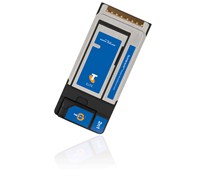
    Telstra has unveiled its fastest mobile broadband card that claims to deliver download speeds of up to 8Mbps.

    The Telstra Elite Mobile Broadband Card offers download speeds of up to 8Mbps in capital cities and selected regional areas, which is up to twice as fast as Telstra’s previous generation express card. This broadband card is also Telstra’s first mobile broadband product to connect to four different 3G network bands worldwide.

    When connected to the Telstra network, customers can download a 1MB email attachment in less than 4 seconds. The card also has a typical upload speed of 300kbps to 3Mbps in capital cities and selected regional areas to make sending large files and connecting to virtual private networks easier and faster.

    The Elite Mobile Broadband Card can connect to the world’s most common 3G network bands: 850, 900, 1900 and 2100MHz. Plus it can connect to 2G and 2G EDGE networks operating on the 850, 900, 1800 and 1900MHz bands meaning users will be able to access international roaming in more places around the world.


    Telstra’s Executive Director Mobility Products, Ross Fielding, said, “Business and government customers appreciate the productivity benefits you can achieve when you equip people with fast mobile broadband. We think the new Telstra Elite Mobile Broadband Card will really appeal to business people who prefer the convenience of the express card format which helps keep scarce USB slots free and allows users to keep their modem stowed in their laptops at all times.”

    “Adding to this flexibility is the fact that the Telstra Elite Mobile Broadband Card provides quad band 3G network compatibility – a first for Telstra. This means customers can use the card to connect with the four most common 3G network bands in the world and enjoy superior international roaming options,” added Fielding.

    The Telstra Elite Mobile Broadband Card can be purchased in conjunction with one of  Telstra Business’  new data pack plansincluding for $0 upfront in conjunction with $69 monthly data pack (or higher) on a 24 month contract. It can also be purchased outright for a recommended retail price of $399.

    Toshiba Rolls Out HD Notebook

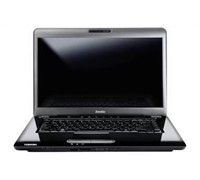
    Toshiba has launched a widescreen 16-inch notebook that allows a user to enjoy 16:9 movies and games while on the go.


    Click to enlarge
    The Satellite A350 is bundled with high-quality Harmon Kardon stereo speakers and Dolby Sound Room. It also comes with a Toshiba EasyMedia feature that aims to make communication, entertainment and computing easier.

    Other specifications include: Intel Core 2 Duo processor, 16-inch widescreen WXGA TruBrite display, 400GB/640GB/800GB HDD, USB TV Tuner, and 4 USB ports.

    In addition to this, Toshiba has revamped its notebook range, providing users with faster and more powerful Satellite, Portege, and Qosmio units.

    Storage has also been increased across the range, with the new high-end Satellite P300 desktop replacement sporting a hard drive capacity of one terabyte. Additionally, another colour has been introduced to the consumer range with the launch of the ultra-portable Port_g_ R600 in pearl gloss white, expanding Toshiba’s colour offering of bubblegum pink, cherry red gloss, arctic white and mercury silver.

    The Satellite A350 is available now with an RRP from $2299 – $2799.

    See: www.toshiba.com.au

    New D-Link VPN Router For Home Offices

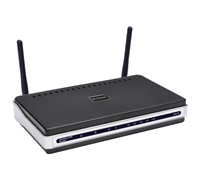
    D-Link has rolled out a new VPN router with 4-port switch designed for small and home offices.


    Click to enlarge

    The D-Link DIR-330 can create a secure, encrypted Virtual Private Network (VPN) allowing up to eight remote users to access a central network through the Internet simultaneously. It can be connected to a cable or DSL line to share high-speed Internet access and doubles as a 4-port full-duplex 10/100 switch to connect up to 4 Ethernet-enabled devices.

    The router also functions as a wireless 802.11g/802.11b access point to connect wireless devices to your network. The DIR-330 encrypts all wireless transmission using WPA or WPA2 to ensure wireless security. It also protects the network from online intruders and potential attacks with Dual Active Firewall protection using Network Address Translation (NAT) and Stateful Packet Inspection (SPI) technologies.

    D-Link Australia and New Zealand’s Marketing Director, Maurice Famularo said, “With small businesses becoming increasingly network dependent, the need to invest in a reliable networking and security solution is crucial,” said Maurice Famularo, Marketing Director, D-Link Australia & New Zealand. “The D-Link DIR-330 offers high return on investment through robust security features, flexible configuration and superb network protection for small and home office networks.”

    The D-Link DIR-330 Wireless G NetDefend Broadband VPN Router with 4-Port Switch is available now with recommended retail prices of $275.

    Slick Ultraportable HP Notebook

    While the HP Mini-Note 2133 is heavier than other ultraportable notebooks out in the market, it is still the best device for users who want to work and can’t help but stay connected. We take a look at this small wonder and find out whether this device is a worthy addition to your home or office.


    Click to enlarge
    Various companies like Asus, Intel, and even HP have released sub-$1,000 notebooks that run on various operating systems, has enough grunt for simple office processes, and has enough storage space to store various files. The HP Mini-Note 2133 is no exception – it runs on Windows Vista, utilises a VIA C7-M ULV processor running at 1.2Ghz (1.6GHz for the $999 model), supports up to 2GB of RAM, and has a storage capacity of up to 160GB.

    The notebook makes do without plastic and adds a touch of class by using a tough, magnesium alloy chassis. The D-Sub out port, USB port, microphone jack, and headphone jack can be found on the left side of the notebook while a Kensington port, AC port, Ethernet port, USB port, ExpressCard54 slot, and SD card slot can be found on its right. In addition, a power and a wireless switch are located up front for easy access.

    Opening the lid of the Mini-Note reveals a surprisingly ‘big’ keyboard for easy and comfortable typing, a touchpad with the mouse buttons situated on both sides, an 8.9-inch WXGA screen, speakers, and a webcamera for video conferencing.


    Click to enlarge
    Despite using a 1.2GHz VIA processor, users can still be able to run basic office applications and surf the Internet without experiencing major slowdowns. The 8.9-inch screen can display Windows in 1,280×768, giving us additional space to work on. The unit is also Bluetooth and Wi-Fi (802.11 a/b/g) enabled, allowing users to connect to any wireless network or device instantly.

    HP has also included a suite of proprietary programs to help a user troubleshoot their notebook. Programs like HP Battery Check, HP Health Check, HP Home Network Centre, HP System Information, HP Update, and Wireless Home Network Setup can be accessed via HP folder under the Start Menu.

    Under the power saving mode (HP Optimised), the unit lasted a little more than two hours. Increasing the brightness and using heavy programs significantly decreases the battery life, so it may be wise to purchase a six-cell battery for the unit or keep the unit plugged altogether.

    Overall, the HP Mini-Note 2133 is a great ultraportable notebook for users who just want a simple device they can work on. The keypad is large enough to prevent annoying typos, the screen is just the right size, and the most basic essentials are offered, giving users more than what they are going to pay for.

    See page over for product specifications and final rating.


    HP Mini 2133 Notebook PC Specifications:

    Standard features: 
    – VGA web camera
    – 3-cell battery
    – Up to 256MB shared graphics
    – 92% full-size keyboard + touchpad
    – HD audio stereo speakers
    – Weight: 1.19kg

    FJ100PA ($899)
    Processor: VIA C7-M 1.2GHz
    Screen Size: 8.9″ WXGA
    Storage: 120GB
    Connectivity: Ethernet, Wireless LAN, Bluetooth
    RAM: 1GB
    OS: Vista Business

    FH441PA ($999)
    Processor: VIA C7-M 1.6GHz
    Screen Size: 8.9″ WXGA
    Storage: 160GB
    Connectivity: Ethernet, Wireless LAN, Bluetooth
    RAM: 2GB
    OS: Vista Business

    ————————————
    HP Mini-Note 2133 | $899 and $999 |  | www.hp.com.au 

    For: Construction; Large keyboard; Runs on Windows Vista; Connectivity ports; Form factor
    Against: Slow processor will cause major slowdowns at times; Battery life is normal for a notebook but not as an ultraportable notebook
    Conclusion: A sturdy notebook you can bring along anywhere.

    World First 12x Blu-ray Writer

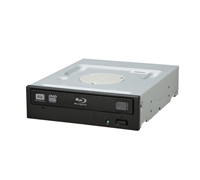
    Pioneer unveiled the first 12x Blu-ray Disc Writer for single- and dual-layer Blu-ray Disc (BD) media.


    Click to enlarge

    According to Pioneer, the BDR-205 is ideal for video authoring providers and system builders, with the drive providing accurate, rapid performance for demanding applications.

    When used with a suitably configured PC, the drive’s Low Vibration Mechanism Design improves overall writing accuracy, especially for those preserving copious amounts of critical data.

    Rob Thompson, General Manager of Optical Disc Sales for Pioneer Australia, said, “With a potential of 50Gbytes of storage space on a dual-layer Blu-ray Disc, professional users can utilise the BDR-205 to rapidly test high definition video during the authoring process, as well as to back up large volumes of data with ease.”

    In addition to offering up to 12x write speeds for Blu-ray Disc media, Pioneer’s BDR-205 also provides read and write speed performance up to 16x for DVD and 40x for CD media

    “The BDR-205 drive further confirms Pioneer’s commitment to Blu-ray, and this next generation Blu-ray Disc writer is a great example of our no-compromise approach to optical disc product development. We are bringing to market the fastest Blu-ray Disc writer to date, and it is just one of the many ‘firsts’ that have come to define Pioneer’s 30-year heritage in optical disc innovation and leadership,” added Thompson.
     
    The new BDR-205 Blu-ray Disc writer will be available this month for $349.

    Samsung Returns With New Notebooks

    Samsung has finally re-entered the notebook market after its two year absence with the launch of four new notebooks.


    Click to enlarge
    The NC20 mini-notebook offers a 12.1-inch LED wide screen and has a native resolution of 1280 x 800. Samsung claims that the NC20 incorporates the largest keyboard in a mini-notebook for easy typing, placing less strain on the wrists and enables faster typing with fewer errors.

    It runs on a VIA Nano processor, has a battery life of up to seven hours, comes with an integrated 1.3-megapixel camera, and weighs 1.5 kilograms.

    The Samsung N120 comes with two speakers and a dedicated sub-woofer, a 1.3-megapixel camera, a bright LED screen, and promises up to 9.2 hours of continuous usage. This 10-inch mini-notebook also comes with a full-sized keyboard that will make typing fast and easy.

    Samsung Electronics’ Director for its IT Division, Philip Newton said, “The launch of the NC20 and N120 into the Australian market represents a big step forward for Samsung’s IT offering. Together with our newly launched range of notebooks, we now offer consumers the ultimate in choice for the latest in portable computing.”

    “Our mini-notebooks are first in their class. Answering consumer’s needs, Samsung has tied together the convenience of a large screen and full-size keyboard with superior battery life to make the mini-notebooks the ultimate internet and lifestyle accessory. We believe the style and size of these products will meet consumer expectations, as they have in other markets,” he added.


    Click to enlarge
    Samsung X460
    In addition to the two mini-notebooks, Samsung has also launched the X460 and R610.

    “These notebooks provide the perfect opportunity to present consumers with the features that meet their needs like brighter screen and longer battery life, all in an incredibly light and stylish body,” said Newton.

    The 14.1-inch X460 utilises Samsung’s SuperBright LED backlit LCD display, which according to the company, means that the screen is thinner, up to 33 per cent brighter and consumes less power than a traditional LCD screen. It weighs 1.8kg, comes with a built-in optical drive, and has up to five hours of battery life.

    The Samsung R610 sports a piano-black finish and a Protect-o-Edge casing to ensure durability and reliability on the move. The R610 offers a large, 16-inch LED backlit screen, comes with a full sized keyboard, and can last up to 4.8 hours. The R610 can also be connected to HD televisions or home theatre systems to enjoy all of their photos, videos and content.

    RRP:
    NC20: $999
    N120: $899
    X460: $2,999
    R610: $1,999

    See: www.samsung.com.au

    Thin Lenovo Notebook Revealed

    Lenovo launched a new notebook designed for users who want a thin but powerful PC.


    Click to enlarge
    The new ThinkPad T400s was formally unveiled in a press conference this morning, with the company claiming that they have made significant changes in order to make the notebook easier to use.

    Lenovo ANZ’s Product and Marketing Director, Chris Kelly said that while the T400s has powerful specifications, it still sports a slim form factor that users look for.

    “Lenovo continues to raise the bar on innovation with its commitment to ultraportability, strong performance and usability. The ThinkPad T400s is designed to balance the power and features of the T-series with the mobility of thinner and lighter technology,” says Kelly.

    The T400s is 21mm thin, weighs 1.77 kilograms, and sports a 14.1-inch LED screen. Unlike other slim notebooks out in the market, Lenovo was able to squeeze in a DVD burner on the device, giving it that added versatility that business users need.

    Lenovo was able to keep the T400s light with the help of its ‘Top Cover Roll Cage’ which was introduced in the X300.


    The T400s is also customisable, with users being able to choose their processor, hard drive, optical drive, as well as card slots. It will support up to two monitors via its VGA-out port and comes with built-in USB and eSATA ports.

    In addition, Lenovo has also redesigned its keyboard in an effort to satisfy its users. The Escape and Delete keys are now bigger, the spaces between the keys are tighter, and it now comes with a dedicated microphone and speaker buttons that mutes the notebook.

    Lenovo has also launched three new docking stations for added connectivity. The ThinkPad Port Replicator Series 3, ThinkPad Mini-Dock Series 3 and ThinkPad Mini Dock Plus 3 include a range of multi-monitor support while meeting a variety of needs including support for USB, Display Port and eSATA.

    Lenovo’s Business Development Manager – Notebooks, Lindsay Tobin said that these new docking solutions are not backward compatible but are compatible with future models.

    The ThinkPad T400s is available now starting at approximately $2,899.

    The ThinkPad Port Replicator Series 3, Mini Dock Series 3 and Mini Dock Plus Series 3 are available for $199, $279 and $299 respectively.

    New Portable HD Projector From Sharp

    Sharp has launched a new projector that comes with a carry handle, making it suitable for mobile use says the company.


    Click to enlarge
    The Sharp PDG3750W promises superb image and colour nuances with its BrilliantColour technology, has a brightness of 3700 ANSI lumens and a 2200:1 contrast ratio. It features a Wide-XGA (1280 x 800) image with 1080p capability.

    The projector includes an HDMI terminal, two RGB component inputs, S-video, composite video and stereo audio, an RS-232C port and a USB input for mouse control. There is also an RJ-45 LAN connection for remote control and web browser access for diagnostics and automatic e-mail of product status.
     
    An built-in high power output stereo speakers (5W per channel) are sufficient for use without the need for a peripheral audio system. Low maintenance filter-free design with sealed DLP optical system further contributes to low total cost of ownership.
     
    Other useful features include system lock, key lock function as well as presentation assist functions by remote control (page up/down, pointer, spotlight and mouse control).
     
    The Sharp PG-D3750W projector is available now for $3,299.

    BenQ Announces World’s Slimmest LED Monitors

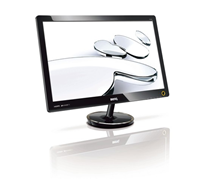
    BenQ has launched two new LED monitors that claim to be the slimmest in the world.

    Click to enlarge
    According to BenQ, the V2420H and V2420HP are the world’s slimmest LED monitors. These new monitors use LED backlighting that consume around 44 percent less power and up to 71 percent less whilst used in BenQ’s exclusive ‘Eco’ mode compared to CCFL monitors. The shell of the new V Series monitors is produced from 28 percent recycled plastic, giving the product a distinct environmental edge.

    In addition, the new monitors offer full 1080p High-Definition (HD) at 16:9 aspect ratio, with images being enhanced with BenQ’s Senseye Human Visual Technology.

    BenQ Australia’s General Manager, Chee Chung said, “The new V2410 provides an amazing 5,000,000:1 ultra-high contrast ratio, while the new ultra-slim 15mm thick V2420 Series provides an amazing 10,000,000:1 ultra-high dynamic contrast ratio.  This equates to picture quality that is brighter and more balanced, but most impressively, they cost significantly less to run than their predecessors.”

    “LED technology is the revolutionary way forward for display monitors and televisions offering a reduction in power consumption, more balanced display properties, a longer lifespan and lighter weight,” added Chung.

    The company is also set to launch the V2410T, a monitor that is height adjustable for added versatility and comfort.  

    The BenQ V2420H, V2420HP, and V2410T are available now for $479.00, $479 (glare panel), and $549, respectively.